🕹️ Valorant Agents Split Screen 4K UHD (3840x2160) Wallpaper
❤ Share this wallpaper:
WhatsApp Facebook Twitter / X Pinterest LinkedIn Copy Link for Instagram Telegram Reddit Email

💡 Below is relevant information on how to install wallpapers on different devices 👇
This 4K wallpaper is the best choice for testing your OLED professional display resolution. Compared to others, our high-performance tool provides a premium look for any high-end smartphone or desktop setup.
"Personalize this wallpaper or upload your own image to create the perfect mobile background 👇"
Customize Valorant Agents Split Screen for Mobile Wallpapers
iPhone • Samsung • Xiaomi • Google Pixel • Android • Huawei • (Others)
720×1600 • 1080×1920 • 1080×2340 • 1080×2400 • 1284×2778 • 1440×3088Please use Portrait Mode for a better experience (Optional)
Overview – Valorant Agents Split Screen
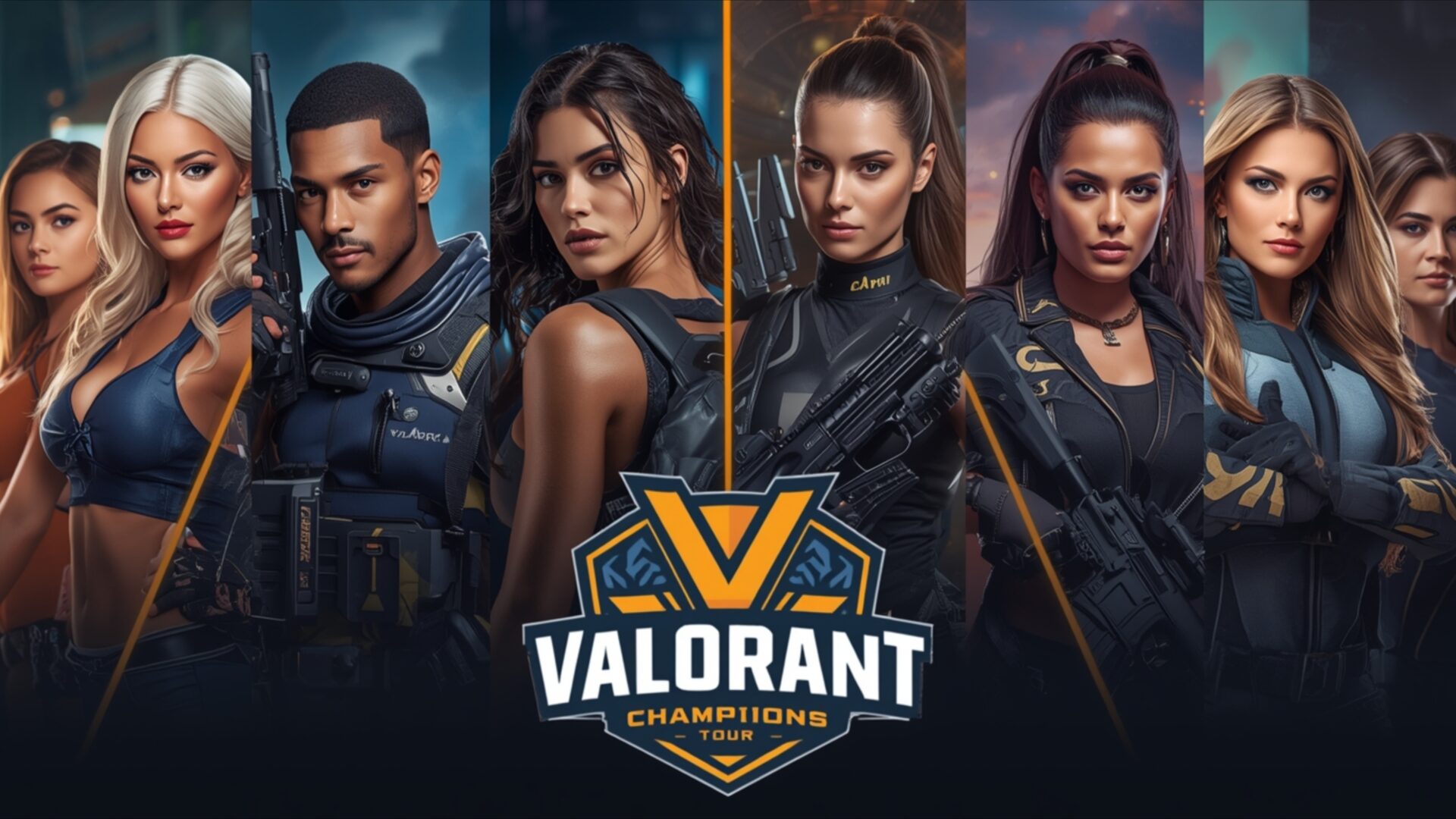
Valorant Agents Split Screen presents a striking visual theme for fans of tactical shooters, showcasing a collection of the game’s iconic characters in a dynamic split-screen arrangement. This particular image, rendered in crisp 4k wallpaper quality, captures the intensity and diverse personalities of the Valorant roster. The lighting is expertly handled, with a subtle glow emanating from behind each agent, highlighting their features and giving them a heroic presence. The color palette leans towards deep blues, blacks, and metallic grays, punctuated by the vibrant orange and yellow of the Valorant Champions logo at the center, creating a sophisticated and energetic atmosphere.
Each character is depicted with a high level of detail, from the textures of their tactical gear to the determined expressions on their faces. The composition effectively divides the screen, allowing multiple agents to be featured prominently without feeling cluttered. This arrangement makes it an excellent choice for a PC wallpaper, providing a visually engaging scene for your desktop background. The artistic style is realistic yet stylized, fitting perfectly with the modern aesthetic of the game. The focus on individual characters, each with their unique design and implied abilities, draws the viewer into the world of Valorant.
The overall mood is one of readiness and strategic prowess, reflecting the core gameplay of Valorant. The image is a testament to the detailed character design that has made the game so popular. It’s a visual representation of the diverse team-based combat that defines the experience. This scene composition is designed to be impactful, offering a glimpse into the strategic depth and character-driven narrative of the game. You can download this wallpaper for free of charge to enhance your digital space.
This high-resolution image is available in 3840×2160, with 4K, 2K, and Full HD versions also ready for your selection, ensuring a perfect fit for your display. Valorant Agents Split Screen is more than just a picture; it’s a piece of gaming art.
Wallpaper license: CC BY-NC-ND 4.0 · Credit: HDPeek.com
Remove Black Bars | Fit to Any Screen Size | CSS Fixer & Minifier | Compress Image Online | Image Converter Online | What Is My Screen Resolution? | Wallpaper Upscaler Online
Explore Categories
💡 How to Install Wallpaper on Different Devices
Windows PC:
Right-click on the wallpaper image. Select "Set as desktop background" or "Set as wallpaper". Adjust the fit (Fill, Fit, Stretch, Tile, Center) in Settings > Personalization > Background.Mac:
Right-click on the wallpaper image. Select "Set Desktop Picture". Alternatively, go to System Preferences > Desktop & Screen Saver and choose your image.iPhone / iPad (iOS):
Open the wallpaper image in Photos. Tap the Share button and select "Use as Wallpaper". Move and scale the image, then tap "Set" > Choose "Set Lock Screen", "Set Home Screen", or "Set Both".Android:
Open the wallpaper image in your Gallery app. Tap the Menu or Options button, then select "Set as wallpaper". Choose Home screen, Lock screen, or Both. Adjust the crop if needed and confirm.Linux (Ubuntu / others):
Right-click on the wallpaper image. Select "Set as Desktop Background" or "Set as Wallpaper". Adjust settings if your desktop environment allows multiple monitors.
Tips:
- For best quality, download the image in the resolution that matches your screen.
- Use 16:9 for widescreens, 1:1 for square displays.
- On mobile devices, choose "Set Both" for a consistent look on Home and Lock screens.
