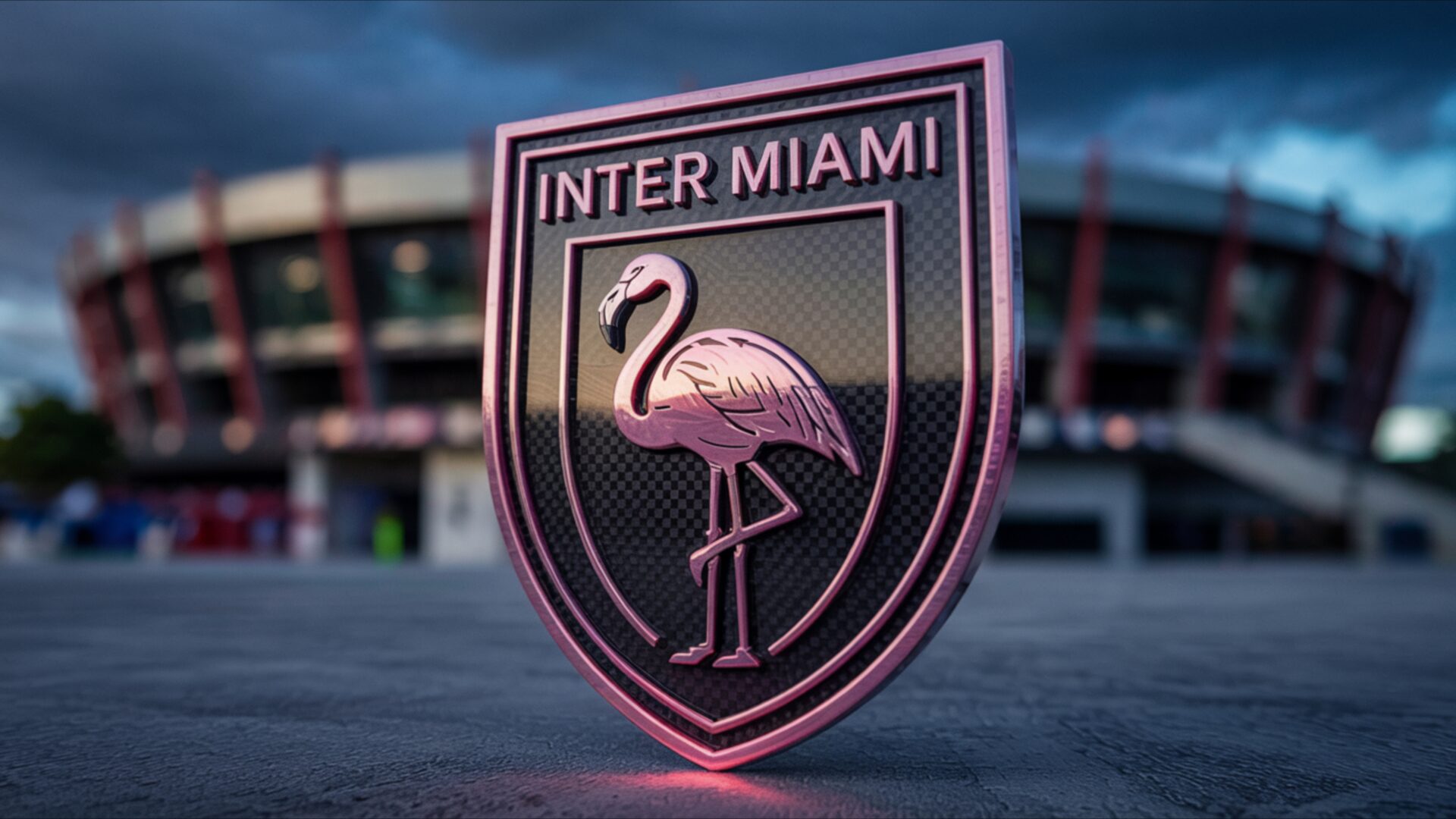
🕹️ Inter Miami Pink Flamingo Crest 4K UHD (3840x2160) Wallpaper


❤ Share this wallpaper:
WhatsApp Facebook Twitter / X Pinterest LinkedIn Copy Link for Instagram Telegram Reddit Email





💡 Below is relevant information on how to install wallpapers on different devices 👇



This 4K wallpaper is the best choice for testing your OLED professional display resolution. Compared to others, our high-performance tool provides a premium look for any high-end smartphone or desktop setup.


"Personalize this wallpaper or upload your own image to create the perfect mobile background 👇"
Customize Inter Miami Pink Flamingo Crest for Mobile Wallpapers
iPhone • Samsung • Xiaomi • Google Pixel • Android • Huawei • (Others)
720×1600 • 1080×1920 • 1080×2340 • 1080×2400 • 1284×2778 • 1440×3088Please use Portrait Mode for a better experience (Optional)
Overview – Inter Miami Pink Flamingo Crest
Inter Miami Pink Flamingo Crest captures the vibrant spirit of the Gaming & Esports category, presenting a digital artwork that resonates with fans of the sport and the team’s unique aesthetic. The image showcases a stylized rendition of the Inter Miami crest, reimagined with a striking pink flamingo motif. The composition emphasizes clean lines and a modern visual theme, making it a stylish HD artwork choice for those looking to personalize your desktop with a touch of soccer flair.
The design features a symmetrical arrangement, drawing the eye to the central emblem. The flamingo, rendered in a gradient of pink hues, stands out against a subtle, textured desktop background. This creates a sense of depth and visual interest. Light plays across the surface of the crest, highlighting the intricate details of the design. The overall effect is both eye-catching and sophisticated, suitable for a variety of computer screen background setups.
Consider the composition of the crest itself. The intertwining elements create a sense of unity and strength, reflecting the team’s identity and aspirations. The choice of a pink color palette adds a playful and contemporary twist to the traditional soccer emblem, setting it apart from conventional designs. The high-resolution details ensure that every line and curve is rendered with clarity, even on large displays. It is a great choice for a laptop wallpaper.
The club internacional vibe is palpable, with the design subtly incorporating elements that speak to the team’s global appeal. The mls influence is evident in the clean, modern aesthetic layout, while the usa soccer emblem inspiration adds a touch of national pride. This blend of influences creates a unique visual identity that resonates with fans around the world. The 3840×2160 resolution ensures that this visual theme looks crisp and vibrant on any screen, making it an ideal 4k wallpaper.
This desktop background is available for quick download, allowing you to instantly transform your digital space. The high-resolution quality ensures that the image retains its clarity and detail, even when scaled to fit different screen sizes. For those seeking slightly smaller file sizes without sacrificing too much detail, 2K and Full HD versions of Inter Miami Pink Flamingo Crest are also available, ensuring compatibility across a range of devices.
Wallpaper license: CC BY-NC-ND 4.0 · Credit: HDPeek.com
Remove Black Bars | Fit to Any Screen Size | CSS Fixer & Minifier | Compress Image Online | Image Converter Online | What Is My Screen Resolution? | Wallpaper Upscaler Online
Explore Categories
💡 How to Install Wallpaper on Different Devices
Windows PC:
Right-click on the wallpaper image. Select "Set as desktop background" or "Set as wallpaper". Adjust the fit (Fill, Fit, Stretch, Tile, Center) in Settings > Personalization > Background.Mac:
Right-click on the wallpaper image. Select "Set Desktop Picture". Alternatively, go to System Preferences > Desktop & Screen Saver and choose your image.iPhone / iPad (iOS):
Open the wallpaper image in Photos. Tap the Share button and select "Use as Wallpaper". Move and scale the image, then tap "Set" > Choose "Set Lock Screen", "Set Home Screen", or "Set Both".Android:
Open the wallpaper image in your Gallery app. Tap the Menu or Options button, then select "Set as wallpaper". Choose Home screen, Lock screen, or Both. Adjust the crop if needed and confirm.Linux (Ubuntu / others):
Right-click on the wallpaper image. Select "Set as Desktop Background" or "Set as Wallpaper". Adjust settings if your desktop environment allows multiple monitors.
Tips:
- For best quality, download the image in the resolution that matches your screen.
- Use 16:9 for widescreens, 1:1 for square displays.
- On mobile devices, choose "Set Both" for a consistent look on Home and Lock screens.
