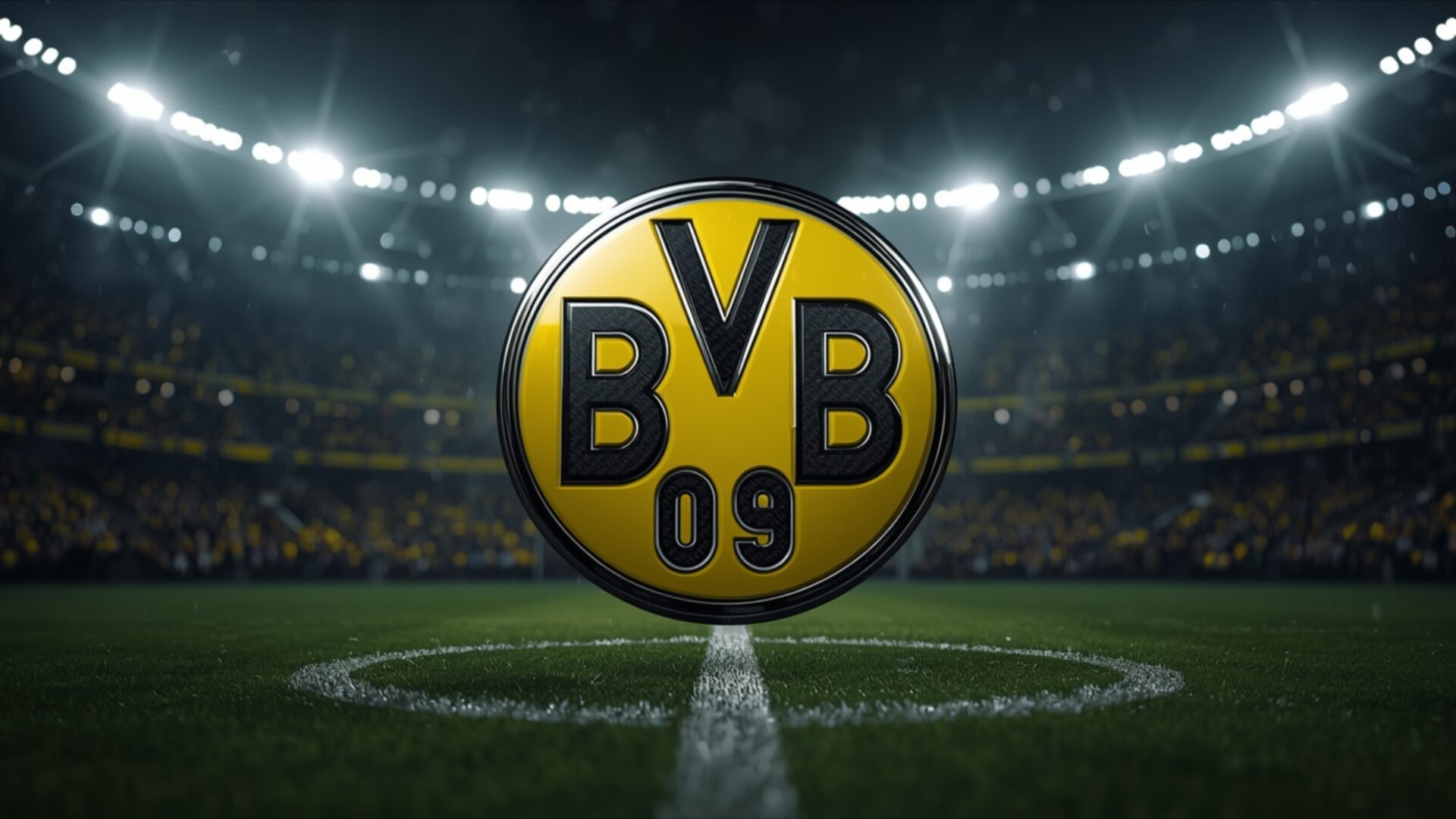
🕹️ Borussia Dortmund Yellow Neon Bee Hive 4K UHD (3840x2160) Wallpaper


❤ Share this wallpaper:
WhatsApp Facebook Twitter / X Pinterest LinkedIn Copy Link for Instagram Telegram Reddit Email


💡 Below is relevant information on how to install wallpapers on different devices 👇
This 4K wallpaper is the best choice for testing your OLED professional display resolution. Compared to others, our high-performance tool provides a premium look for any high-end smartphone or desktop setup.


"Personalize this wallpaper or upload your own image to create the perfect mobile background 👇"
Customize Borussia Dortmund Yellow Neon Bee Hive for Mobile Wallpapers
iPhone • Samsung • Xiaomi • Google Pixel • Android • Huawei • (Others)
720×1600 • 1080×1920 • 1080×2340 • 1080×2400 • 1284×2778 • 1440×3088Please use Portrait Mode for a better experience (Optional)
Overview – Borussia Dortmund Yellow Neon Bee Hive
Borussia Dortmund Yellow Neon Bee Hive captures the vibrant energy of the Gaming & Esports category, presenting a striking visual theme that resonates with fans and enthusiasts alike. The image features a compelling honeycomb pattern, immediately drawing the eye with its intricate design and bold color palette. This stylish HD artwork combines the iconic black and yellow of Borussia Dortmund, creating a visually arresting scene composition that is both modern and instantly recognizable. The interplay of light and shadow within the honeycomb structure adds depth and dimension, enhancing the overall aesthetic layout.
The design cleverly incorporates elements associated with the club, subtly referencing the BVB identity through the arrangement and coloration of the geometric shapes. The yellow neon glow emanating from the honeycomb cells creates a sense of energy and excitement, reminiscent of the electrifying atmosphere at Signal Iduna Park. This desktop background is more than just a static image; it’s a dynamic representation of passion and dedication, perfect for personalizing your desktop with a touch of sporting spirit. The high-resolution detail ensures that every facet of the design is crisp and clear, making it a standout choice for any computer screen background.
Consider the way the artist has used the honeycomb structure to evoke a sense of community and collective strength, mirroring the unity of the team and its supporters. The black and yellow contrast is not merely aesthetic; it symbolizes the club’s history and tradition, providing a visual anchor for fans. The subtle neon effect adds a contemporary edge, blending classic symbolism with modern design sensibilities. This wallpaper for pc is an excellent way to showcase your allegiance to Borussia Dortmund while adding a touch of visual flair to your digital workspace. It’s a design that speaks volumes without uttering a word, embodying the spirit of the game and the unwavering support of the fans.
The meticulous attention to detail in this 4k wallpaper ensures that it looks stunning on any display, from large monitors to smaller laptop wallpaper. The honeycomb pattern is rendered with precision, creating a visually engaging texture that invites closer inspection. The strategic use of light and shadow further enhances the three-dimensional effect, making the design appear to pop off the screen. It’s a testament to the power of thoughtful design and skillful execution, resulting in a visually captivating mobile background that is both stylish and meaningful.
This Borussia Dortmund Yellow Neon Bee Hive is available for quick download, allowing you to instantly transform your digital environment. To cater to different screen resolutions and device capabilities, this striking visual is available in 3840×2160 for the ultimate 4K experience, as well as in 2K and Full HD versions, ensuring optimal clarity and detail on a wide range of devices.
Wallpaper license: CC BY-NC-ND 4.0 · Credit: HDPeek.com
Remove Black Bars | Fit to Any Screen Size | CSS Fixer & Minifier | Compress Image Online | Image Converter Online | What Is My Screen Resolution? | Wallpaper Upscaler Online
Explore Categories
💡 How to Install Wallpaper on Different Devices
Windows PC:
Right-click on the wallpaper image. Select "Set as desktop background" or "Set as wallpaper". Adjust the fit (Fill, Fit, Stretch, Tile, Center) in Settings > Personalization > Background.Mac:
Right-click on the wallpaper image. Select "Set Desktop Picture". Alternatively, go to System Preferences > Desktop & Screen Saver and choose your image.iPhone / iPad (iOS):
Open the wallpaper image in Photos. Tap the Share button and select "Use as Wallpaper". Move and scale the image, then tap "Set" > Choose "Set Lock Screen", "Set Home Screen", or "Set Both".Android:
Open the wallpaper image in your Gallery app. Tap the Menu or Options button, then select "Set as wallpaper". Choose Home screen, Lock screen, or Both. Adjust the crop if needed and confirm.Linux (Ubuntu / others):
Right-click on the wallpaper image. Select "Set as Desktop Background" or "Set as Wallpaper". Adjust settings if your desktop environment allows multiple monitors.
Tips:
- For best quality, download the image in the resolution that matches your screen.
- Use 16:9 for widescreens, 1:1 for square displays.
- On mobile devices, choose "Set Both" for a consistent look on Home and Lock screens.
