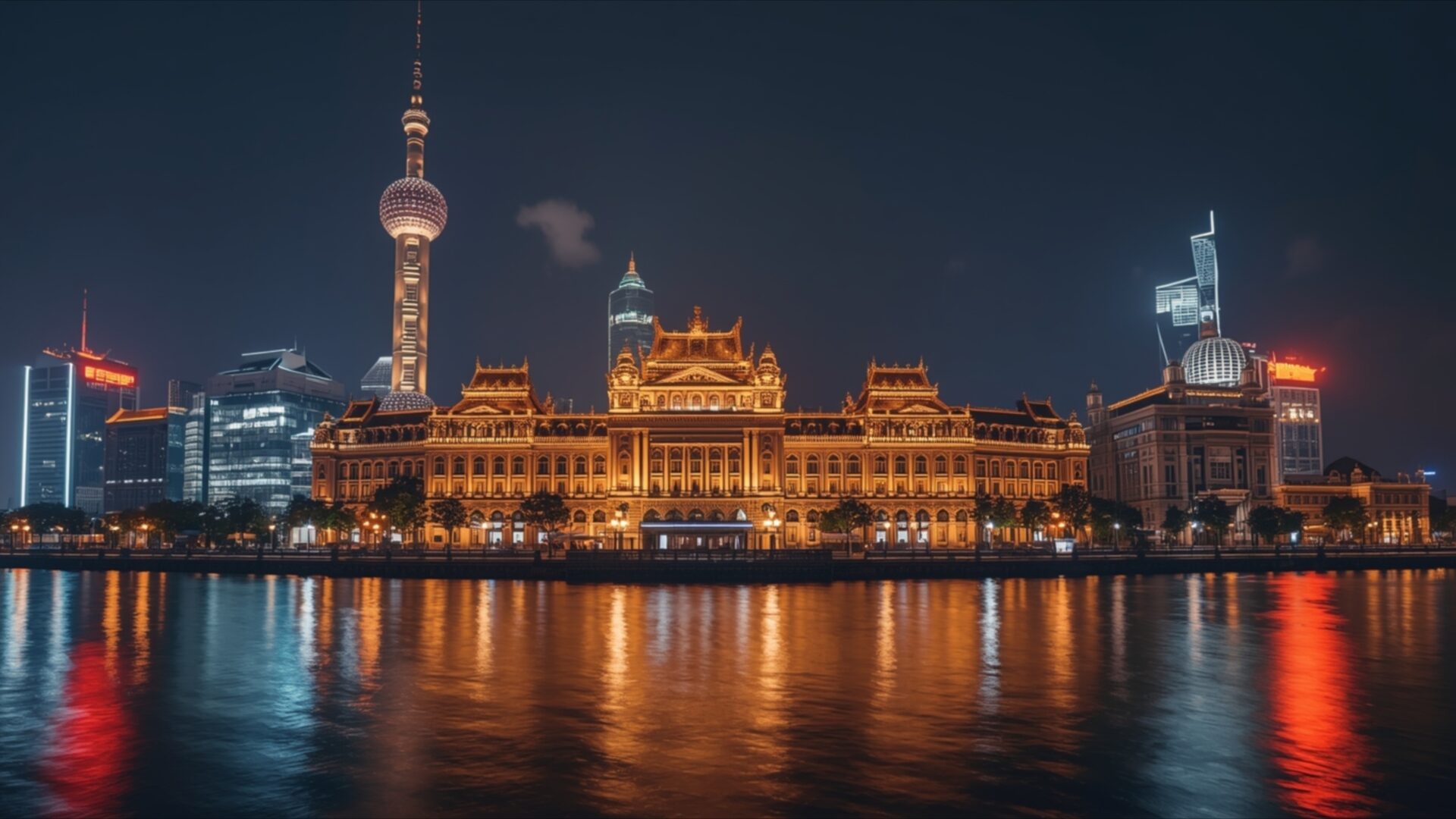
🌃️ Shanghai Bund Night Skyline 4K UHD (3840x2160) Wallpaper

❤ Share this wallpaper:
WhatsApp Facebook Twitter / X Pinterest LinkedIn Copy Link for Instagram Telegram Reddit Email




💡 Below is relevant information on how to install wallpapers on different devices 👇

This 4K wallpaper is the best choice for testing your OLED professional display resolution. Compared to others, our high-performance tool provides a premium look for any high-end smartphone or desktop setup.



"Personalize this wallpaper or upload your own image to create the perfect mobile background 👇"
Customize Shanghai Bund Night Skyline for Mobile Wallpapers
iPhone • Samsung • Xiaomi • Google Pixel • Android • Huawei • (Others)
720×1600 • 1080×1920 • 1080×2340 • 1080×2400 • 1284×2778 • 1440×3088Please use Portrait Mode for a better experience (Optional)
Overview – Shanghai Bund Night Skyline
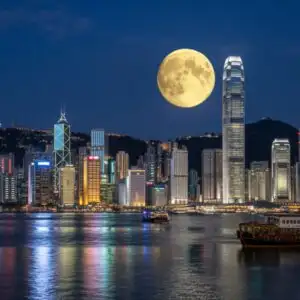
Shanghai Bund Night Skyline offers a stunning view of a vibrant metropolis after dark, a perfect addition to any Cities & Architecture collection. The image captures the iconic Pudong skyline across the Huangpu River, with the Oriental Pearl Tower standing prominently. The lighting is a key element here; a deep, inky blue sky serves as a backdrop, allowing the city’s artificial lights to truly shine. Warm oranges, yellows, and reds emanate from the buildings, creating a lively and energetic atmosphere. These colors are reflected in the dark, rippling water of the river, doubling the visual impact and adding a sense of depth and movement to the scene. The architectural styles are diverse, ranging from the ornate, classical facade of the Bund buildings to the sleek, modern skyscrapers of Pudong. This contrast highlights the city’s blend of history and progress. The overall mood is one of sophisticated urban dynamism, a testament to Shanghai’s status as a global hub. This visual theme is particularly well-suited for a PC wallpaper, bringing the energy of a bustling city to your desktop.
The composition is balanced, with the river acting as a natural dividing line between the foreground and the expansive cityscape. The reflections in the water are not perfectly sharp but rather soft blurs of color, contributing to the dreamlike quality of the night scene. Notice the subtle glow from windows and illuminated signs, hinting at the life and activity within the structures. The image is rendered in high-resolution, ensuring every detail is crisp and clear, from the individual lights to the architectural ornamentation. This level of detail makes it an excellent choice for anyone appreciating fine urban photography. The scene composition draws the viewer’s eye across the breadth of the skyline, encouraging exploration of the different illuminated elements.
This particular visual theme is designed to enhance your digital space, offering a glimpse into the captivating allure of Shanghai at night. It’s a scene that speaks of ambition and beauty, rendered with exceptional clarity. You can download this wallpaper for free, bringing the spectacle of the Shanghai Bund directly to your screen. The image is available in 3840×2160 resolution, with 4K, 2K, and Full HD versions also accessible for your convenience. Shanghai Bund Night Skyline is ready for you to enjoy.
Wallpaper license: CC BY-NC-ND 4.0 · Credit: HDPeek.com
Remove Black Bars | Fit to Any Screen Size | CSS Fixer & Minifier | Compress Image Online | Image Converter Online | What Is My Screen Resolution? | Wallpaper Upscaler Online
Explore Categories
💡 How to Install Wallpaper on Different Devices
Windows PC:
Right-click on the wallpaper image. Select "Set as desktop background" or "Set as wallpaper". Adjust the fit (Fill, Fit, Stretch, Tile, Center) in Settings > Personalization > Background.Mac:
Right-click on the wallpaper image. Select "Set Desktop Picture". Alternatively, go to System Preferences > Desktop & Screen Saver and choose your image.iPhone / iPad (iOS):
Open the wallpaper image in Photos. Tap the Share button and select "Use as Wallpaper". Move and scale the image, then tap "Set" > Choose "Set Lock Screen", "Set Home Screen", or "Set Both".Android:
Open the wallpaper image in your Gallery app. Tap the Menu or Options button, then select "Set as wallpaper". Choose Home screen, Lock screen, or Both. Adjust the crop if needed and confirm.Linux (Ubuntu / others):
Right-click on the wallpaper image. Select "Set as Desktop Background" or "Set as Wallpaper". Adjust settings if your desktop environment allows multiple monitors.
Tips:
- For best quality, download the image in the resolution that matches your screen.
- Use 16:9 for widescreens, 1:1 for square displays.
- On mobile devices, choose "Set Both" for a consistent look on Home and Lock screens.
