👽️ Princess Leia in Rebel Command Neon Room 4K UHD (3840x2160) Wallpaper


❤ Share this wallpaper:
WhatsApp Facebook Twitter / X Pinterest LinkedIn Copy Link for Instagram Telegram Reddit Email





💡 Below is relevant information on how to install wallpapers on different devices 👇






This 4K wallpaper is the best choice for testing your OLED professional display resolution. Compared to others, our high-performance tool provides a premium look for any high-end smartphone or desktop setup.




"Personalize this wallpaper or upload your own image to create the perfect mobile background 👇"
Customize Princess Leia in Rebel Command Neon Room for Mobile Wallpapers
iPhone • Samsung • Xiaomi • Google Pixel • Android • Huawei • (Others)
720×1600 • 1080×1920 • 1080×2340 • 1080×2400 • 1284×2778 • 1440×3088Please use Portrait Mode for a better experience (Optional)
Overview – Princess Leia in Rebel Command Neon Room
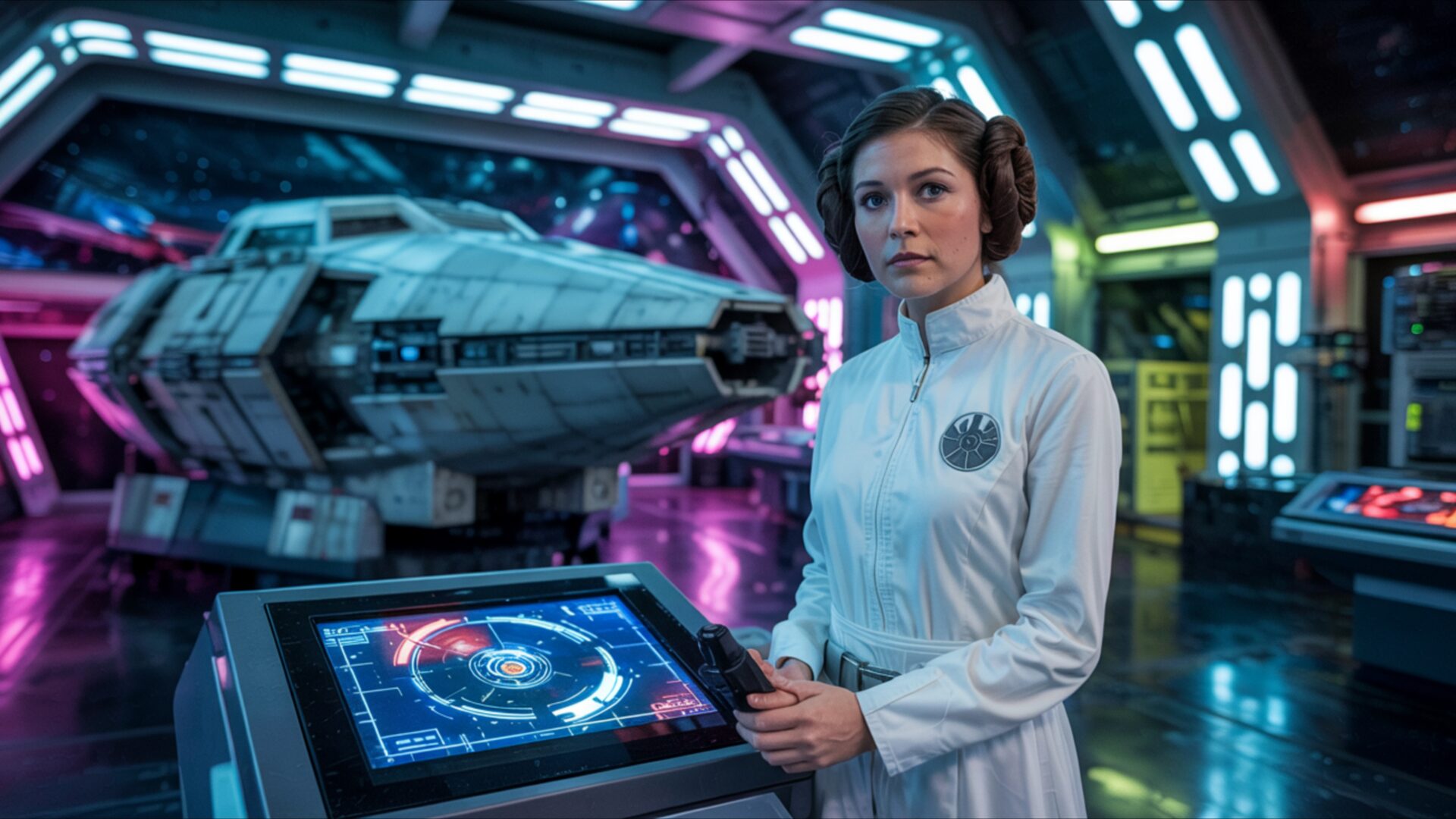
Princess Leia in Rebel Command Neon Room captures the essence of the Science Fiction category through its striking visuals and thematic depth. This image presents a fresh take on a beloved character, bathed in cinematic light within a futuristic base setting. The composition immediately draws the eye, focusing on Princess Leia as a classic heroine, reimagined within a stylish HD artwork that blends nostalgia with a modern aesthetic. The soft neon glow that permeates the scene creates an atmosphere of both technological advancement and subtle vulnerability.
The scene composition is carefully constructed, balancing the iconic imagery of the rebel alliance with a contemporary visual theme. Notice how the lighting plays across the surfaces, highlighting the textures of the command center while casting a gentle radiance on Leia herself. This isn’t just a static portrait; it’s a dynamic representation of leadership and resilience, rendered in exquisite detail. The color palette, dominated by cool blues and vibrant pinks, contributes to the overall sense of a sci-fi command environment, evoking the spirit of Star Wars while offering a unique perspective.
Every element within the image contributes to the narrative. From the subtle details of the futuristic base to the determined expression on Leia’s face, the design invites viewers to immerse themselves in a world of intergalactic conflict and unwavering hope. The high-resolution rendering ensures that every nuance is visible, making it a compelling choice to personalize your desktop. The interplay of light and shadow adds depth and dimension, enhancing the overall impact of the visual theme.
Consider how this 4k wallpaper transforms your computer screen background into a portal to another galaxy. The aesthetic layout is designed to be both visually appealing and functional, providing a captivating backdrop without being distracting. It’s a testament to the power of visual storytelling, offering a fresh interpretation of a familiar character and setting. This is more than just a desktop background; it’s an experience.
If you are looking to download wallpaper that combines iconic imagery with a modern aesthetic, this is a great choice. This smartphone wallpaper is available as a free wallpaper, allowing you to instantly transform your device. Get it now and experience the visual impact of Princess Leia in Rebel Command Neon Room on your devices. For those seeking alternative resolutions, 2K and Full HD versions of this image are also available, ensuring optimal display quality across a range of devices.
Wallpaper license: CC BY-NC-ND 4.0 · Credit: HDPeek.com
Remove Black Bars | Fit to Any Screen Size | CSS Fixer & Minifier | Compress Image Online | Image Converter Online | What Is My Screen Resolution? | Wallpaper Upscaler Online
Explore Categories
💡 How to Install Wallpaper on Different Devices
Windows PC:
Right-click on the wallpaper image. Select "Set as desktop background" or "Set as wallpaper". Adjust the fit (Fill, Fit, Stretch, Tile, Center) in Settings > Personalization > Background.Mac:
Right-click on the wallpaper image. Select "Set Desktop Picture". Alternatively, go to System Preferences > Desktop & Screen Saver and choose your image.iPhone / iPad (iOS):
Open the wallpaper image in Photos. Tap the Share button and select "Use as Wallpaper". Move and scale the image, then tap "Set" > Choose "Set Lock Screen", "Set Home Screen", or "Set Both".Android:
Open the wallpaper image in your Gallery app. Tap the Menu or Options button, then select "Set as wallpaper". Choose Home screen, Lock screen, or Both. Adjust the crop if needed and confirm.Linux (Ubuntu / others):
Right-click on the wallpaper image. Select "Set as Desktop Background" or "Set as Wallpaper". Adjust settings if your desktop environment allows multiple monitors.
Tips:
- For best quality, download the image in the resolution that matches your screen.
- Use 16:9 for widescreens, 1:1 for square displays.
- On mobile devices, choose "Set Both" for a consistent look on Home and Lock screens.
