👽️ Cyclops Mech Guarding Reactor Sector 9 4K UHD (3840x2160) Wallpaper
❤ Share this wallpaper:
WhatsApp Facebook Twitter / X Pinterest LinkedIn Copy Link for Instagram Telegram Reddit Email




💡 Below is relevant information on how to install wallpapers on different devices 👇



This 4K wallpaper is the best choice for testing your OLED professional display resolution. Compared to others, our high-performance tool provides a premium look for any high-end smartphone or desktop setup.



"Personalize this wallpaper or upload your own image to create the perfect mobile background 👇"
Customize Cyclops Mech Guarding Reactor Sector 9 for Mobile Wallpapers
iPhone • Samsung • Xiaomi • Google Pixel • Android • Huawei • (Others)
720×1600 • 1080×1920 • 1080×2340 • 1080×2400 • 1284×2778 • 1440×3088Please use Portrait Mode for a better experience (Optional)
Overview – Cyclops Mech Guarding Reactor Sector 9
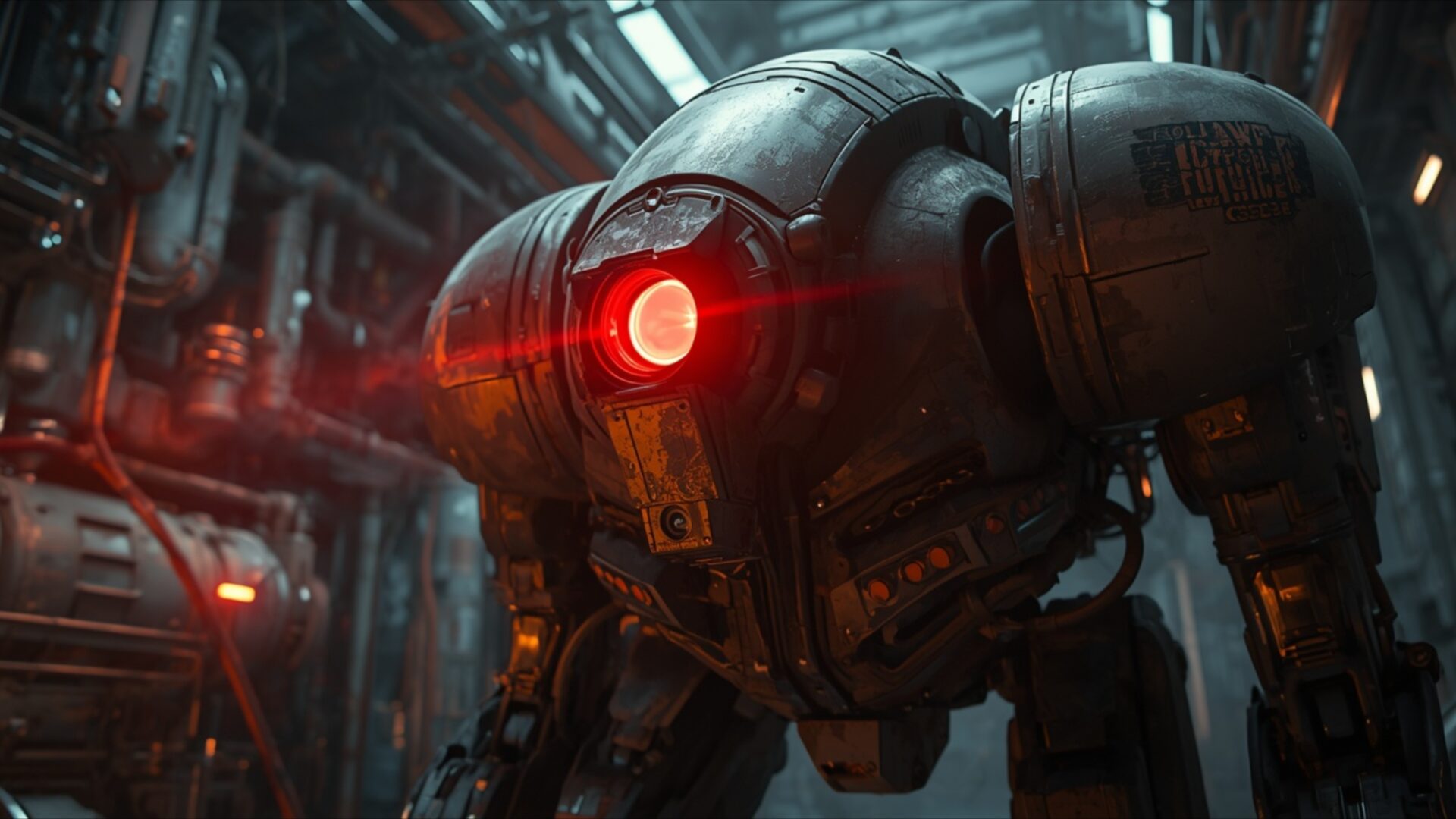
Cyclops Mech Guarding Reactor Sector 9 presents a striking Science Fiction scene, focusing on a formidable robotic sentinel. This 4k wallpaper captures a moment of intense vigilance within a dimly lit industrial complex. The primary subject, a heavily armored mech, dominates the frame with its imposing presence. Its single, glowing red eye emits a powerful beam, casting an eerie red light that cuts through the surrounding gloom and highlights the metallic textures of its chassis. The lighting is dramatic, with strong contrasts between light and shadow, suggesting a high-stakes environment where security is paramount.
The mech’s design is robust and functional, hinting at a purpose built for heavy duty. Its form is rounded and somewhat bulbous, with visible mechanical joints and plating that convey a sense of industrial manufacturing. The environment behind the mech is a complex network of pipes, conduits, and machinery, rendered with a gritty realism. This detailed industrial metal setting reinforces the feeling of being deep within a functional, perhaps hazardous, facility. The overall mood is one of quiet tension and readiness, as if the mech is perpetually on alert, its singular optic scanning for any anomaly.
The color palette is dominated by dark, muted tones of grey, black, and deep industrial blues, punctuated by the vibrant, piercing red of the mech’s eye and subtle orange warning lights in the background. This limited but effective use of color draws the viewer’s attention directly to the focal point. The scene composition places the mech centrally, emphasizing its role as a guardian. This visual theme is perfect for anyone who appreciates detailed mechanical designs and atmospheric science fiction settings. It’s a powerful image that speaks of a controlled, yet potentially volatile, industrial sector.
This high-resolution visual theme is ideal for your PC wallpaper, offering incredible detail that truly brings the scene to life on your monitor. The intricate textures and the interplay of light and shadow are rendered with exceptional clarity. You can download wallpaper of this quality to transform your desktop. We offer this image in 3840×2160, with 4K, 2K, and Full HD versions also available for your convenience.
Wallpaper license: CC BY-NC-ND 4.0 · Credit: HDPeek.com
Remove Black Bars | Fit to Any Screen Size | CSS Fixer & Minifier | Compress Image Online | Image Converter Online | What Is My Screen Resolution? | Wallpaper Upscaler Online
Explore Categories
💡 How to Install Wallpaper on Different Devices
Windows PC:
Right-click on the wallpaper image. Select "Set as desktop background" or "Set as wallpaper". Adjust the fit (Fill, Fit, Stretch, Tile, Center) in Settings > Personalization > Background.Mac:
Right-click on the wallpaper image. Select "Set Desktop Picture". Alternatively, go to System Preferences > Desktop & Screen Saver and choose your image.iPhone / iPad (iOS):
Open the wallpaper image in Photos. Tap the Share button and select "Use as Wallpaper". Move and scale the image, then tap "Set" > Choose "Set Lock Screen", "Set Home Screen", or "Set Both".Android:
Open the wallpaper image in your Gallery app. Tap the Menu or Options button, then select "Set as wallpaper". Choose Home screen, Lock screen, or Both. Adjust the crop if needed and confirm.Linux (Ubuntu / others):
Right-click on the wallpaper image. Select "Set as Desktop Background" or "Set as Wallpaper". Adjust settings if your desktop environment allows multiple monitors.
Tips:
- For best quality, download the image in the resolution that matches your screen.
- Use 16:9 for widescreens, 1:1 for square displays.
- On mobile devices, choose "Set Both" for a consistent look on Home and Lock screens.
