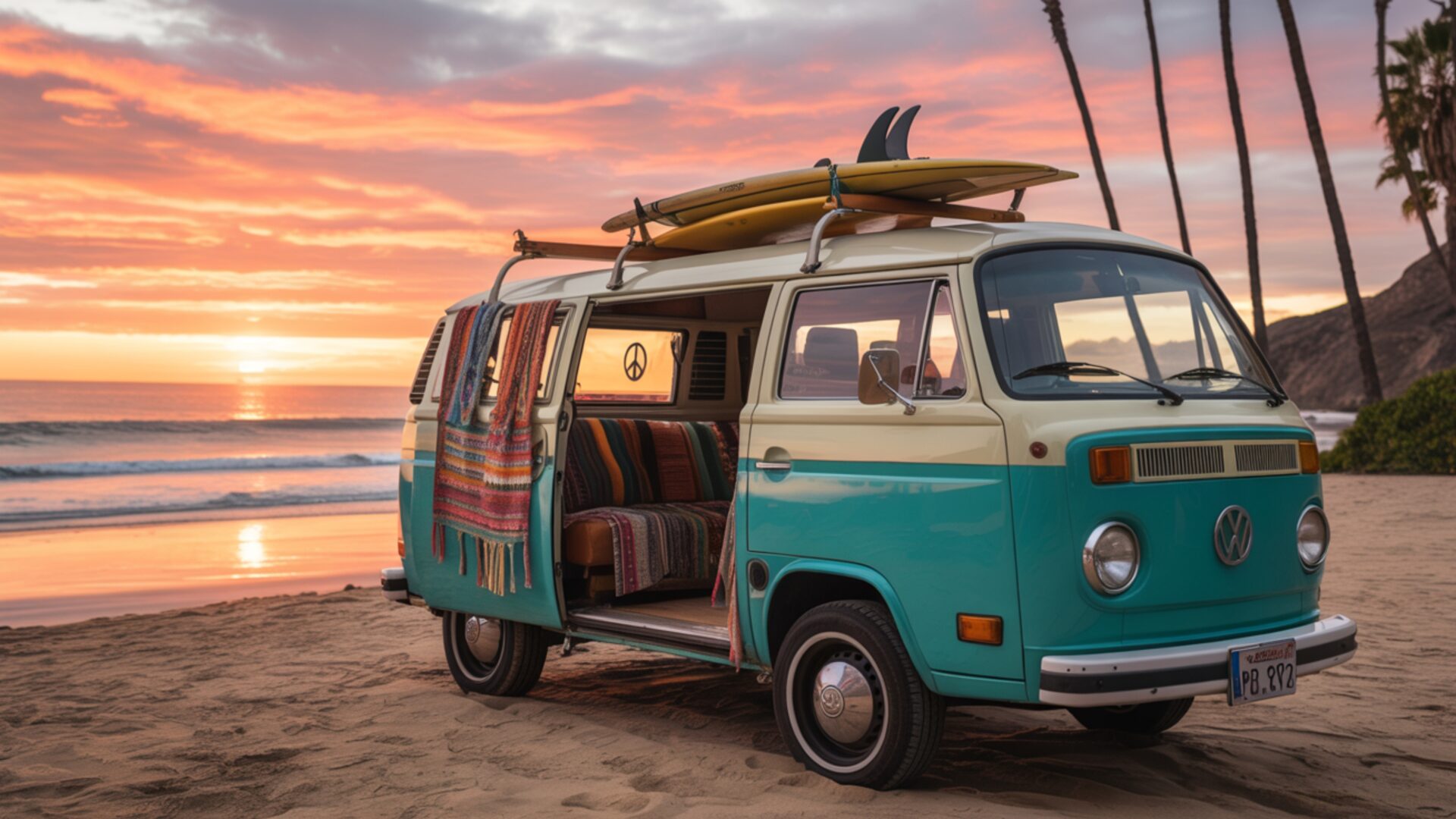
📼 Retro Surf Culture Van Beach Sunset Vibe 4K UHD (3840x2160) Wallpaper
 Pinball Machine Flashing Lights Tilt Warning Chaotic
 Space Invaders Arcade Game Screen Abstract Aliens
❤ Share this wallpaper:
WhatsApp Facebook Twitter / X Pinterest LinkedIn Copy Link for Instagram Telegram Reddit Email





💡 Below is relevant information on how to install wallpapers on different devices 👇






This 4K wallpaper is the best choice for testing your OLED professional display resolution. Compared to others, our high-performance tool provides a premium look for any high-end smartphone or desktop setup.






"Personalize this wallpaper or upload your own image to create the perfect mobile background 👇"
Customize Retro Surf Culture Van Beach Sunset Vibe for Mobile Wallpapers
iPhone • Samsung • Xiaomi • Google Pixel • Android • Huawei • (Others)
720×1600 • 1080×1920 • 1080×2340 • 1080×2400 • 1284×2778 • 1440×3088Please use Portrait Mode for a better experience (Optional)
Overview – Retro Surf Culture Van Beach Sunset Vibe
“Retro Surf Culture Van Beach Sunset Vibe” captures the essence of the Retro category with its warm color palette and nostalgic design elements. This desktop background evokes a sense of freedom and adventure, presenting a classic van silhouetted against a breathtaking beach sunset. The composition is carefully balanced, drawing the eye towards the horizon where the sun dips below the water, casting long shadows and creating a serene atmosphere. The color scheme is dominated by oranges, pinks, and purples, reminiscent of vintage postcards and classic surf movies.
The overall visual style leans towards a bohemian aesthetic, with subtle textures and gradients adding depth to the image. The van itself is rendered with attention to detail, showcasing its iconic shape and retro design features. This stylish HD artwork is more than just a picture; it’s an invitation to embrace the laid-back lifestyle associated with California’s surf culture. It brings a touch of warmth and nostalgia to any computer screen background. The interplay of light and shadow enhances the three-dimensional feel, making the scene come alive.
Consider the way the light reflects off the sand and the gentle waves, creating a sense of movement and tranquility. The high-resolution details ensure that every element, from the texture of the van’s paint to the subtle gradations in the sky, is rendered with clarity and precision. This image background is perfect for anyone looking to personalize your desktop with a touch of vintage charm. It serves as a daily reminder of sunny days, sandy beaches, and the carefree spirit of the open road. The composition invites the viewer to imagine themselves cruising along the coast, chasing the perfect wave.
This 3840×2160 4k wallpaper is designed to enhance your digital experience, providing a visually appealing and calming backdrop for your daily tasks. It’s a fantastic way to bring a piece of paradise into your workspace, transforming your laptop wallpaper into a window to another world. You can get it now and instantly infuse your digital space with the vibrant energy of a retro beach sunset. The artwork is crafted to be visually engaging without being distracting, allowing you to focus on your work while still enjoying a beautiful and inspiring view.
Available as a PC wallpaper, this design also scales beautifully to fit various screen sizes, ensuring a crisp and clear display on any device. For those seeking alternative resolutions, 2K and Full HD versions of “Retro Surf Culture Van Beach Sunset Vibe” are also available, ensuring optimal display quality across a range of devices.
Wallpaper license: CC BY-NC-ND 4.0 · Credit: HDPeek.com
Remove Black Bars | Fit to Any Screen Size | CSS Fixer & Minifier | Compress Image Online | Image Converter Online | What Is My Screen Resolution? | Wallpaper Upscaler Online
Explore Categories
💡 How to Install Wallpaper on Different Devices
Windows PC:
Right-click on the wallpaper image. Select "Set as desktop background" or "Set as wallpaper". Adjust the fit (Fill, Fit, Stretch, Tile, Center) in Settings > Personalization > Background.Mac:
Right-click on the wallpaper image. Select "Set Desktop Picture". Alternatively, go to System Preferences > Desktop & Screen Saver and choose your image.iPhone / iPad (iOS):
Open the wallpaper image in Photos. Tap the Share button and select "Use as Wallpaper". Move and scale the image, then tap "Set" > Choose "Set Lock Screen", "Set Home Screen", or "Set Both".Android:
Open the wallpaper image in your Gallery app. Tap the Menu or Options button, then select "Set as wallpaper". Choose Home screen, Lock screen, or Both. Adjust the crop if needed and confirm.Linux (Ubuntu / others):
Right-click on the wallpaper image. Select "Set as Desktop Background" or "Set as Wallpaper". Adjust settings if your desktop environment allows multiple monitors.
Tips:
- For best quality, download the image in the resolution that matches your screen.
- Use 16:9 for widescreens, 1:1 for square displays.
- On mobile devices, choose "Set Both" for a consistent look on Home and Lock screens.
