🏞️ Moss Covered Trees Deep Green Forest Floor 4K UHD (3840x2160) Wallpaper


❤ Share this wallpaper:
WhatsApp Facebook Twitter / X Pinterest LinkedIn Copy Link for Instagram Telegram Reddit Email
💡 Below is relevant information on how to install wallpapers on different devices 👇


This 4K wallpaper is the best choice for testing your OLED professional display resolution. Compared to others, our high-performance tool provides a premium look for any high-end smartphone or desktop setup.

"Personalize this wallpaper or upload your own image to create the perfect mobile background 👇"
Customize Moss Covered Trees Deep Green Forest Floor for Mobile Wallpapers
iPhone • Samsung • Xiaomi • Google Pixel • Android • Huawei • (Others)
720×1600 • 1080×1920 • 1080×2340 • 1080×2400 • 1284×2778 • 1440×3088Please use Portrait Mode for a better experience (Optional)
Overview – Moss Covered Trees Deep Green Forest Floor
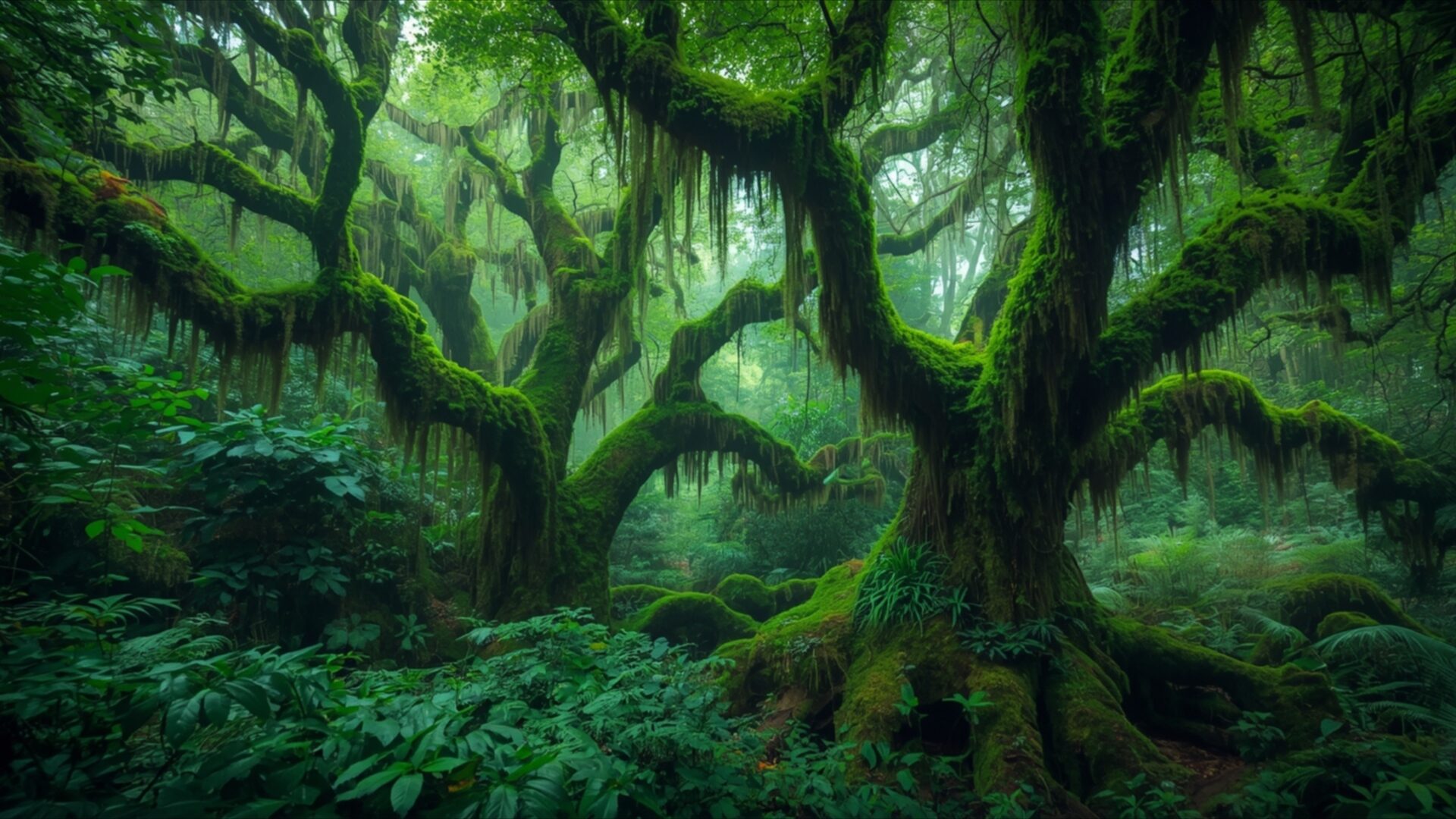
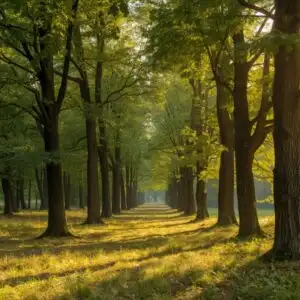
Moss Covered Trees Deep Green Forest Floor invites you into a verdant realm, a captivating Landscapes visual theme. This image transports you to the heart of an ancient forest, where time seems to stand still. The dominant color palette is an intense, deep green, saturating every element from the gnarled branches to the dense undergrowth. Light filters down through the thick canopy in soft, diffused rays, creating an ethereal glow that highlights the textures of the moss and damp earth. The mood is one of profound tranquility and untamed nature, a sanctuary untouched by the outside world.
The composition draws your eye inward, with the sprawling, moss-laden trees forming natural archways. Their branches, draped with hanging moss, create a sense of organic architecture, guiding your gaze towards the lush forest floor. Ferns and other low-lying vegetation carpet the ground, their intricate details rendered with clarity. The lighting plays a crucial role, casting gentle shadows that add depth and dimension to the scene, while also illuminating the vibrant greens. This visual theme captures the essence of a hidden, almost magical place, offering a moment of quiet contemplation.
The intricate details of the foliage, the rough bark peeking through the moss, and the subtle variations in green hues all contribute to the rich tapestry of this forest scene. It feels like stepping into a living painting, where every leaf and branch has a story to tell. The overall impression is one of natural abundance and serene beauty, a perfect escape for anyone seeking a connection with the wild. This particular image is presented in 3840×2160 resolution, offering exceptional clarity.
For those looking to enhance their digital space, this scene offers a unique aesthetic. You can download wallpaper of this enchanting forest. Whether you’re seeking a new desktop background or a refreshing visual for your devices, this piece provides a deep dive into nature’s artistry. We offer this high-resolution image in 4K, 2K, and Full HD versions, ensuring a perfect fit for your screen. Moss Covered Trees Deep Green Forest Floor is ready to transform your view.
Wallpaper license: CC BY-NC-ND 4.0 · Credit: HDPeek.com
Remove Black Bars | Fit to Any Screen Size | CSS Fixer & Minifier | Compress Image Online | Image Converter Online | What Is My Screen Resolution? | Wallpaper Upscaler Online
Explore Categories
💡 How to Install Wallpaper on Different Devices
Windows PC:
Right-click on the wallpaper image. Select "Set as desktop background" or "Set as wallpaper". Adjust the fit (Fill, Fit, Stretch, Tile, Center) in Settings > Personalization > Background.Mac:
Right-click on the wallpaper image. Select "Set Desktop Picture". Alternatively, go to System Preferences > Desktop & Screen Saver and choose your image.iPhone / iPad (iOS):
Open the wallpaper image in Photos. Tap the Share button and select "Use as Wallpaper". Move and scale the image, then tap "Set" > Choose "Set Lock Screen", "Set Home Screen", or "Set Both".Android:
Open the wallpaper image in your Gallery app. Tap the Menu or Options button, then select "Set as wallpaper". Choose Home screen, Lock screen, or Both. Adjust the crop if needed and confirm.Linux (Ubuntu / others):
Right-click on the wallpaper image. Select "Set as Desktop Background" or "Set as Wallpaper". Adjust settings if your desktop environment allows multiple monitors.
Tips:
- For best quality, download the image in the resolution that matches your screen.
- Use 16:9 for widescreens, 1:1 for square displays.
- On mobile devices, choose "Set Both" for a consistent look on Home and Lock screens.
