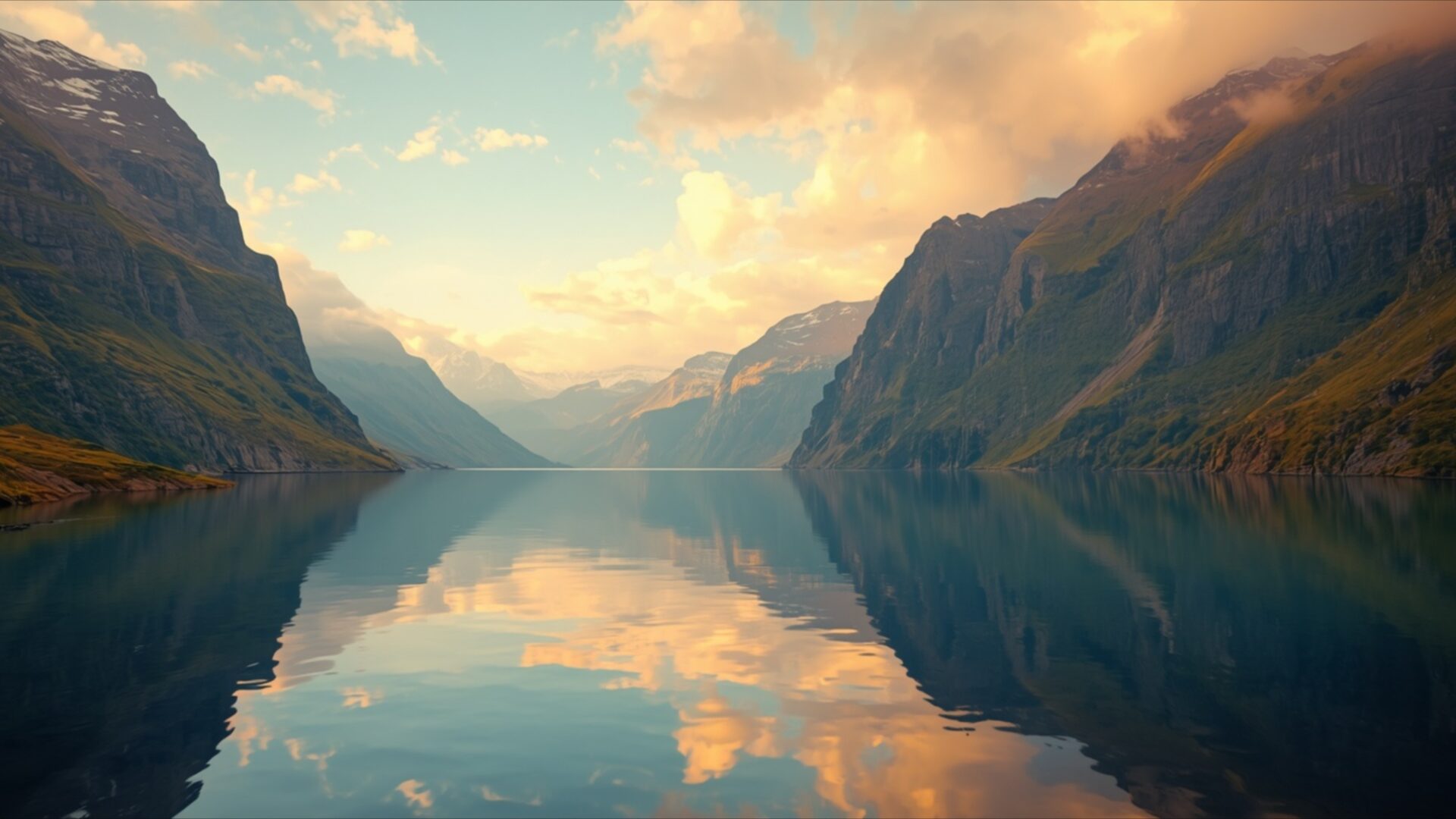
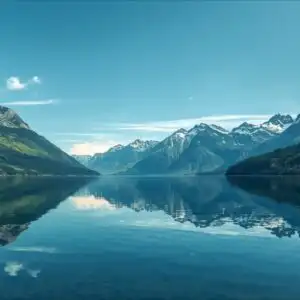
🏞️ Serene Norwegian Fjord Reflection at Sunset 4K UHD (3840x2160) Wallpaper


❤ Share this wallpaper:
WhatsApp Facebook Twitter / X Pinterest LinkedIn Copy Link for Instagram Telegram Reddit Email


💡 Below is relevant information on how to install wallpapers on different devices 👇



This 4K wallpaper is the best choice for testing your OLED professional display resolution. Compared to others, our high-performance tool provides a premium look for any high-end smartphone or desktop setup.



"Personalize this wallpaper or upload your own image to create the perfect mobile background 👇"
Customize Serene Norwegian Fjord Reflection at Sunset for Mobile Wallpapers
iPhone • Samsung • Xiaomi • Google Pixel • Android • Huawei • (Others)
720×1600 • 1080×1920 • 1080×2340 • 1080×2400 • 1284×2778 • 1440×3088Please use Portrait Mode for a better experience (Optional)
Overview – Serene Norwegian Fjord Reflection at Sunset
Serene Norwegian Fjord Reflection at Sunset offers a breathtaking view for your screen, a stunning piece within the Landscapes category. This visual theme captures the tranquil beauty of a Norwegian fjord as the sun dips below the horizon. The scene is dominated by towering, rugged mountains that flank a calm body of water. Their imposing forms are softened by the warm, diffused light of the setting sun, casting long shadows and highlighting the textured rock faces. The color palette is a gentle blend of deep blues and greens in the water, transitioning to soft oranges, yellows, and pinks in the sky and clouds.
The lighting is particularly noteworthy, with the golden hour glow bathing the upper reaches of the mountains and reflecting brilliantly on the water’s surface. This creates a near-perfect mirror image, doubling the visual impact of the dramatic landscape. The clouds are wispy and illuminated from behind, adding depth and a sense of movement to the otherwise still scene. The composition draws the viewer’s eye along the length of the fjord, leading into a hazy, distant mountain range that fades into the atmospheric perspective. The overall mood is one of profound peace and natural grandeur, inviting contemplation.
This image is ideal for anyone seeking a moment of calm and a connection with the natural world. The clarity and detail present in this 4k wallpaper make it a compelling addition to any digital space. The smooth, glassy surface of the water acts as a perfect canvas for the sky’s vibrant display, a testament to the quiet power of nature. The sheer scale of the mountains, combined with the gentle light, creates a feeling of both awe and serenity. This particular scene composition is a prime example of how light and shadow can transform a landscape into something truly special.
You can download this wallpaper in its original 3840×2160 resolution, with options also available for 4K, 2K, and Full HD displays. This high-resolution image is perfect for your PC wallpaper, offering a daily dose of natural beauty. Consider this for your desktop background to bring a sense of tranquility to your workspace. The opportunity to download wallpaper of this caliber is readily available. Serene Norwegian Fjord Reflection at Sunset is ready for your enjoyment.
Wallpaper license: CC BY-NC-ND 4.0 · Credit: HDPeek.com
Remove Black Bars | Fit to Any Screen Size | CSS Fixer & Minifier | Compress Image Online | Image Converter Online | What Is My Screen Resolution? | Wallpaper Upscaler Online
Explore Categories
💡 How to Install Wallpaper on Different Devices
Windows PC:
Right-click on the wallpaper image. Select "Set as desktop background" or "Set as wallpaper". Adjust the fit (Fill, Fit, Stretch, Tile, Center) in Settings > Personalization > Background.Mac:
Right-click on the wallpaper image. Select "Set Desktop Picture". Alternatively, go to System Preferences > Desktop & Screen Saver and choose your image.iPhone / iPad (iOS):
Open the wallpaper image in Photos. Tap the Share button and select "Use as Wallpaper". Move and scale the image, then tap "Set" > Choose "Set Lock Screen", "Set Home Screen", or "Set Both".Android:
Open the wallpaper image in your Gallery app. Tap the Menu or Options button, then select "Set as wallpaper". Choose Home screen, Lock screen, or Both. Adjust the crop if needed and confirm.Linux (Ubuntu / others):
Right-click on the wallpaper image. Select "Set as Desktop Background" or "Set as Wallpaper". Adjust settings if your desktop environment allows multiple monitors.
Tips:
- For best quality, download the image in the resolution that matches your screen.
- Use 16:9 for widescreens, 1:1 for square displays.
- On mobile devices, choose "Set Both" for a consistent look on Home and Lock screens.
