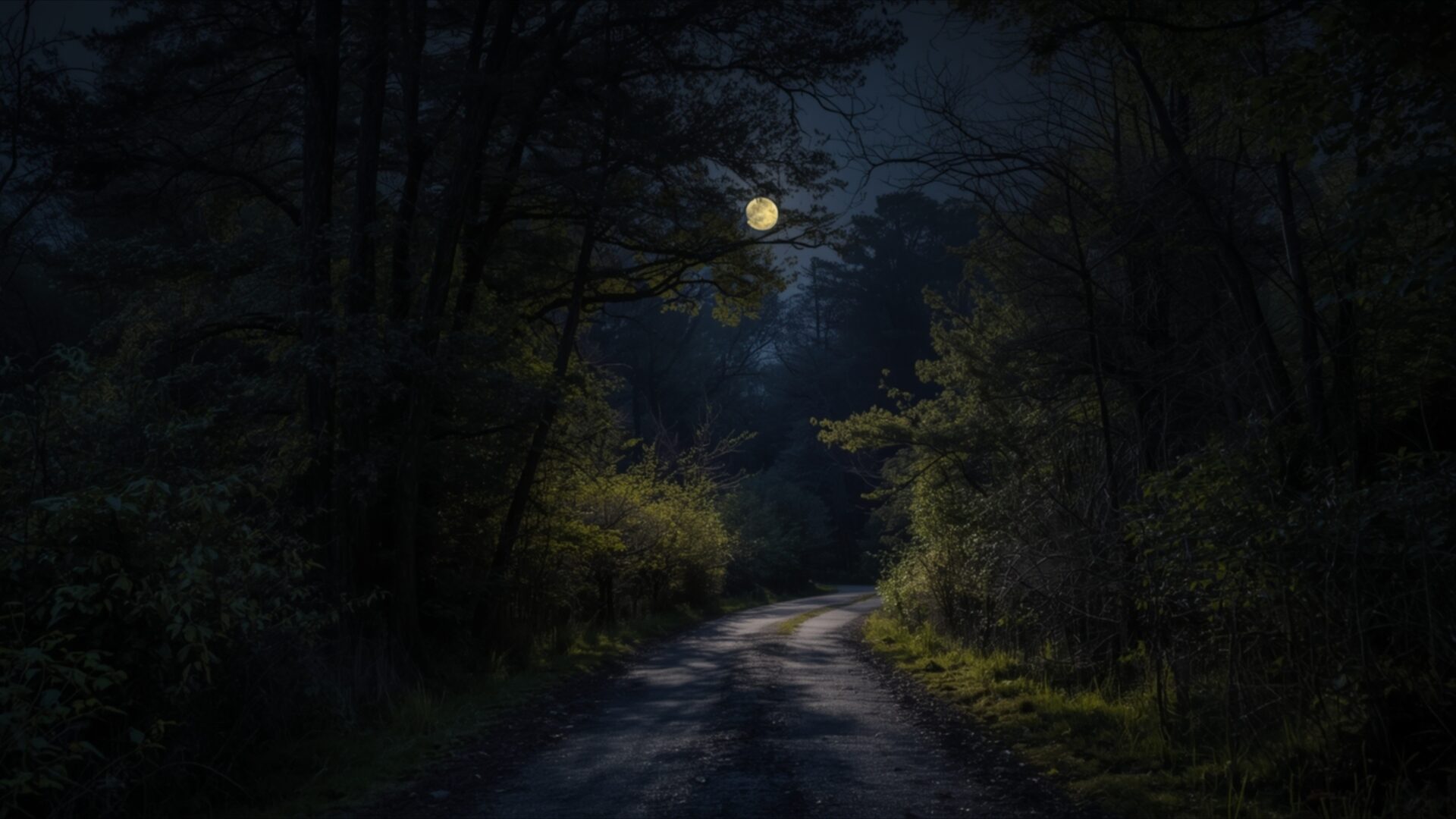
🏞️ Moonlit Forest Road at Night 4K UHD (3840x2160) Wallpaper
❤ Share this wallpaper:
WhatsApp Facebook Twitter / X Pinterest LinkedIn Copy Link for Instagram Telegram Reddit Email
💡 Below is relevant information on how to install wallpapers on different devices 👇
This 4K wallpaper is the best choice for testing your OLED professional display resolution. Compared to others, our high-performance tool provides a premium look for any high-end smartphone or desktop setup.
"Personalize this wallpaper or upload your own image to create the perfect mobile background 👇"
Customize Moonlit Forest Road at Night for Mobile Wallpapers
iPhone • Samsung • Xiaomi • Google Pixel • Android • Huawei • (Others)
720×1600 • 1080×1920 • 1080×2340 • 1080×2400 • 1284×2778 • 1440×3088Please use Portrait Mode for a better experience (Optional)
Overview – Moonlit Forest Road at Night
Moonlit Forest Road at Night captures a serene night landscape, drawing viewers into a quiet woodland path. The scene unfolds with a winding dirt road disappearing into the deep shadows of a dense forest. Overhead, a luminous full moon casts a soft, ethereal glow, illuminating patches of the path and the surrounding foliage. The light is directional, creating pockets of brightness that contrast with the surrounding darkness, lending a sense of depth and mystery to the image.
The color palette is dominated by deep blues, greens, and blacks, punctuated by the pale yellow of the moon and the subtle highlights on the damp earth of the road. This limited, yet effective, use of color creates a tranquil and slightly melancholic mood. The trees on either side of the road are rendered with a painterly quality, their forms softened by the low light, suggesting a natural, unmanicured environment. The texture of the bark and leaves is hinted at rather than sharply defined, contributing to the dreamlike atmosphere.
This visual theme is particularly well-suited for a PC wallpaper, offering a calming and immersive experience for your desktop. The composition guides the eye along the road, inviting exploration into the heart of the forest. The interplay of light and shadow is a key element, drawing attention to the subtle details of the scene and creating a compelling visual narrative. It’s a moment captured in time, a quiet journey through nature under the watchful eye of the moon.
The overall aesthetic layout evokes a sense of solitude and peaceful contemplation. It’s a scene that encourages a pause, a moment to appreciate the quiet beauty of the natural world at night. This particular image, rendered in stunning 4k wallpaper resolution, is available for download. You can get it now to transform your screen into a gateway to this tranquil nocturnal woodland. We also offer this beautiful scene in 2K and Full HD versions for your convenience. Moonlit Forest Road at Night is ready to enhance your digital space.
Wallpaper license: CC BY-NC-ND 4.0 · Credit: HDPeek.com
Remove Black Bars | Fit to Any Screen Size | CSS Fixer & Minifier | Compress Image Online | Image Converter Online | What Is My Screen Resolution? | Wallpaper Upscaler Online
Explore Categories
💡 How to Install Wallpaper on Different Devices
Windows PC:
Right-click on the wallpaper image. Select "Set as desktop background" or "Set as wallpaper". Adjust the fit (Fill, Fit, Stretch, Tile, Center) in Settings > Personalization > Background.Mac:
Right-click on the wallpaper image. Select "Set Desktop Picture". Alternatively, go to System Preferences > Desktop & Screen Saver and choose your image.iPhone / iPad (iOS):
Open the wallpaper image in Photos. Tap the Share button and select "Use as Wallpaper". Move and scale the image, then tap "Set" > Choose "Set Lock Screen", "Set Home Screen", or "Set Both".Android:
Open the wallpaper image in your Gallery app. Tap the Menu or Options button, then select "Set as wallpaper". Choose Home screen, Lock screen, or Both. Adjust the crop if needed and confirm.Linux (Ubuntu / others):
Right-click on the wallpaper image. Select "Set as Desktop Background" or "Set as Wallpaper". Adjust settings if your desktop environment allows multiple monitors.
Tips:
- For best quality, download the image in the resolution that matches your screen.
- Use 16:9 for widescreens, 1:1 for square displays.
- On mobile devices, choose "Set Both" for a consistent look on Home and Lock screens.
