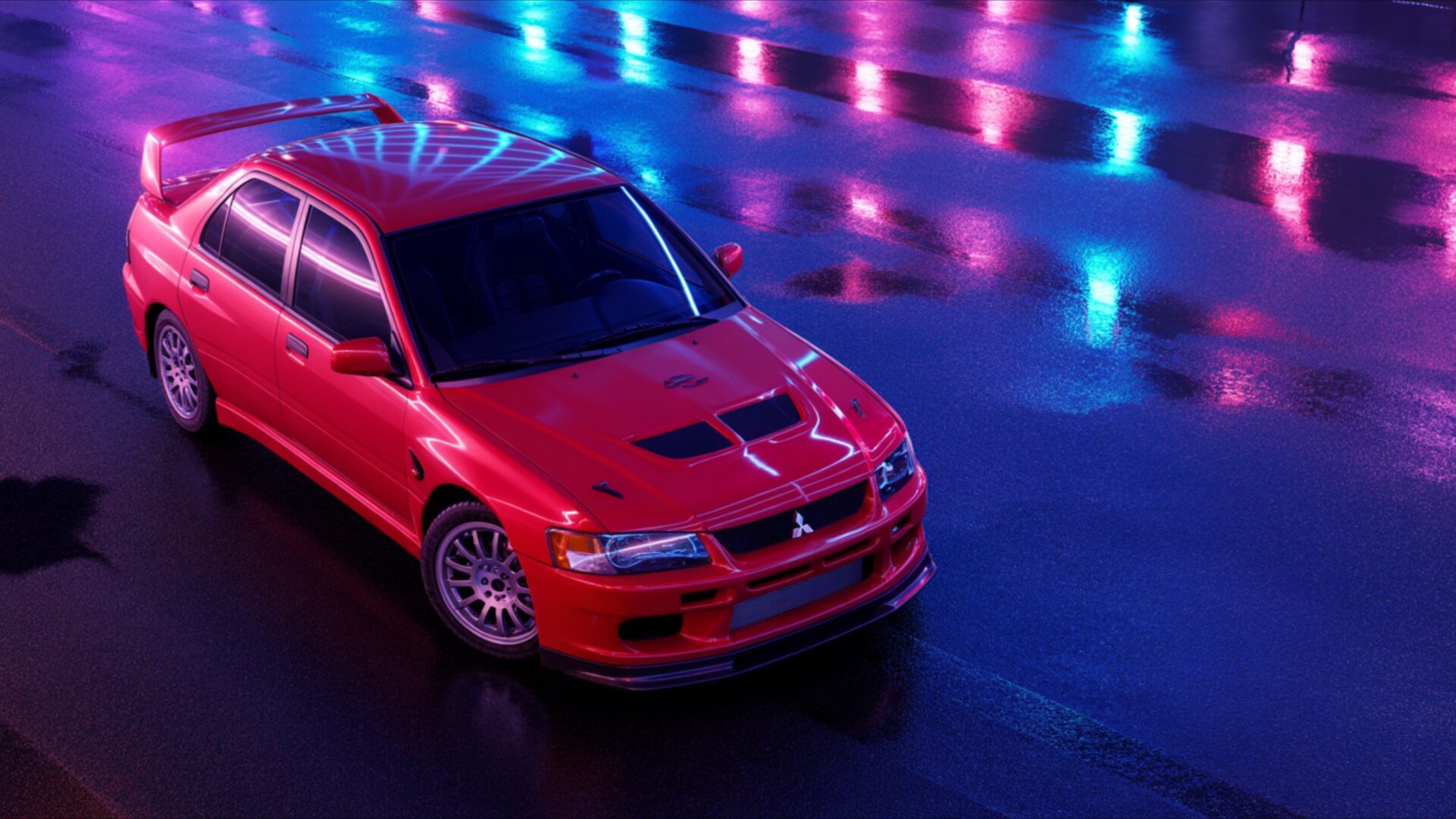
🏎️ Mitsubishi Evo VI Tommi Makinen Edition 4K UHD (3840x2160) Wallpaper

❤ Share this wallpaper:
WhatsApp Facebook Twitter / X Pinterest LinkedIn Copy Link for Instagram Telegram Reddit Email





💡 Below is relevant information on how to install wallpapers on different devices 👇



This 4K wallpaper is the best choice for testing your OLED professional display resolution. Compared to others, our high-performance tool provides a premium look for any high-end smartphone or desktop setup.
"Personalize this wallpaper or upload your own image to create the perfect mobile background 👇"
Customize Mitsubishi Evo VI Tommi Makinen Edition for Mobile Wallpapers
iPhone • Samsung • Xiaomi • Google Pixel • Android • Huawei • (Others)
720×1600 • 1080×1920 • 1080×2340 • 1080×2400 • 1284×2778 • 1440×3088Please use Portrait Mode for a better experience (Optional)
Overview – Mitsubishi Evo VI Tommi Makinen Edition
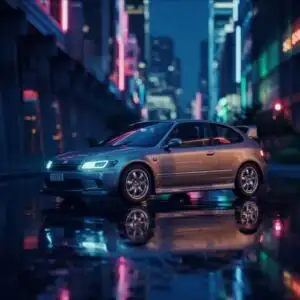
Mitsubishi Evo VI Tommi Makinen Edition captures the essence of this iconic rally car in a vibrant, almost dreamlike setting. This Cars & Vehicles visual theme showcases the legendary Mitsubishi Lancer Evolution VI, specifically the Tommi Makinen Edition, in a striking crimson red. The lighting is a key element, with a dramatic interplay of neon blues and purples reflecting off the wet asphalt, creating a dynamic and atmospheric scene. The light sources appear to be overhead, casting a soft glow that highlights the car’s aggressive lines and aerodynamic features, including the prominent rear spoiler and the functional hood scoop.
The composition places the car slightly off-center, viewed from a high angle, which emphasizes its powerful stance and the sleekness of its design. The wet road surface acts as a mirror, doubling the intensity of the colorful reflections and adding a sense of depth and motion. The overall mood is one of sophisticated energy, a blend of raw automotive power and futuristic urban aesthetics. This particular image is rendered in 3840×2160 resolution, offering exceptional detail.
The distinct silver alloy wheels are clearly visible, contrasting with the deep red paintwork. The iconic Mitsubishi badge is present on the front grille, a subtle yet recognizable detail. The car’s silhouette is instantly recognizable to enthusiasts, evoking a sense of performance and heritage. This visual theme is perfect for anyone who appreciates classic JDM (Japanese Domestic Market) automobiles and the thrill of motorsport.
The interplay of light and shadow across the vehicle’s bodywork accentuates its sculpted form. The reflections on the ground are not just passive; they actively contribute to the visual narrative, suggesting movement and a vibrant, possibly nocturnal, environment. This is a desktop background that brings a touch of automotive artistry to your computer screen. You can download this wallpaper in 4k wallpaper, 2K, and Full HD resolutions.
Wallpaper license: CC BY-NC-ND 4.0 · Credit: HDPeek.com
Remove Black Bars | Fit to Any Screen Size | CSS Fixer & Minifier | Compress Image Online | Image Converter Online | What Is My Screen Resolution? | Wallpaper Upscaler Online
Explore Categories
💡 How to Install Wallpaper on Different Devices
Windows PC:
Right-click on the wallpaper image. Select "Set as desktop background" or "Set as wallpaper". Adjust the fit (Fill, Fit, Stretch, Tile, Center) in Settings > Personalization > Background.Mac:
Right-click on the wallpaper image. Select "Set Desktop Picture". Alternatively, go to System Preferences > Desktop & Screen Saver and choose your image.iPhone / iPad (iOS):
Open the wallpaper image in Photos. Tap the Share button and select "Use as Wallpaper". Move and scale the image, then tap "Set" > Choose "Set Lock Screen", "Set Home Screen", or "Set Both".Android:
Open the wallpaper image in your Gallery app. Tap the Menu or Options button, then select "Set as wallpaper". Choose Home screen, Lock screen, or Both. Adjust the crop if needed and confirm.Linux (Ubuntu / others):
Right-click on the wallpaper image. Select "Set as Desktop Background" or "Set as Wallpaper". Adjust settings if your desktop environment allows multiple monitors.
Tips:
- For best quality, download the image in the resolution that matches your screen.
- Use 16:9 for widescreens, 1:1 for square displays.
- On mobile devices, choose "Set Both" for a consistent look on Home and Lock screens.
