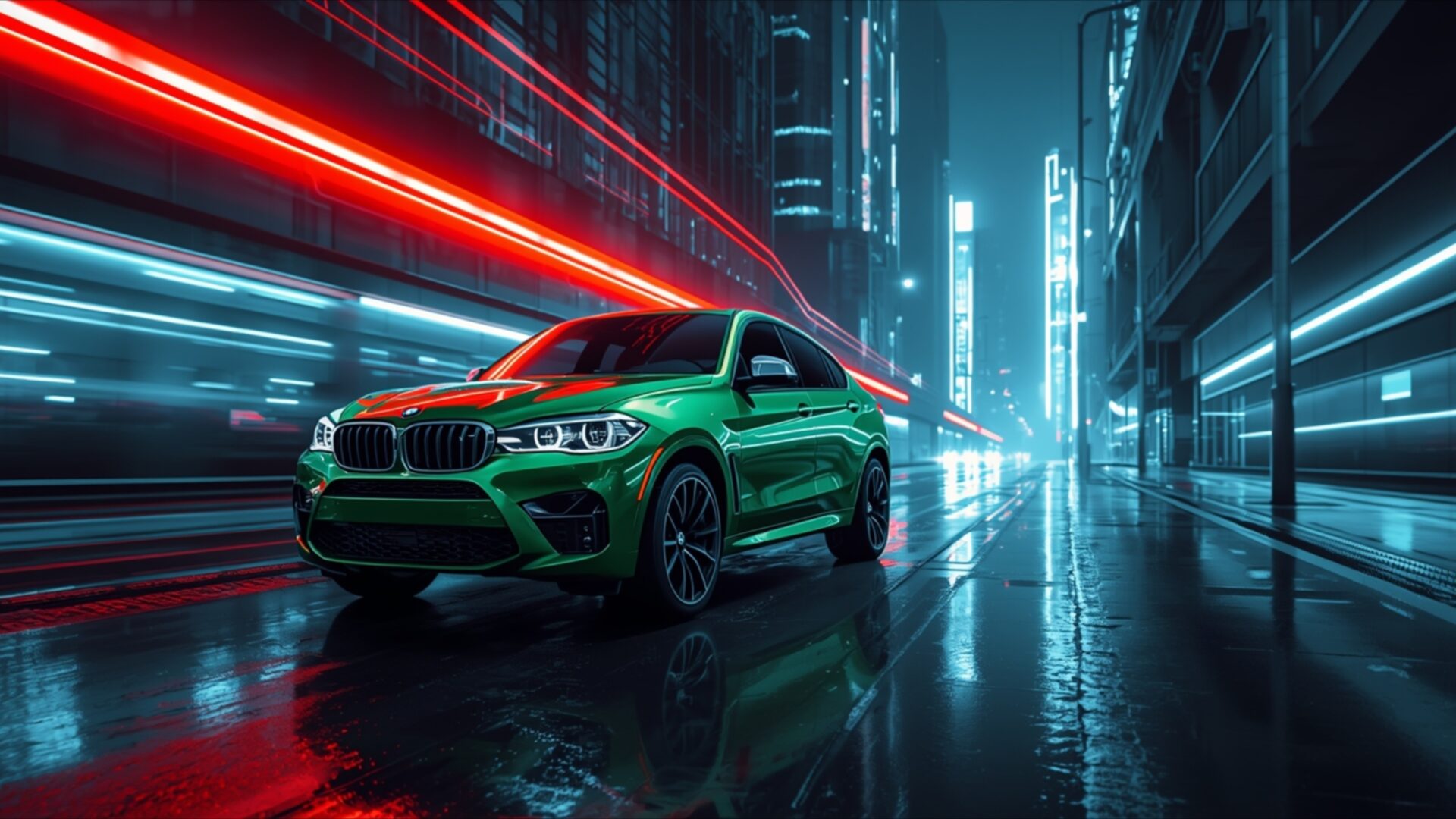
🏎️ BMW X6 Green Luxury SUV Street 4K UHD (3840x2160) Wallpaper
❤ Share this wallpaper:
WhatsApp Facebook Twitter / X Pinterest LinkedIn Copy Link for Instagram Telegram Reddit Email





💡 Below is relevant information on how to install wallpapers on different devices 👇




This 4K wallpaper is the best choice for testing your OLED professional display resolution. Compared to others, our high-performance tool provides a premium look for any high-end smartphone or desktop setup.


"Personalize this wallpaper or upload your own image to create the perfect mobile background 👇"
Customize BMW X6 Green Luxury SUV Street for Mobile Wallpapers
iPhone • Samsung • Xiaomi • Google Pixel • Android • Huawei • (Others)
720×1600 • 1080×1920 • 1080×2340 • 1080×2400 • 1284×2778 • 1440×3088Please use Portrait Mode for a better experience (Optional)
Overview – BMW X6 Green Luxury SUV Street
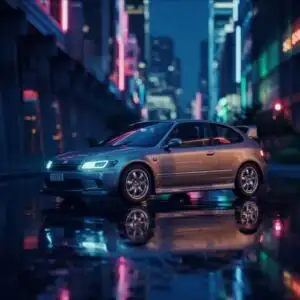
BMW X6 Green Luxury SUV Street captures a striking automotive scene, perfect for anyone appreciating a vibrant visual theme. This Cars & Vehicles image showcases a BMW X6, rendered in a deep, almost emerald green, parked on a wet city street at night. The lighting is dramatic, with streaks of neon red and blue light blurring past, suggesting rapid movement in the urban environment. The car itself is illuminated by the ambient glow, highlighting its sleek lines and aggressive stance. Reflections of the city lights shimmer on the wet asphalt, adding depth and a sense of atmosphere to the composition.
The focus is clearly on the vehicle, its unique green paint job standing out against the darker, cooler tones of the cityscape. The buildings in the background are abstract, their forms suggested by glowing windows and vertical lines, further emphasizing the dynamic motion of the scene. The overall mood is one of sophisticated urban energy, a blend of luxury and the pulse of city life. The image is presented in high-resolution, ensuring every detail of the car’s design and the surrounding environment is rendered with clarity.
This visual theme is ideal for a PC wallpaper, offering a dynamic and eye-catching addition to any desktop. The contrast between the car’s vibrant color and the blurred, illuminated cityscape creates a compelling visual narrative. The wet street surface reflects the lights, adding a layer of realism and visual interest. The artistic style leans towards a modern, almost cinematic portrayal of a luxury vehicle in its element.
The image is a testament to the power of color and light in automotive photography. The specific shade of green chosen for the BMW X6 is particularly noteworthy, offering a departure from more common automotive colors and lending the vehicle an air of exclusivity. This scene composition effectively balances the static presence of the car with the implied motion of the city. You can download this wallpaper for free, enjoying its stunning detail and vibrant colors on your screen. The 3840×2160 resolution ensures exceptional clarity, and versions are also available in 4K, 2K, and Full HD for your convenience. BMW X6 Green Luxury SUV Street is a great choice for a desktop background.
Wallpaper license: CC BY-NC-ND 4.0 · Credit: HDPeek.com
Remove Black Bars | Fit to Any Screen Size | CSS Fixer & Minifier | Compress Image Online | Image Converter Online | What Is My Screen Resolution? | Wallpaper Upscaler Online
Explore Categories
💡 How to Install Wallpaper on Different Devices
Windows PC:
Right-click on the wallpaper image. Select "Set as desktop background" or "Set as wallpaper". Adjust the fit (Fill, Fit, Stretch, Tile, Center) in Settings > Personalization > Background.Mac:
Right-click on the wallpaper image. Select "Set Desktop Picture". Alternatively, go to System Preferences > Desktop & Screen Saver and choose your image.iPhone / iPad (iOS):
Open the wallpaper image in Photos. Tap the Share button and select "Use as Wallpaper". Move and scale the image, then tap "Set" > Choose "Set Lock Screen", "Set Home Screen", or "Set Both".Android:
Open the wallpaper image in your Gallery app. Tap the Menu or Options button, then select "Set as wallpaper". Choose Home screen, Lock screen, or Both. Adjust the crop if needed and confirm.Linux (Ubuntu / others):
Right-click on the wallpaper image. Select "Set as Desktop Background" or "Set as Wallpaper". Adjust settings if your desktop environment allows multiple monitors.
Tips:
- For best quality, download the image in the resolution that matches your screen.
- Use 16:9 for widescreens, 1:1 for square displays.
- On mobile devices, choose "Set Both" for a consistent look on Home and Lock screens.
