🔮 Blue Haired Anime Girl by Traditional Temple in Spring 4K UHD (3840x2160) Wallpaper
 Fantasy Anime Girl with Blue Hair in Ancient Eastern City

 Blonde Anime Girl Overlooking Ancient Harbor City
❤ Share this wallpaper:
WhatsApp Facebook Twitter / X Pinterest LinkedIn Copy Link for Instagram Telegram Reddit Email





💡 Below is relevant information on how to install wallpapers on different devices 👇

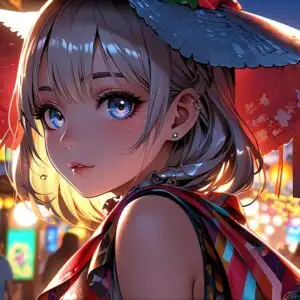
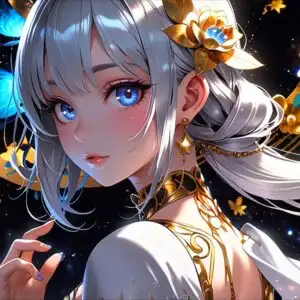

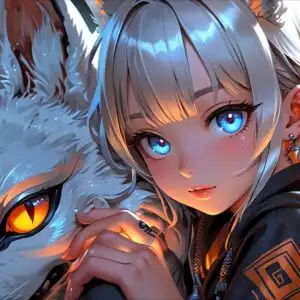

This 4K wallpaper is the best choice for testing your OLED professional display resolution. Compared to others, our high-performance tool provides a premium look for any high-end smartphone or desktop setup.
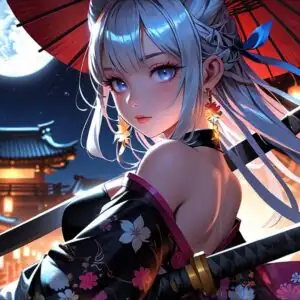





"Personalize this wallpaper or upload your own image to create the perfect mobile background 👇"
Customize Blue Haired Anime Girl by Traditional Temple in Spring for Mobile Wallpapers
iPhone • Samsung • Xiaomi • Google Pixel • Android • Huawei • (Others)
720×1600 • 1080×1920 • 1080×2340 • 1080×2400 • 1284×2778 • 1440×3088Please use Portrait Mode for a better experience (Optional)
Overview – Blue Haired Anime Girl by Traditional Temple in Spring
Blue Haired Anime Girl by Traditional Temple in Spring introduces a captivating visual theme from the Anime & Games Fantasy realm. This high-resolution image presents a young anime character with striking, flowing blue hair, positioned in the foreground. Her gaze is directed slightly away from the viewer, creating a sense of gentle contemplation. The character is adorned in traditional attire, featuring intricate blue and white patterns that complement her hair. Delicate floral accents are visible on her clothing, hinting at the seasonal setting. The lighting in the scene is soft and diffused, suggesting it might be late afternoon or early morning, casting a warm glow that enhances the serene atmosphere.
Behind the central figure, a traditional East Asian temple complex unfolds. The architecture is detailed, with layered roofs and ornate carvings, rendered in muted tones of grey, red, and gold. The temple structures are partially obscured by the vibrant pink blossoms of cherry trees, which are in full bloom. Scattered cherry blossom petals drift through the air and float on the calm water that occupies the lower portion of the composition. This body of water reflects the surrounding architecture and the soft sky, adding depth and a sense of tranquility to the overall scene. The composition balances the detailed character portrait with the expansive, atmospheric environment.
The artistic style leans towards a refined anime aesthetic, with smooth lines and a painterly quality that gives the image a polished feel. The color palette is dominated by cool blues from the character’s hair and attire, contrasted with the warm pinks of the blossoms and the earthy tones of the temple. This interplay of colors contributes to the peaceful and slightly ethereal mood of the artwork. The image is presented in 3840×2160 resolution, offering exceptional clarity and detail. For those seeking to enhance their digital space, this wallpaper is available for download. You can get it now to enjoy its beauty on your screen.
This stunning visual is perfect for anyone who appreciates anime art and serene, nature-infused settings. Whether you’re looking for a new desktop background or a captivating image for your devices, this piece offers a unique blend of character and environment. The intricate details of the temple and the delicate rendering of the cherry blossoms make it a delightful addition to any collection. We offer this 4k wallpaper, along with 2K and Full HD versions, ensuring it looks sharp on a variety of displays. Blue Haired Anime Girl by Traditional Temple in Spring is ready to transform your screen.
Wallpaper license: CC BY-NC-ND 4.0 · Credit: HDPeek.com
Remove Black Bars | Fit to Any Screen Size | CSS Fixer & Minifier | Compress Image Online | Image Converter Online | What Is My Screen Resolution? | Wallpaper Upscaler Online
Explore Categories
💡 How to Install Wallpaper on Different Devices
Windows PC:
Right-click on the wallpaper image. Select "Set as desktop background" or "Set as wallpaper". Adjust the fit (Fill, Fit, Stretch, Tile, Center) in Settings > Personalization > Background.Mac:
Right-click on the wallpaper image. Select "Set Desktop Picture". Alternatively, go to System Preferences > Desktop & Screen Saver and choose your image.iPhone / iPad (iOS):
Open the wallpaper image in Photos. Tap the Share button and select "Use as Wallpaper". Move and scale the image, then tap "Set" > Choose "Set Lock Screen", "Set Home Screen", or "Set Both".Android:
Open the wallpaper image in your Gallery app. Tap the Menu or Options button, then select "Set as wallpaper". Choose Home screen, Lock screen, or Both. Adjust the crop if needed and confirm.Linux (Ubuntu / others):
Right-click on the wallpaper image. Select "Set as Desktop Background" or "Set as Wallpaper". Adjust settings if your desktop environment allows multiple monitors.
Tips:
- For best quality, download the image in the resolution that matches your screen.
- Use 16:9 for widescreens, 1:1 for square displays.
- On mobile devices, choose "Set Both" for a consistent look on Home and Lock screens.
