🔮 Blazing Anime Youth Conjuring Fiery Vortex 4K UHD (3840x2160) Wallpaper



❤ Share this wallpaper:
WhatsApp Facebook Twitter / X Pinterest LinkedIn Copy Link for Instagram Telegram Reddit Email





💡 Below is relevant information on how to install wallpapers on different devices 👇
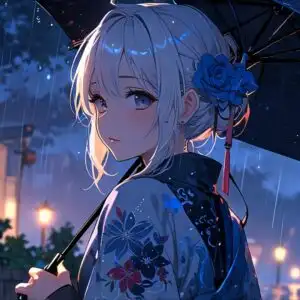





This 4K wallpaper is the best choice for testing your OLED professional display resolution. Compared to others, our high-performance tool provides a premium look for any high-end smartphone or desktop setup.






"Personalize this wallpaper or upload your own image to create the perfect mobile background 👇"
Customize Blazing Anime Youth Conjuring Fiery Vortex for Mobile Wallpapers
iPhone • Samsung • Xiaomi • Google Pixel • Android • Huawei • (Others)
720×1600 • 1080×1920 • 1080×2340 • 1080×2400 • 1284×2778 • 1440×3088Please use Portrait Mode for a better experience (Optional)
Overview – Blazing Anime Youth Conjuring Fiery Vortex
Blazing Anime Youth Conjuring Fiery Vortex captures the essence of the Anime & Games Fantasy category with its dynamic composition and vibrant color palette. This image presents a captivating scene composition, showcasing a young anime character at the height of their magical prowess. The controlled fire magic swirling around them creates an intense hot aura, emphasizing the powerful flame spell they are casting.
The visual theme is dominated by fiery hues, ranging from deep reds and oranges to bright yellows, all rendered in stunning detail. The lighting plays a crucial role, highlighting the character’s determined expression and the raw energy of the fiery vortex magic. Every flicker and flow of the flames is meticulously crafted, adding depth and realism to this fantasy elemental art. The character’s strong pose conveys both confidence and control, suggesting a mastery over their abilities.
The overall aesthetic layout is carefully balanced, drawing the viewer’s eye to the center of the action while maintaining a sense of harmony within the chaos. The artist has skillfully used textures to differentiate between the character’s clothing, the surrounding environment, and the ethereal flames. This attention to detail elevates the scene from a simple illustration to a truly immersive experience. It’s a stylish HD artwork that can personalize your desktop.
This high-resolution 4k wallpaper is perfect as a desktop background for fans of anime, fantasy, and dynamic digital art. The blazing anime youth depicted embodies strength and determination, making it an inspiring addition to any computer screen background. The fiery vortex serves as a visual metaphor for the character’s inner power, creating a compelling and engaging visual. The image is designed to be visually striking without being overwhelming, ensuring it remains a pleasant and functional addition to your digital workspace.
If you are looking to personalize your desktop with a captivating and powerful image, this is a great choice. It is available for quick download and is designed to look stunning on any monitor. The artwork is available in various resolutions, including the crisp detail of 3840×2160 for the ultimate visual experience. You can also get it now in 2K and Full HD versions, ensuring compatibility with a wide range of devices, including laptop wallpaper and tablet background. Experience the intensity and beauty of Blazing Anime Youth Conjuring Fiery Vortex on your screen today.
Wallpaper license: CC BY-NC-ND 4.0 · Credit: HDPeek.com
Remove Black Bars | Fit to Any Screen Size | CSS Fixer & Minifier | Compress Image Online | Image Converter Online | What Is My Screen Resolution? | Wallpaper Upscaler Online
Explore Categories
💡 How to Install Wallpaper on Different Devices
Windows PC:
Right-click on the wallpaper image. Select "Set as desktop background" or "Set as wallpaper". Adjust the fit (Fill, Fit, Stretch, Tile, Center) in Settings > Personalization > Background.Mac:
Right-click on the wallpaper image. Select "Set Desktop Picture". Alternatively, go to System Preferences > Desktop & Screen Saver and choose your image.iPhone / iPad (iOS):
Open the wallpaper image in Photos. Tap the Share button and select "Use as Wallpaper". Move and scale the image, then tap "Set" > Choose "Set Lock Screen", "Set Home Screen", or "Set Both".Android:
Open the wallpaper image in your Gallery app. Tap the Menu or Options button, then select "Set as wallpaper". Choose Home screen, Lock screen, or Both. Adjust the crop if needed and confirm.Linux (Ubuntu / others):
Right-click on the wallpaper image. Select "Set as Desktop Background" or "Set as Wallpaper". Adjust settings if your desktop environment allows multiple monitors.
Tips:
- For best quality, download the image in the resolution that matches your screen.
- Use 16:9 for widescreens, 1:1 for square displays.
- On mobile devices, choose "Set Both" for a consistent look on Home and Lock screens.
