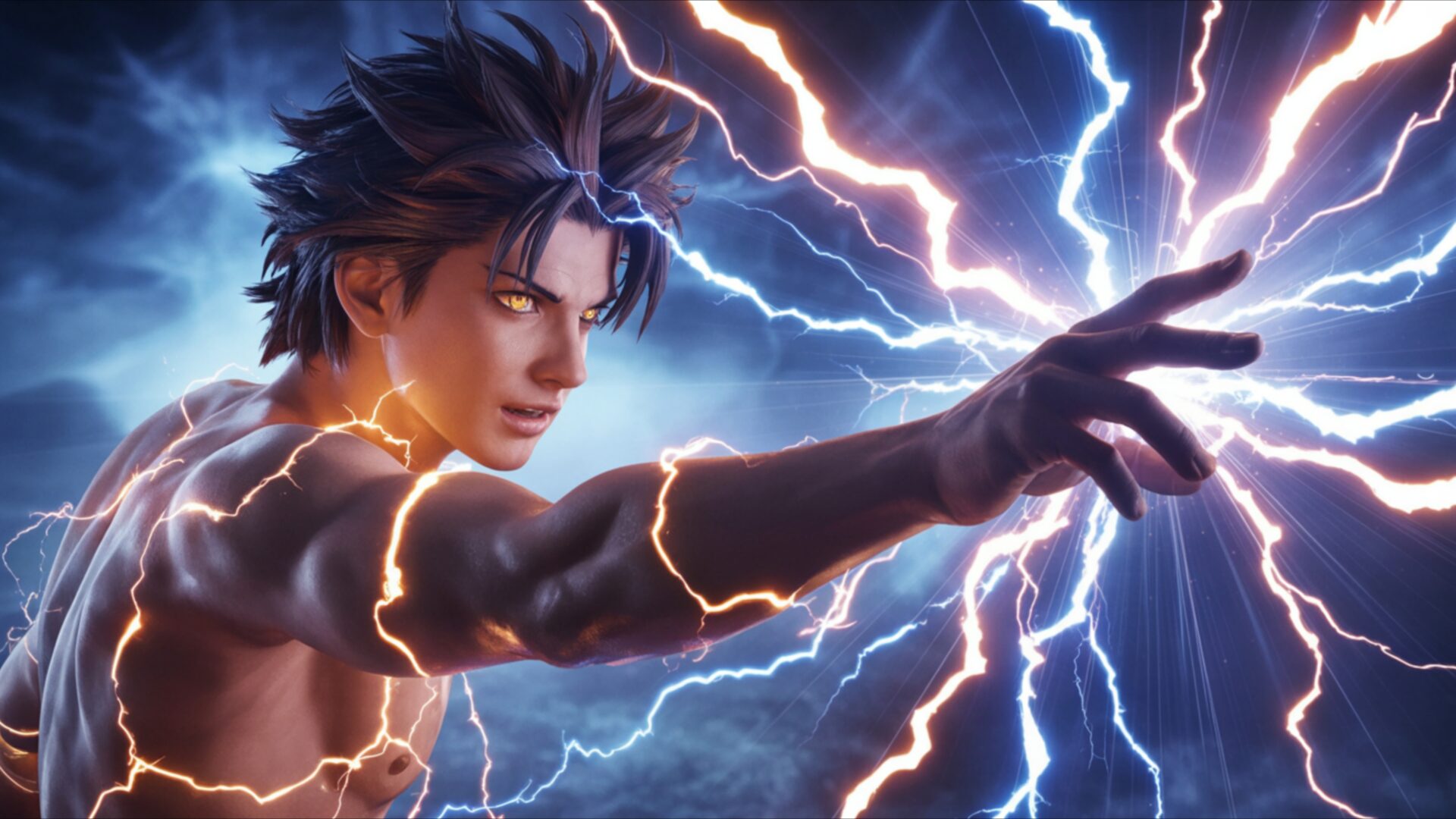
🔮 Anime Boy Summoning Lightning 4K UHD (3840x2160) Wallpaper

❤ Share this wallpaper:
WhatsApp Facebook Twitter / X Pinterest LinkedIn Copy Link for Instagram Telegram Reddit Email





💡 Below is relevant information on how to install wallpapers on different devices 👇

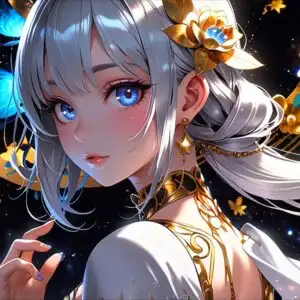


This 4K wallpaper is the best choice for testing your OLED professional display resolution. Compared to others, our high-performance tool provides a premium look for any high-end smartphone or desktop setup.






"Personalize this wallpaper or upload your own image to create the perfect mobile background 👇"
Customize Anime Boy Summoning Lightning for Mobile Wallpapers
iPhone • Samsung • Xiaomi • Google Pixel • Android • Huawei • (Others)
720×1600 • 1080×1920 • 1080×2340 • 1080×2400 • 1284×2778 • 1440×3088Please use Portrait Mode for a better experience (Optional)
Overview – Anime Boy Summoning Lightning
Anime Boy Summoning Lightning captures the essence of the Anime & Games Fantasy category with its vibrant depiction of a character wielding elemental power. This image presents a dynamic scene composition, focusing on an anime boy in a strong pose, channeling electric energy. The high-resolution details, especially in the 4k wallpaper version, bring the fantasy spark to life, showcasing a glowing aura that surrounds the character as he summons lightning magic. The visual theme emphasizes the raw power and intensity of the moment, making it a compelling choice to personalize your desktop.
The artwork is meticulously crafted, highlighting the intricate details of the character’s design and the swirling energy that crackles around him. Notice how the light plays across his features, accentuating his determined expression as he commands the elements. The artist has skillfully used color to convey the intensity of the lightning, contrasting the bright flashes with deeper shadows to create a sense of depth and drama. The overall effect is one of controlled chaos, a visual representation of the character’s mastery over his abilities. The dynamic scene is further enhanced by the carefully chosen perspective, drawing the viewer into the heart of the action.
Consider the way the electric energy seems to leap off the screen, almost tangible in its depiction. This stylish HD artwork is not just a static image; it’s a moment frozen in time, full of potential and excitement. It’s a testament to the power of anime and fantasy to transport us to other worlds, where anything is possible. The strong pose of the anime boy conveys a sense of confidence and determination, making him a compelling figure to watch. The glowing aura that surrounds him adds to the sense of mystique and power, hinting at the vast potential that lies within.
For those looking to enhance their computer screen background, this 3840×2160 resolution wallpaper offers exceptional clarity and detail. It’s a fantastic way to bring a touch of anime and fantasy into your daily life, transforming your desktop background into a portal to another world. You can download wallpaper free of charge and instantly, making it easier than ever to personalize your desktop with this captivating image. This is a great way to get it now and refresh your visual experience.
Available as a PC wallpaper, this design is also suitable as a laptop wallpaper or tablet background, ensuring that you can enjoy this stunning visual theme across all your devices. The high-resolution details are preserved even on smaller screens, making it a versatile choice for any user. Beyond the readily available 4K version, this Anime Boy Summoning Lightning image is also available in 2K and Full HD (FHD) to suit a variety of screen resolutions and ensure optimal display quality.
Wallpaper license: CC BY-NC-ND 4.0 · Credit: HDPeek.com
Remove Black Bars | Fit to Any Screen Size | CSS Fixer & Minifier | Compress Image Online | Image Converter Online | What Is My Screen Resolution? | Wallpaper Upscaler Online
Explore Categories
💡 How to Install Wallpaper on Different Devices
Windows PC:
Right-click on the wallpaper image. Select "Set as desktop background" or "Set as wallpaper". Adjust the fit (Fill, Fit, Stretch, Tile, Center) in Settings > Personalization > Background.Mac:
Right-click on the wallpaper image. Select "Set Desktop Picture". Alternatively, go to System Preferences > Desktop & Screen Saver and choose your image.iPhone / iPad (iOS):
Open the wallpaper image in Photos. Tap the Share button and select "Use as Wallpaper". Move and scale the image, then tap "Set" > Choose "Set Lock Screen", "Set Home Screen", or "Set Both".Android:
Open the wallpaper image in your Gallery app. Tap the Menu or Options button, then select "Set as wallpaper". Choose Home screen, Lock screen, or Both. Adjust the crop if needed and confirm.Linux (Ubuntu / others):
Right-click on the wallpaper image. Select "Set as Desktop Background" or "Set as Wallpaper". Adjust settings if your desktop environment allows multiple monitors.
Tips:
- For best quality, download the image in the resolution that matches your screen.
- Use 16:9 for widescreens, 1:1 for square displays.
- On mobile devices, choose "Set Both" for a consistent look on Home and Lock screens.
