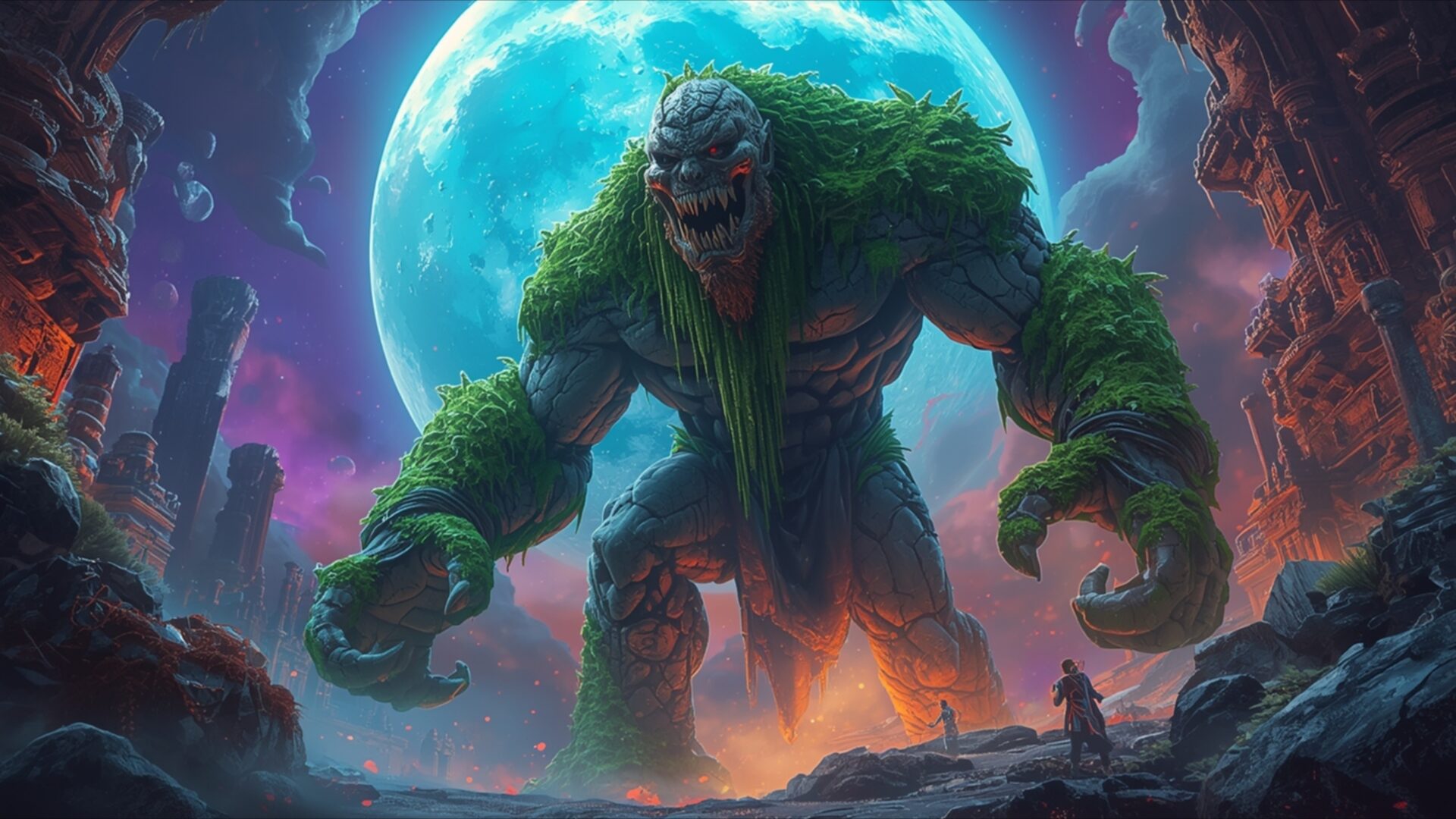
🐉 Ancient Golem Stone Moss Awakening 4K UHD (3840x2160) Wallpaper

❤ Share this wallpaper:
WhatsApp Facebook Twitter / X Pinterest LinkedIn Copy Link for Instagram Telegram Reddit Email



💡 Below is relevant information on how to install wallpapers on different devices 👇



This 4K wallpaper is the best choice for testing your OLED professional display resolution. Compared to others, our high-performance tool provides a premium look for any high-end smartphone or desktop setup.



"Personalize this wallpaper or upload your own image to create the perfect mobile background 👇"
Customize Ancient Golem Stone Moss Awakening for Mobile Wallpapers
iPhone • Samsung • Xiaomi • Google Pixel • Android • Huawei • (Others)
720×1600 • 1080×1920 • 1080×2340 • 1080×2400 • 1284×2778 • 1440×3088Please use Portrait Mode for a better experience (Optional)
Overview – Ancient Golem Stone Moss Awakening
Ancient Golem Stone Moss Awakening presents a striking Fantasy scene, capturing the moment of a colossal stone creature emerging from slumber. The primary light source appears to be a large, luminous celestial body, possibly a moon or planet, casting an ethereal turquoise glow that illuminates the golem’s moss-covered form. This cool light contrasts with the warm, fiery oranges and reds emanating from the ground around the golem’s feet, suggesting an internal energy or the very act of awakening. The golem itself is a magnificent construct of rough, grey stone, heavily overgrown with vibrant green moss and foliage, particularly on its shoulders, arms, and legs, giving it a primal, ancient feel. Its facial features are rugged and imposing, with glowing eyes that hint at a reawakened consciousness.
The composition places the towering golem centrally, emphasizing its immense scale against a backdrop of jagged, rocky formations and a swirling, colorful nebula in the sky. The perspective draws the viewer’s eye upwards, reinforcing the creature’s gargantuan size. A small, silhouetted figure stands in the foreground, dwarfed by the golem, providing a sense of scale and mystery to the scene. The overall mood is one of awe and ancient power being unleashed. This visual theme utilizes a rich, saturated color palette, with the blues and greens of the golem and sky meeting the fiery tones below, creating a dynamic and visually engaging image. The texture of the stone and moss is rendered with detail, giving the golem a tangible, weathered appearance.
This high-resolution artwork is perfect for anyone seeking a powerful and imaginative visual for their computer screen background. The intricate details and dramatic lighting make it a captivating piece to behold. The scene composition evokes a sense of epic fantasy and the raw power of nature intertwined with ancient magic. It’s a visual narrative that speaks of forgotten times and the reawakening of dormant forces. This particular image is presented in 3840×2160 resolution, offering exceptional clarity and detail. For those interested, 4K, 2K, and Full HD versions are also available for download.
Wallpaper license: CC BY-NC-ND 4.0 · Credit: HDPeek.com
Remove Black Bars | Fit to Any Screen Size | CSS Fixer & Minifier | Compress Image Online | Image Converter Online | What Is My Screen Resolution? | Wallpaper Upscaler Online
Explore Categories
💡 How to Install Wallpaper on Different Devices
Windows PC:
Right-click on the wallpaper image. Select "Set as desktop background" or "Set as wallpaper". Adjust the fit (Fill, Fit, Stretch, Tile, Center) in Settings > Personalization > Background.Mac:
Right-click on the wallpaper image. Select "Set Desktop Picture". Alternatively, go to System Preferences > Desktop & Screen Saver and choose your image.iPhone / iPad (iOS):
Open the wallpaper image in Photos. Tap the Share button and select "Use as Wallpaper". Move and scale the image, then tap "Set" > Choose "Set Lock Screen", "Set Home Screen", or "Set Both".Android:
Open the wallpaper image in your Gallery app. Tap the Menu or Options button, then select "Set as wallpaper". Choose Home screen, Lock screen, or Both. Adjust the crop if needed and confirm.Linux (Ubuntu / others):
Right-click on the wallpaper image. Select "Set as Desktop Background" or "Set as Wallpaper". Adjust settings if your desktop environment allows multiple monitors.
Tips:
- For best quality, download the image in the resolution that matches your screen.
- Use 16:9 for widescreens, 1:1 for square displays.
- On mobile devices, choose "Set Both" for a consistent look on Home and Lock screens.
