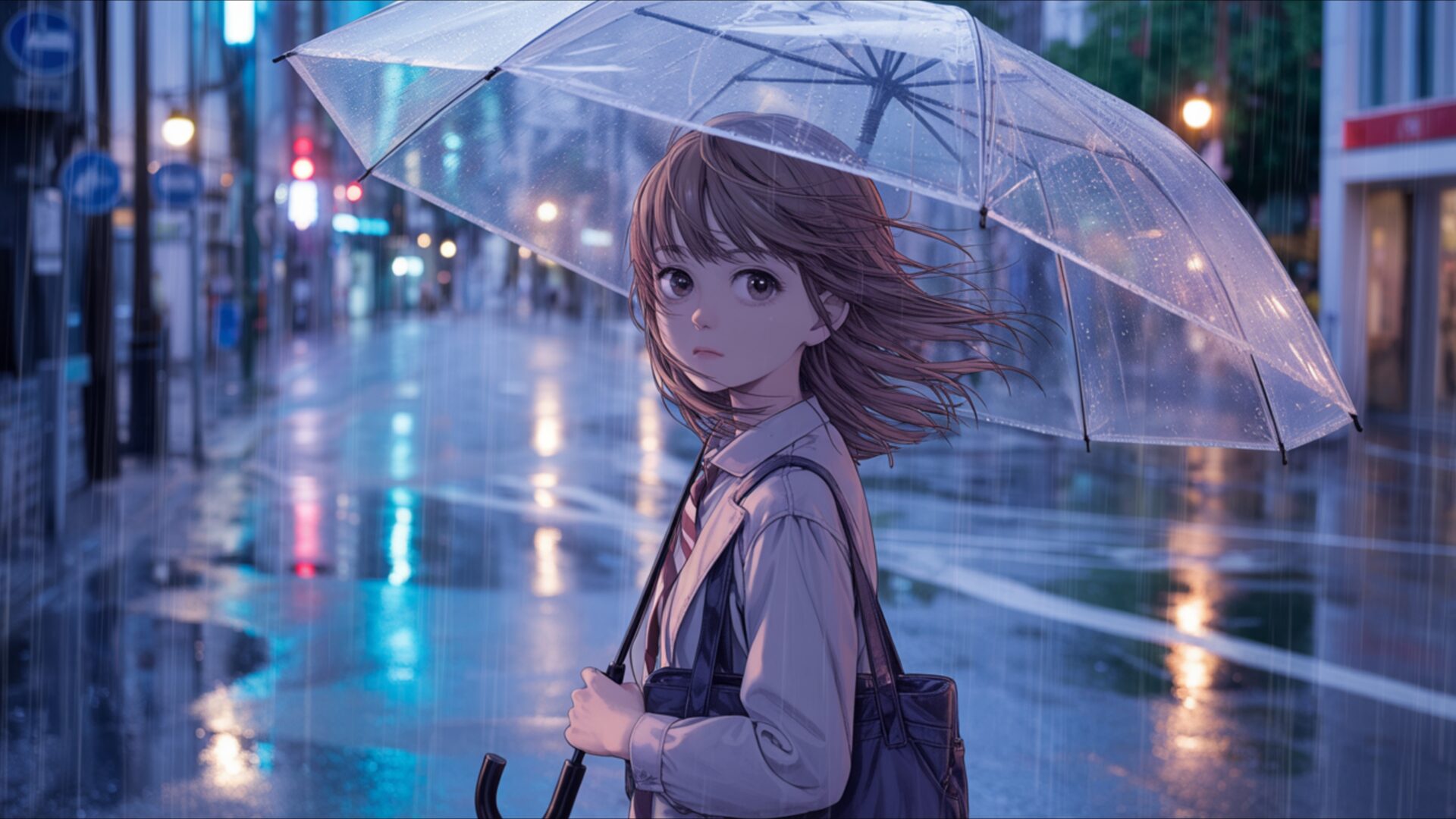
😺 Manga Girl Standing in Rainy Street With Umbrella 4K UHD (3840x2160) Wallpaper


❤ Share this wallpaper:
WhatsApp Facebook Twitter / X Pinterest LinkedIn Copy Link for Instagram Telegram Reddit Email





💡 Below is relevant information on how to install wallpapers on different devices 👇






This 4K wallpaper is the best choice for testing your OLED professional display resolution. Compared to others, our high-performance tool provides a premium look for any high-end smartphone or desktop setup.






"Personalize this wallpaper or upload your own image to create the perfect mobile background 👇"
Customize Manga Girl Standing in Rainy Street With Umbrella for Mobile Wallpapers
iPhone • Samsung • Xiaomi • Google Pixel • Android • Huawei • (Others)
720×1600 • 1080×1920 • 1080×2340 • 1080×2400 • 1284×2778 • 1440×3088Please use Portrait Mode for a better experience (Optional)
Overview – Manga Girl Standing in Rainy Street With Umbrella
Manga Girl Standing in Rainy Street With Umbrella captures a serene moment from the Manga category, depicting a young woman finding solace amidst a downpour. The scene composition immediately draws you in with its carefully balanced elements. The soft reflections on the wet pavement add depth, while the umbrella provides a focal point, shielding the girl from the rain and creating a sense of intimacy. The artist masterfully uses blue tones to evoke a calm mood, enhancing the overall feeling of tranquility.
The high-resolution image showcases a rainy street, rendered with meticulous detail. Every raindrop seems to glisten, and the subtle gradations of color create a realistic yet stylized atmosphere. The manga girl herself is depicted with delicate features, her expression suggesting a quiet contemplation. The umbrella scene is not just a shelter from the rain but also a symbol of protection and introspection. It’s a visual narrative that invites the viewer to pause and reflect.
This stylish HD artwork is perfect to personalize your desktop, bringing a touch of artistic elegance to your digital space. The quiet moment captured in the image offers a respite from the hustle and bustle of daily life. The use of light and shadow is particularly noteworthy, creating a sense of depth and realism. The soft reflections on the wet surfaces add a layer of visual interest, making the scene come alive. The artist’s attention to detail is evident in every aspect of the design, from the texture of the pavement to the subtle folds in the girl’s clothing.
Consider this digital canvas as a way to transform your computer screen background into a work of art. The blue tones create a soothing and calming effect, making it ideal for those seeking a peaceful and visually appealing aesthetic layout. The 3840×2160 resolution ensures that every detail is crisp and clear, even on large displays. It is a fantastic choice for anyone who appreciates manga art and seeks to infuse their digital environment with a touch of serenity. The image is designed to be both visually stunning and emotionally resonant, creating a connection between the viewer and the artwork.
This 4k wallpaper is designed to enhance your visual experience, whether you’re using it as a PC wallpaper, a laptop wallpaper, or even a mobile background. Get it now and instantly elevate the look of your devices. The availability of this image in various resolutions, including 2K and Full HD, ensures that it looks stunning on any screen size. Manga Girl Standing in Rainy Street With Umbrella.
Wallpaper license: CC BY-NC-ND 4.0 · Credit: HDPeek.com
Remove Black Bars | Fit to Any Screen Size | CSS Fixer & Minifier | Compress Image Online | Image Converter Online | What Is My Screen Resolution? | Wallpaper Upscaler Online
Explore Categories
💡 How to Install Wallpaper on Different Devices
Windows PC:
Right-click on the wallpaper image. Select "Set as desktop background" or "Set as wallpaper". Adjust the fit (Fill, Fit, Stretch, Tile, Center) in Settings > Personalization > Background.Mac:
Right-click on the wallpaper image. Select "Set Desktop Picture". Alternatively, go to System Preferences > Desktop & Screen Saver and choose your image.iPhone / iPad (iOS):
Open the wallpaper image in Photos. Tap the Share button and select "Use as Wallpaper". Move and scale the image, then tap "Set" > Choose "Set Lock Screen", "Set Home Screen", or "Set Both".Android:
Open the wallpaper image in your Gallery app. Tap the Menu or Options button, then select "Set as wallpaper". Choose Home screen, Lock screen, or Both. Adjust the crop if needed and confirm.Linux (Ubuntu / others):
Right-click on the wallpaper image. Select "Set as Desktop Background" or "Set as Wallpaper". Adjust settings if your desktop environment allows multiple monitors.
Tips:
- For best quality, download the image in the resolution that matches your screen.
- Use 16:9 for widescreens, 1:1 for square displays.
- On mobile devices, choose "Set Both" for a consistent look on Home and Lock screens.
