🔮 Fantasy Angel Warrior with Golden Wings and Sword 4K UHD (3840x2160) Wallpaper
 Legendary Knight Wielding Sword in Ancient Ruins
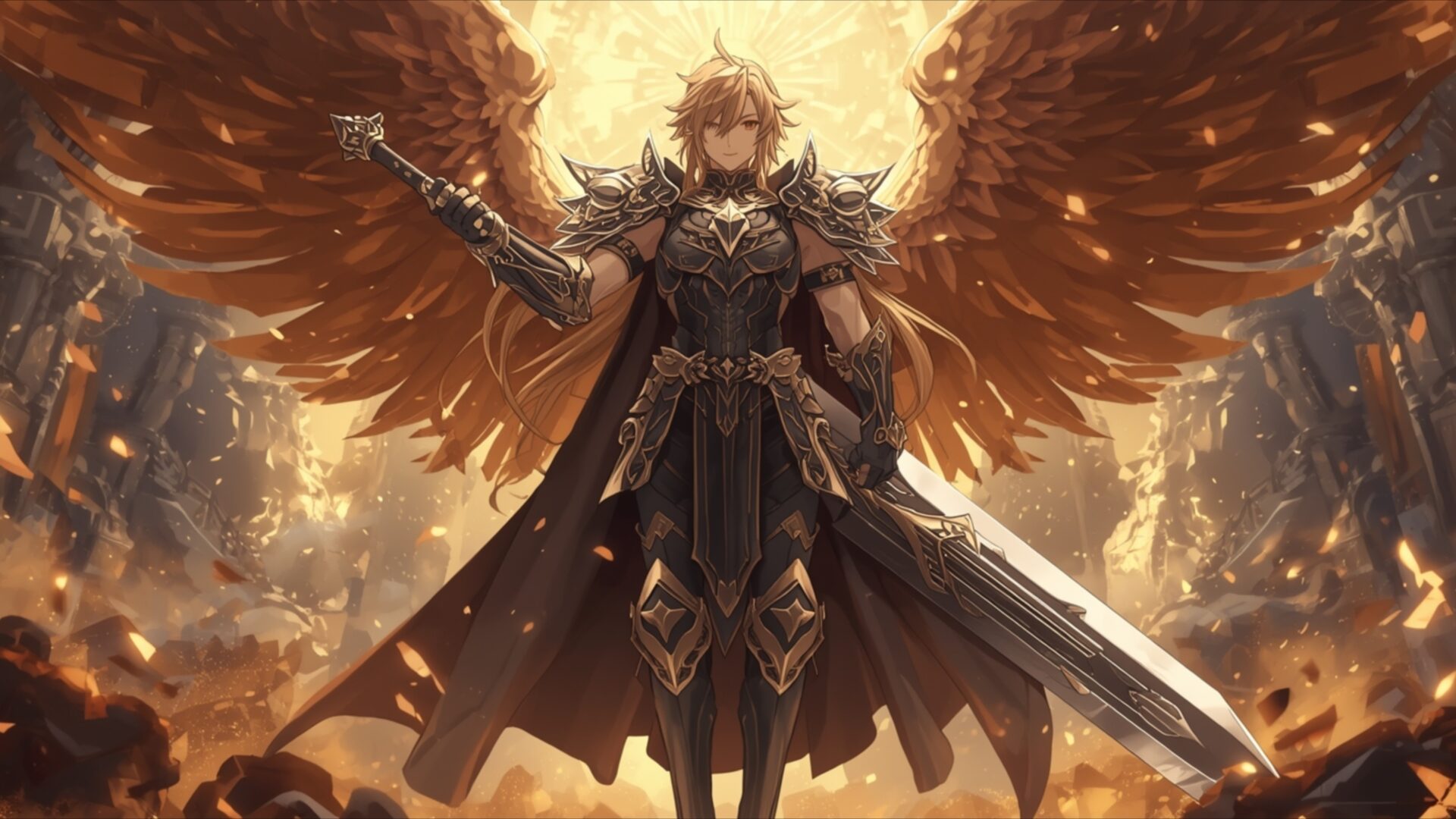
 Winged Guardian Holding Sword in Sanctuary of Light
❤ Share this wallpaper:
WhatsApp Facebook Twitter / X Pinterest LinkedIn Copy Link for Instagram Telegram Reddit Email





💡 Below is relevant information on how to install wallpapers on different devices 👇



This 4K wallpaper is the best choice for testing your OLED professional display resolution. Compared to others, our high-performance tool provides a premium look for any high-end smartphone or desktop setup.





"Personalize this wallpaper or upload your own image to create the perfect mobile background 👇"
Customize Fantasy Angel Warrior with Golden Wings and Sword for Mobile Wallpapers
iPhone • Samsung • Xiaomi • Google Pixel • Android • Huawei • (Others)
720×1600 • 1080×1920 • 1080×2340 • 1080×2400 • 1284×2778 • 1440×3088Please use Portrait Mode for a better experience (Optional)
Overview – Fantasy Angel Warrior with Golden Wings and Sword
Fantasy Angel Warrior with Golden Wings and Sword introduces a striking visual theme from the Anime & Games Fantasy category. This 4k wallpaper showcases a divine hero, an angel warrior, standing resolute. The lighting in the image emanates from behind the figure, casting a warm, golden glow that illuminates the intricate details of the character’s attire and the expansive, feathered wings. These wings, rendered in vibrant shades of orange and gold, suggest immense power and a celestial origin, contrasting with the darker, armored suit worn by the warrior. The armor itself is detailed, featuring ornate metallic plating and a flowing dark cape that adds a sense of dramatic movement.
The warrior holds a large, formidable sword, its blade catching the light, hinting at readiness for battle. The overall mood is one of stoic determination and epic fantasy. The composition places the angel warrior centrally, drawing the viewer’s eye directly to their imposing presence. Surrounding the figure, the environment appears to be a fiery or volcanic landscape, with glowing embers and rocky formations that enhance the sense of a dramatic, high-stakes setting. This visual theme is perfect for anyone who appreciates detailed character design and powerful imagery. The rich color palette, dominated by golds, oranges, and deep blacks, creates a visually arresting scene.
This high-resolution image is designed to impress on any display. The intricate details of the armor, the texture of the wings, and the atmospheric lighting are all rendered with exceptional clarity. It’s a scene that speaks of courage and divine intervention, a true centerpiece for any digital space. The artistic style blends elements of anime character design with a more realistic rendering of armor and lighting, resulting in a unique and compelling aesthetic. This particular visual theme is ideal for those seeking a powerful and inspiring image to adorn their screens.
The image captures a moment of quiet strength, the warrior poised yet unyielding. The golden hues suggest a connection to light and divinity, while the dark armor and the fiery surroundings imply a warrior who has faced and overcome great challenges. This scene composition is a testament to the power of digital art to create immersive and evocative worlds. It’s a perfect desktop background for those who admire fantasy art. You can download this wallpaper in its original 3840×2160 resolution, with 4K, 2K, and Full HD versions also available for your convenience. Fantasy Angel Warrior with Golden Wings and Sword is ready for your collection.
Wallpaper license: CC BY-NC-ND 4.0 · Credit: HDPeek.com
Remove Black Bars | Fit to Any Screen Size | CSS Fixer & Minifier | Compress Image Online | Image Converter Online | What Is My Screen Resolution? | Wallpaper Upscaler Online
Explore Categories
💡 How to Install Wallpaper on Different Devices
Windows PC:
Right-click on the wallpaper image. Select "Set as desktop background" or "Set as wallpaper". Adjust the fit (Fill, Fit, Stretch, Tile, Center) in Settings > Personalization > Background.Mac:
Right-click on the wallpaper image. Select "Set Desktop Picture". Alternatively, go to System Preferences > Desktop & Screen Saver and choose your image.iPhone / iPad (iOS):
Open the wallpaper image in Photos. Tap the Share button and select "Use as Wallpaper". Move and scale the image, then tap "Set" > Choose "Set Lock Screen", "Set Home Screen", or "Set Both".Android:
Open the wallpaper image in your Gallery app. Tap the Menu or Options button, then select "Set as wallpaper". Choose Home screen, Lock screen, or Both. Adjust the crop if needed and confirm.Linux (Ubuntu / others):
Right-click on the wallpaper image. Select "Set as Desktop Background" or "Set as Wallpaper". Adjust settings if your desktop environment allows multiple monitors.
Tips:
- For best quality, download the image in the resolution that matches your screen.
- Use 16:9 for widescreens, 1:1 for square displays.
- On mobile devices, choose "Set Both" for a consistent look on Home and Lock screens.
