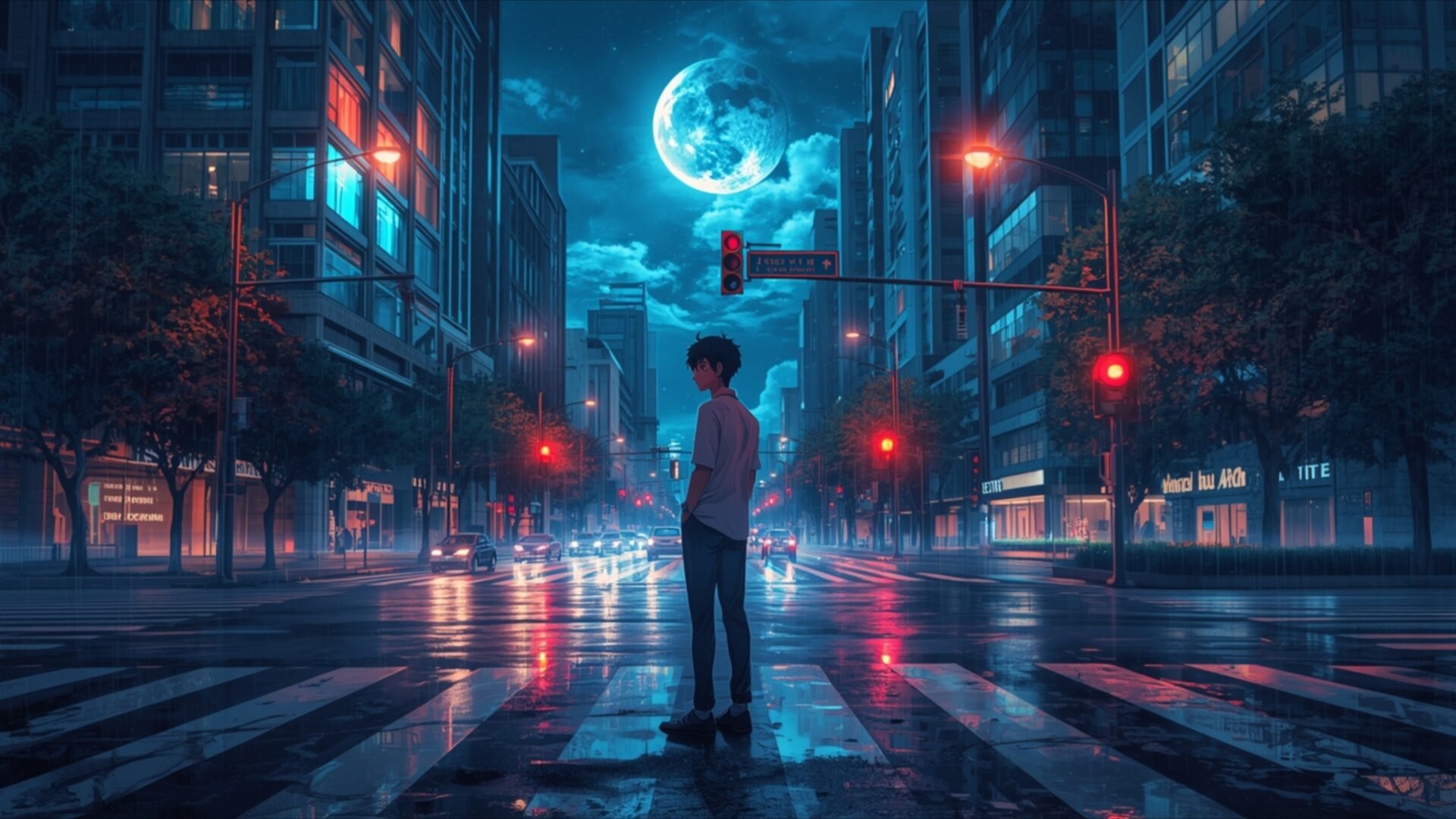
😺 Anime Boy Waiting at Crosswalk Evening Light 4K UHD (3840x2160) Wallpaper

❤ Share this wallpaper:
WhatsApp Facebook Twitter / X Pinterest LinkedIn Copy Link for Instagram Telegram Reddit Email





💡 Below is relevant information on how to install wallpapers on different devices 👇


This 4K wallpaper is the best choice for testing your OLED professional display resolution. Compared to others, our high-performance tool provides a premium look for any high-end smartphone or desktop setup.
"Personalize this wallpaper or upload your own image to create the perfect mobile background 👇"
Customize Anime Boy Waiting at Crosswalk Evening Light for Mobile Wallpapers
iPhone • Samsung • Xiaomi • Google Pixel • Android • Huawei • (Others)
720×1600 • 1080×1920 • 1080×2340 • 1080×2400 • 1284×2778 • 1440×3088Please use Portrait Mode for a better experience (Optional)
Overview – Anime Boy Waiting at Crosswalk Evening Light
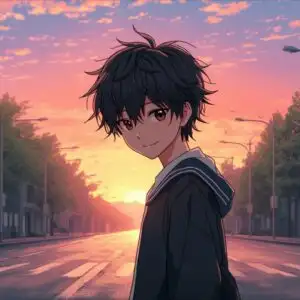
Anime Boy Waiting at Crosswalk Evening Light captures a solitary figure in a vibrant urban manga scene. This high-resolution visual theme plunges you into a city bathed in the soft glow of twilight, with a prominent, luminous moon hanging in the deep blue sky. The composition centers on a young anime boy, silhouetted against the reflective, wet asphalt of a crosswalk. His posture suggests a moment of quiet contemplation, a pause amidst the bustling city. The lighting is a key element, with the cool blues and purples of the night sky contrasting sharply with the warm, inviting reds of the traffic lights and distant building windows. These points of light create a dynamic interplay, drawing the eye across the scene and highlighting the textures of the wet streets, which mirror the illuminated cityscape. The rain-slicked surfaces add a layer of depth and atmosphere, enhancing the moody, introspective feel of the image.
The artist’s style leans into the characteristic aesthetic of anime, with clean lines and a focus on atmospheric detail. Tall buildings, rendered with a slight blur to suggest distance and scale, frame the central subject. The trees lining the street are dark and lush, their forms softened by the evening light. Reflections on the ground are not just literal copies of the lights above but also distorted, elongated streaks that add a sense of movement and life to the otherwise still scene. The overall mood is one of peaceful solitude, a moment of stillness before the next step is taken. This desktop background is perfect for anyone who appreciates the blend of urban environments and the distinctive charm of anime art.
The meticulous detail in the rendering of the city, from the glowing signs to the subtle variations in the sky’s color, makes this a compelling visual. The contrast between the dark, wet streets and the bright, artificial lights creates a visually striking effect. This scene composition offers a sense of narrative, inviting viewers to imagine the story behind the boy’s wait. It’s a perfect visual theme for those who enjoy atmospheric urban settings with a touch of melancholy. You can download this wallpaper in its stunning 3840×2160 resolution, with 4K, 2K, and Full HD versions also available for your viewing pleasure.
Wallpaper license: CC BY-NC-ND 4.0 · Credit: HDPeek.com
Remove Black Bars | Fit to Any Screen Size | CSS Fixer & Minifier | Compress Image Online | Image Converter Online | What Is My Screen Resolution? | Wallpaper Upscaler Online
Explore Categories
💡 How to Install Wallpaper on Different Devices
Windows PC:
Right-click on the wallpaper image. Select "Set as desktop background" or "Set as wallpaper". Adjust the fit (Fill, Fit, Stretch, Tile, Center) in Settings > Personalization > Background.Mac:
Right-click on the wallpaper image. Select "Set Desktop Picture". Alternatively, go to System Preferences > Desktop & Screen Saver and choose your image.iPhone / iPad (iOS):
Open the wallpaper image in Photos. Tap the Share button and select "Use as Wallpaper". Move and scale the image, then tap "Set" > Choose "Set Lock Screen", "Set Home Screen", or "Set Both".Android:
Open the wallpaper image in your Gallery app. Tap the Menu or Options button, then select "Set as wallpaper". Choose Home screen, Lock screen, or Both. Adjust the crop if needed and confirm.Linux (Ubuntu / others):
Right-click on the wallpaper image. Select "Set as Desktop Background" or "Set as Wallpaper". Adjust settings if your desktop environment allows multiple monitors.
Tips:
- For best quality, download the image in the resolution that matches your screen.
- Use 16:9 for widescreens, 1:1 for square displays.
- On mobile devices, choose "Set Both" for a consistent look on Home and Lock screens.
