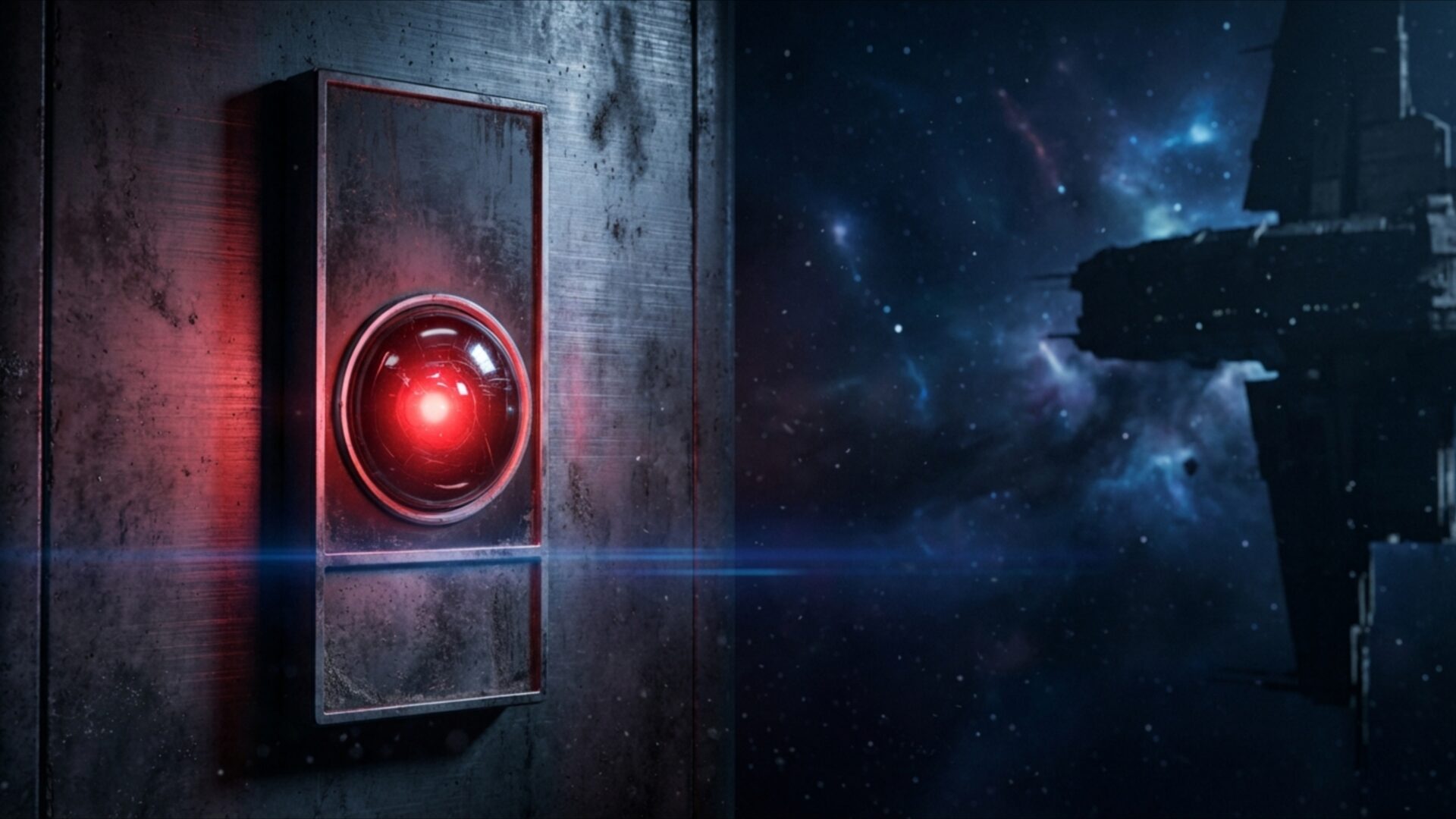
👽️ HAL 9000 Glowing in Minimalist Dark Room 4K UHD (3840x2160) Wallpaper

❤ Share this wallpaper:
WhatsApp Facebook Twitter / X Pinterest LinkedIn Copy Link for Instagram Telegram Reddit Email





💡 Below is relevant information on how to install wallpapers on different devices 👇






This 4K wallpaper is the best choice for testing your OLED professional display resolution. Compared to others, our high-performance tool provides a premium look for any high-end smartphone or desktop setup.





"Personalize this wallpaper or upload your own image to create the perfect mobile background 👇"
Customize HAL 9000 Glowing in Minimalist Dark Room for Mobile Wallpapers
iPhone • Samsung • Xiaomi • Google Pixel • Android • Huawei • (Others)
720×1600 • 1080×1920 • 1080×2340 • 1080×2400 • 1284×2778 • 1440×3088Please use Portrait Mode for a better experience (Optional)
Overview – HAL 9000 Glowing in Minimalist Dark Room
HAL 9000 Glowing in Minimalist Dark Room captures the essence of the Science Fiction category with its stark contrasts and technological focus. It presents a chillingly familiar scene, dominated by the iconic machine’s singular red lens. The composition immediately draws the eye, utilizing a minimalist approach to amplify the tension energy emanating from the HAL 9000 unit. The dark room setting enhances the cold atmosphere, creating a sense of isolation and unease.
The image leverages light and shadow to sculpt the form of the AI, highlighting the smooth, featureless surfaces that contribute to its unsettling presence. A subtle glow emanates from within, casting a faint red hue onto the surrounding darkness. This careful manipulation of light not only defines the shape but also intensifies the feeling of dread and anticipation. The futuristic minimalism of the room further emphasizes the technological nature of the subject, stripping away any distractions to focus solely on the machine’s ominous gaze.
This 4k wallpaper is designed to transform your computer screen background into a portal to a world of advanced technology and psychological suspense. The high-resolution detail ensures that every nuance of the scene is rendered with clarity, from the subtle reflections on the machine’s surface to the gradations of darkness in the room. It is a stylish HD artwork that will personalize your desktop with a touch of sci-fi intrigue. The scene composition is carefully balanced, creating a visual theme that is both captivating and unsettling.
Consider this design as a mobile background, where the stark contrast and minimalist aesthetic will make a bold statement on your smartphone wallpaper. The red lens becomes a focal point, drawing attention and sparking curiosity. It’s a quick download to instantly infuse your device with a dose of futuristic tension. The wallpaper for pc offers a unique opportunity to immerse yourself in the world of HAL 9000, bringing a touch of iconic sci-fi to your daily life. The cold atmosphere and tension energy are palpable, creating a visual experience that is both stimulating and thought-provoking.
The design is available in various resolutions, including the highest quality 4K version, ensuring a crisp and detailed image on any display. Furthermore, it can be downloaded in 2K and Full HD versions to suit a range of devices and screen sizes, ensuring that everyone can experience the chilling beauty of HAL 9000 Glowing in Minimalist Dark Room.
Wallpaper license: CC BY-NC-ND 4.0 · Credit: HDPeek.com
Remove Black Bars | Fit to Any Screen Size | CSS Fixer & Minifier | Compress Image Online | Image Converter Online | What Is My Screen Resolution? | Wallpaper Upscaler Online
Explore Categories
💡 How to Install Wallpaper on Different Devices
Windows PC:
Right-click on the wallpaper image. Select "Set as desktop background" or "Set as wallpaper". Adjust the fit (Fill, Fit, Stretch, Tile, Center) in Settings > Personalization > Background.Mac:
Right-click on the wallpaper image. Select "Set Desktop Picture". Alternatively, go to System Preferences > Desktop & Screen Saver and choose your image.iPhone / iPad (iOS):
Open the wallpaper image in Photos. Tap the Share button and select "Use as Wallpaper". Move and scale the image, then tap "Set" > Choose "Set Lock Screen", "Set Home Screen", or "Set Both".Android:
Open the wallpaper image in your Gallery app. Tap the Menu or Options button, then select "Set as wallpaper". Choose Home screen, Lock screen, or Both. Adjust the crop if needed and confirm.Linux (Ubuntu / others):
Right-click on the wallpaper image. Select "Set as Desktop Background" or "Set as Wallpaper". Adjust settings if your desktop environment allows multiple monitors.
Tips:
- For best quality, download the image in the resolution that matches your screen.
- Use 16:9 for widescreens, 1:1 for square displays.
- On mobile devices, choose "Set Both" for a consistent look on Home and Lock screens.
