👽️ Doctor Strange Summoning Cosmic Fractals 4K UHD (3840x2160) Wallpaper


❤ Share this wallpaper:
WhatsApp Facebook Twitter / X Pinterest LinkedIn Copy Link for Instagram Telegram Reddit Email




💡 Below is relevant information on how to install wallpapers on different devices 👇






This 4K wallpaper is the best choice for testing your OLED professional display resolution. Compared to others, our high-performance tool provides a premium look for any high-end smartphone or desktop setup.






"Personalize this wallpaper or upload your own image to create the perfect mobile background 👇"
Customize Doctor Strange Summoning Cosmic Fractals for Mobile Wallpapers
iPhone • Samsung • Xiaomi • Google Pixel • Android • Huawei • (Others)
720×1600 • 1080×1920 • 1080×2340 • 1080×2400 • 1284×2778 • 1440×3088Please use Portrait Mode for a better experience (Optional)
Overview – Doctor Strange Summoning Cosmic Fractals
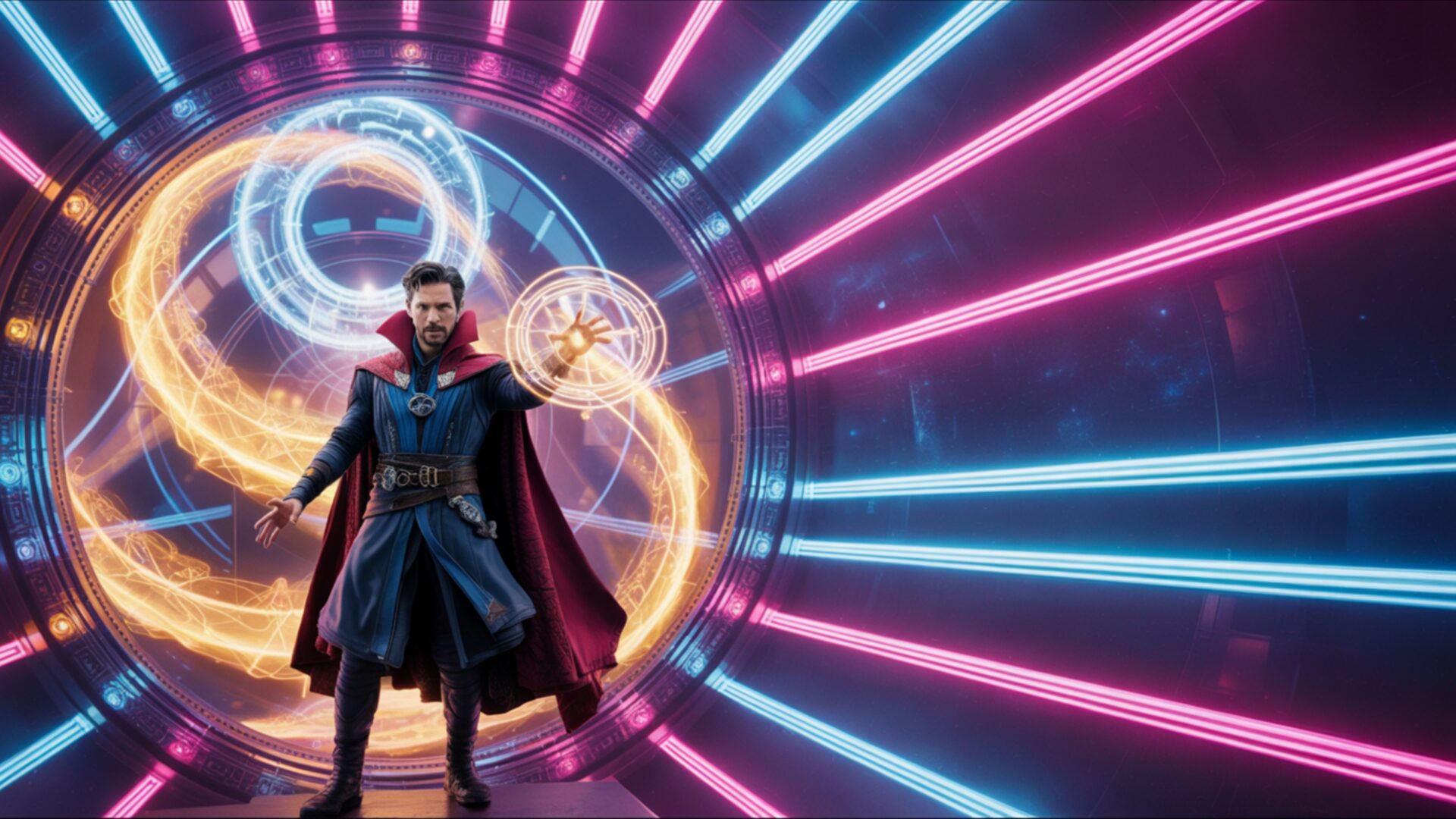
Doctor Strange Summoning Cosmic Fractals captures the essence of the Science Fiction category with its intricate depiction of mystical energies and dimensional rifts. The image presents a dynamic scene composition, showcasing Doctor Strange amidst a swirling vortex of cosmic fractals. Light plays a crucial role, with vibrant portal glows illuminating the surrounding space and casting intricate shadows that enhance the depth and texture of the visual theme. The overall effect is one of controlled chaos, where the mystical energy appears both powerful and precisely manipulated.
The stylish HD artwork focuses on the interplay between the character and the environment. Doctor Strange is rendered with meticulous detail, his costume textures and facial expressions adding to the realism. Surrounding him, the cosmic fractals exhibit a complex geometry, with layers of swirling patterns that draw the eye deeper into the scene. The color palette is rich and varied, featuring deep blues and purples contrasted with bright oranges and yellows, creating a visually striking and captivating monitor wallpaper. This high-resolution image is designed to personalize your desktop with a touch of sci-fi fantasy.
The cinematic swirl effect adds a sense of motion and dynamism to the desktop background, making it feel alive. It’s more than just a static image; it’s a portal into another dimension, a glimpse into the world of cosmic magic. The dimensional rift is not merely a visual element but a narrative device, suggesting a gateway to unexplored realms. The composition is carefully balanced, ensuring that every element contributes to the overall aesthetic layout and reinforces the sense of depth and scale. The mystical energy emanating from Doctor Strange is palpable, creating a sense of wonder and excitement.
This 4k wallpaper is perfect for fans of Marvel heroes and sci-fi fantasy alike. It transforms your computer screen background into a window onto a world of cinematic swirl and cosmic magic. It is a great way to get it now and instantly transform your laptop wallpaper. The portal glow effect is particularly striking, creating a focal point that draws the viewer’s attention and invites them to explore the details of the scene. The 3840×2160 resolution ensures that every detail is rendered with clarity and precision, making it a truly immersive experience.
This free wallpaper offers a unique opportunity to personalize your desktop with a stunning visual theme. The intricate details and vibrant colors of Doctor Strange Summoning Cosmic Fractals are sure to impress. For those seeking options, the wallpaper is also available in 2K and Full HD versions, ensuring compatibility with a wide range of devices and screen resolutions.
Wallpaper license: CC BY-NC-ND 4.0 · Credit: HDPeek.com
Remove Black Bars | Fit to Any Screen Size | CSS Fixer & Minifier | Compress Image Online | Image Converter Online | What Is My Screen Resolution? | Wallpaper Upscaler Online
Explore Categories
💡 How to Install Wallpaper on Different Devices
Windows PC:
Right-click on the wallpaper image. Select "Set as desktop background" or "Set as wallpaper". Adjust the fit (Fill, Fit, Stretch, Tile, Center) in Settings > Personalization > Background.Mac:
Right-click on the wallpaper image. Select "Set Desktop Picture". Alternatively, go to System Preferences > Desktop & Screen Saver and choose your image.iPhone / iPad (iOS):
Open the wallpaper image in Photos. Tap the Share button and select "Use as Wallpaper". Move and scale the image, then tap "Set" > Choose "Set Lock Screen", "Set Home Screen", or "Set Both".Android:
Open the wallpaper image in your Gallery app. Tap the Menu or Options button, then select "Set as wallpaper". Choose Home screen, Lock screen, or Both. Adjust the crop if needed and confirm.Linux (Ubuntu / others):
Right-click on the wallpaper image. Select "Set as Desktop Background" or "Set as Wallpaper". Adjust settings if your desktop environment allows multiple monitors.
Tips:
- For best quality, download the image in the resolution that matches your screen.
- Use 16:9 for widescreens, 1:1 for square displays.
- On mobile devices, choose "Set Both" for a consistent look on Home and Lock screens.
