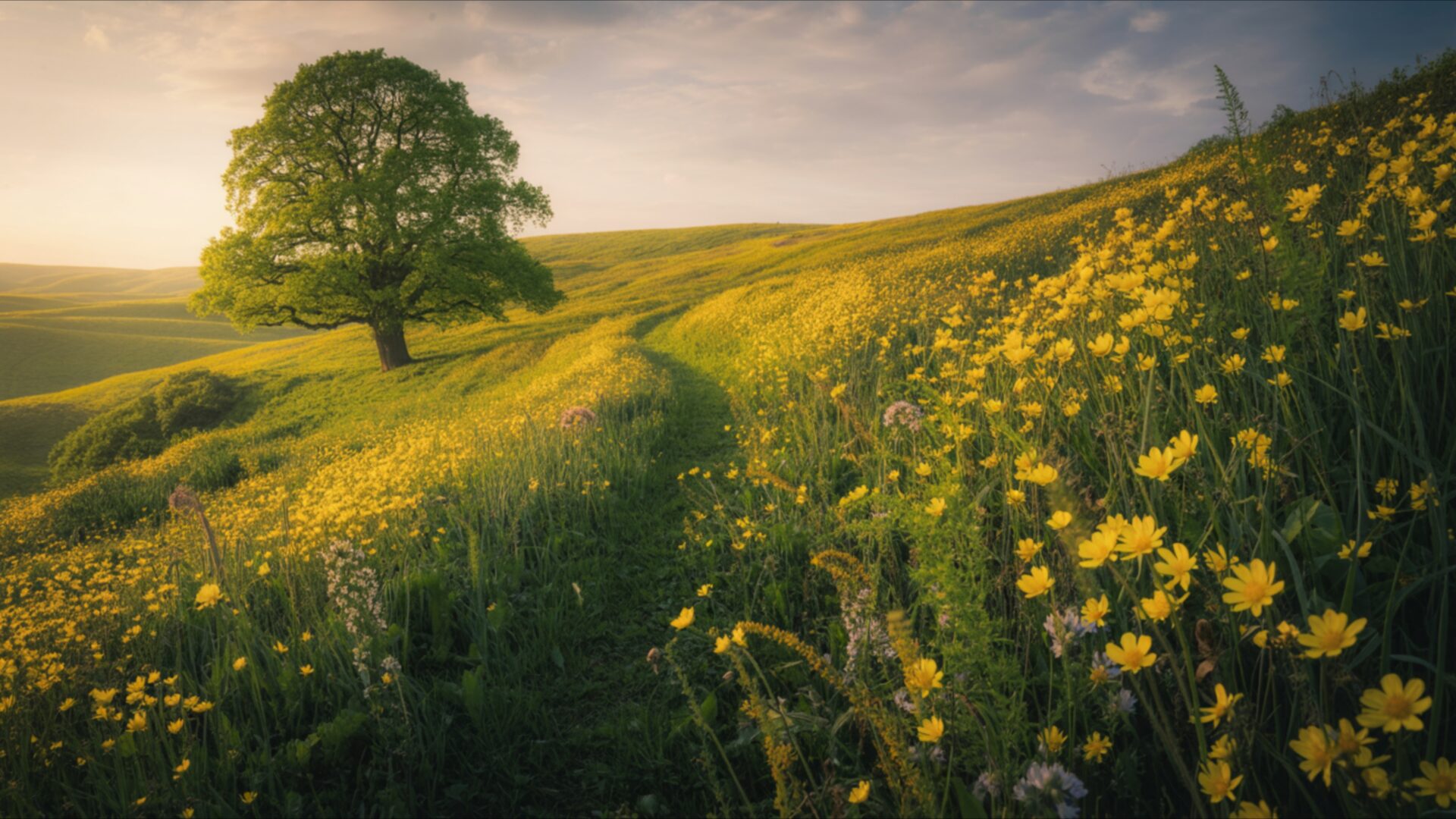
🎉️ Spring Meadow With Bright Yellow Flowers 4K UHD (3840x2160) Wallpaper


❤ Share this wallpaper:
WhatsApp Facebook Twitter / X Pinterest LinkedIn Copy Link for Instagram Telegram Reddit Email





💡 Below is relevant information on how to install wallpapers on different devices 👇






This 4K wallpaper is the best choice for testing your OLED professional display resolution. Compared to others, our high-performance tool provides a premium look for any high-end smartphone or desktop setup.






"Personalize this wallpaper or upload your own image to create the perfect mobile background 👇"
Customize Spring Meadow With Bright Yellow Flowers for Mobile Wallpapers
iPhone • Samsung • Xiaomi • Google Pixel • Android • Huawei • (Others)
720×1600 • 1080×1920 • 1080×2340 • 1080×2400 • 1284×2778 • 1440×3088Please use Portrait Mode for a better experience (Optional)
Overview – Spring Meadow With Bright Yellow Flowers
Spring Meadow With Bright Yellow Flowers captures the essence of the Seasonal & Events category with its vibrant depiction of nature’s renewal. The image presents a sweeping vista of an open field bathed in soft sunlight, a scene composition that evokes a sense of tranquility and warmth. The focus is drawn to the bright yellow blossoms scattered throughout the spring meadow, creating a visually appealing contrast against the green foliage. The overall aesthetic layout emphasizes the fresh vibe of the season, inviting the viewer to immerse themselves in the beauty of nature.
The composition is carefully balanced, with the distribution of flowers and foliage creating a sense of depth and perspective. The soft sunlight filters through the scene, casting gentle shadows that enhance the texture of the grass and petals. Warm tones dominate the color palette, contributing to the inviting and cheerful atmosphere. The high-resolution detail allows for a close appreciation of the individual blossoms, each rendered with clarity and precision. It’s a stylish HD artwork that brings the outdoors to your digital space.
This 4k wallpaper is more than just a pretty picture; it’s an invitation to experience the joy of spring. The visual theme centers around the concept of rebirth and renewal, reflecting the spirit of the season. The open field stretches out before you, promising endless possibilities and a sense of freedom. The yellow blossoms symbolize hope and optimism, adding a touch of brightness to your day. It is a perfect choice to personalize your desktop with a touch of natural beauty.
Imagine this stunning scene as your desktop background, transforming your computer screen background into a window onto a vibrant world. The 3840×2160 resolution ensures that every detail is crisp and clear, providing an immersive visual experience. This is an instant download, so you can get it now and enjoy the beauty of spring on your laptop wallpaper or tablet background. Let this image transport you to a place of peace and serenity, where the worries of the day melt away.
This visual theme is designed to bring a sense of calm and joy to your digital life. It’s a reminder of the beauty that surrounds us, even in the midst of our busy schedules. The Spring Meadow With Bright Yellow Flowers is available as a free wallpaper, offering a simple way to enhance your digital environment. Whether you’re looking to brighten up your day or simply appreciate the beauty of nature, this image is a perfect choice. We offer this beautiful scene in a range of resolutions, including the sharp detail of the 4K version, as well as 2K and Full HD versions to suit various devices.
Wallpaper license: CC BY-NC-ND 4.0 · Credit: HDPeek.com
Remove Black Bars | Fit to Any Screen Size | CSS Fixer & Minifier | Compress Image Online | Image Converter Online | What Is My Screen Resolution? | Wallpaper Upscaler Online
Explore Categories
💡 How to Install Wallpaper on Different Devices
Windows PC:
Right-click on the wallpaper image. Select "Set as desktop background" or "Set as wallpaper". Adjust the fit (Fill, Fit, Stretch, Tile, Center) in Settings > Personalization > Background.Mac:
Right-click on the wallpaper image. Select "Set Desktop Picture". Alternatively, go to System Preferences > Desktop & Screen Saver and choose your image.iPhone / iPad (iOS):
Open the wallpaper image in Photos. Tap the Share button and select "Use as Wallpaper". Move and scale the image, then tap "Set" > Choose "Set Lock Screen", "Set Home Screen", or "Set Both".Android:
Open the wallpaper image in your Gallery app. Tap the Menu or Options button, then select "Set as wallpaper". Choose Home screen, Lock screen, or Both. Adjust the crop if needed and confirm.Linux (Ubuntu / others):
Right-click on the wallpaper image. Select "Set as Desktop Background" or "Set as Wallpaper". Adjust settings if your desktop environment allows multiple monitors.
Tips:
- For best quality, download the image in the resolution that matches your screen.
- Use 16:9 for widescreens, 1:1 for square displays.
- On mobile devices, choose "Set Both" for a consistent look on Home and Lock screens.
