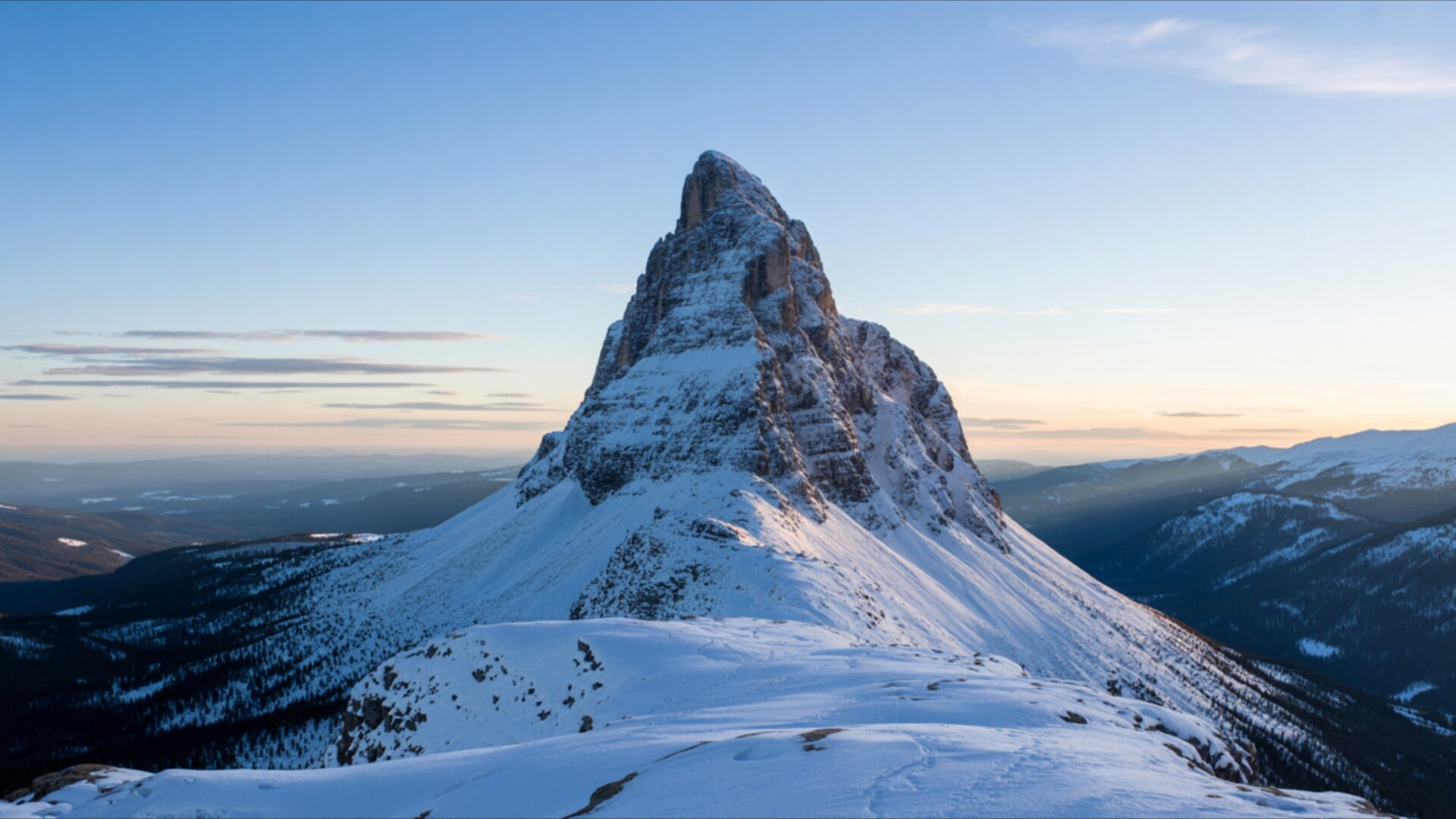
🌿 Snowy Mountain Peak Under Clear Sky 4K UHD (3840x2160) Wallpaper


❤ Share this wallpaper:
WhatsApp Facebook Twitter / X Pinterest LinkedIn Copy Link for Instagram Telegram Reddit Email





💡 Below is relevant information on how to install wallpapers on different devices 👇





This 4K wallpaper is the best choice for testing your OLED professional display resolution. Compared to others, our high-performance tool provides a premium look for any high-end smartphone or desktop setup.



"Personalize this wallpaper or upload your own image to create the perfect mobile background 👇"
Customize Snowy Mountain Peak Under Clear Sky for Mobile Wallpapers
iPhone • Samsung • Xiaomi • Google Pixel • Android • Huawei • (Others)
720×1600 • 1080×1920 • 1080×2340 • 1080×2400 • 1284×2778 • 1440×3088Please use Portrait Mode for a better experience (Optional)
Overview – Snowy Mountain Peak Under Clear Sky
Snowy Mountain Peak Under Clear Sky captures the serene beauty of the Nature category, presenting a vista of untouched winter landscapes. The crisp, clean lines of the snow-covered mountain create a striking contrast against the expansive clear sky above. A sense of tranquility permeates the image, inviting the viewer to immerse themselves in the peacefulness of this cold scene. The composition emphasizes the open view, allowing the eye to wander across the pristine snow and upward toward the limitless expanse of the heavens.
The bright white of the snow reflects the sunlight, creating a luminous effect that enhances the overall clarity of the image. The textures of the snow-covered mountain are subtly rendered, providing depth and dimension to the scene. The absence of human presence reinforces the feeling of solitude and untouched wilderness. It’s a visual theme that speaks to the quiet grandeur of nature, a reminder of the simple beauty that can be found in the most remote and challenging environments. This desktop background offers a moment of escape, a chance to momentarily leave behind the hustle and bustle of daily life and connect with the stillness of the natural world.
Consider this stylish HD artwork as a window to a world of quiet contemplation. The high-resolution detail brings out the subtle nuances of the landscape, from the delicate patterns in the snow to the faint wisps of clouds in the sky. The cold scene evokes a sense of crispness and purity, making it an ideal choice for those who appreciate minimalist aesthetics and the calming influence of nature. The composition is carefully balanced, creating a harmonious and visually pleasing image. The stark contrast between the snow and sky adds a touch of drama, while the overall tone remains peaceful and serene.
Personalize your desktop with this stunning 3840×2160 image, a digital canvas that transforms your computer screen background into a breathtaking vista. The Snowy Mountain Peak Under Clear Sky provides a refreshing and inspiring backdrop for your daily tasks. It’s a reminder of the power and beauty of the natural world, a source of inspiration and tranquility that can help you stay focused and grounded. This is a great way to download wallpaper and bring a touch of the outdoors into your digital workspace.
This exceptional 4k wallpaper is available for instant download, and is also offered in 2K and Full HD versions, ensuring optimal display quality across a range of devices. Whether you’re looking for a laptop wallpaper, a mobile background, or simply want to enhance your desktop experience, this Snowy Mountain Peak Under Clear Sky is a perfect choice.
Wallpaper license: CC BY-NC-ND 4.0 · Credit: HDPeek.com
Remove Black Bars | Fit to Any Screen Size | CSS Fixer & Minifier | Compress Image Online | Image Converter Online | What Is My Screen Resolution? | Wallpaper Upscaler Online
Explore Categories
💡 How to Install Wallpaper on Different Devices
Windows PC:
Right-click on the wallpaper image. Select "Set as desktop background" or "Set as wallpaper". Adjust the fit (Fill, Fit, Stretch, Tile, Center) in Settings > Personalization > Background.Mac:
Right-click on the wallpaper image. Select "Set Desktop Picture". Alternatively, go to System Preferences > Desktop & Screen Saver and choose your image.iPhone / iPad (iOS):
Open the wallpaper image in Photos. Tap the Share button and select "Use as Wallpaper". Move and scale the image, then tap "Set" > Choose "Set Lock Screen", "Set Home Screen", or "Set Both".Android:
Open the wallpaper image in your Gallery app. Tap the Menu or Options button, then select "Set as wallpaper". Choose Home screen, Lock screen, or Both. Adjust the crop if needed and confirm.Linux (Ubuntu / others):
Right-click on the wallpaper image. Select "Set as Desktop Background" or "Set as Wallpaper". Adjust settings if your desktop environment allows multiple monitors.
Tips:
- For best quality, download the image in the resolution that matches your screen.
- Use 16:9 for widescreens, 1:1 for square displays.
- On mobile devices, choose "Set Both" for a consistent look on Home and Lock screens.
