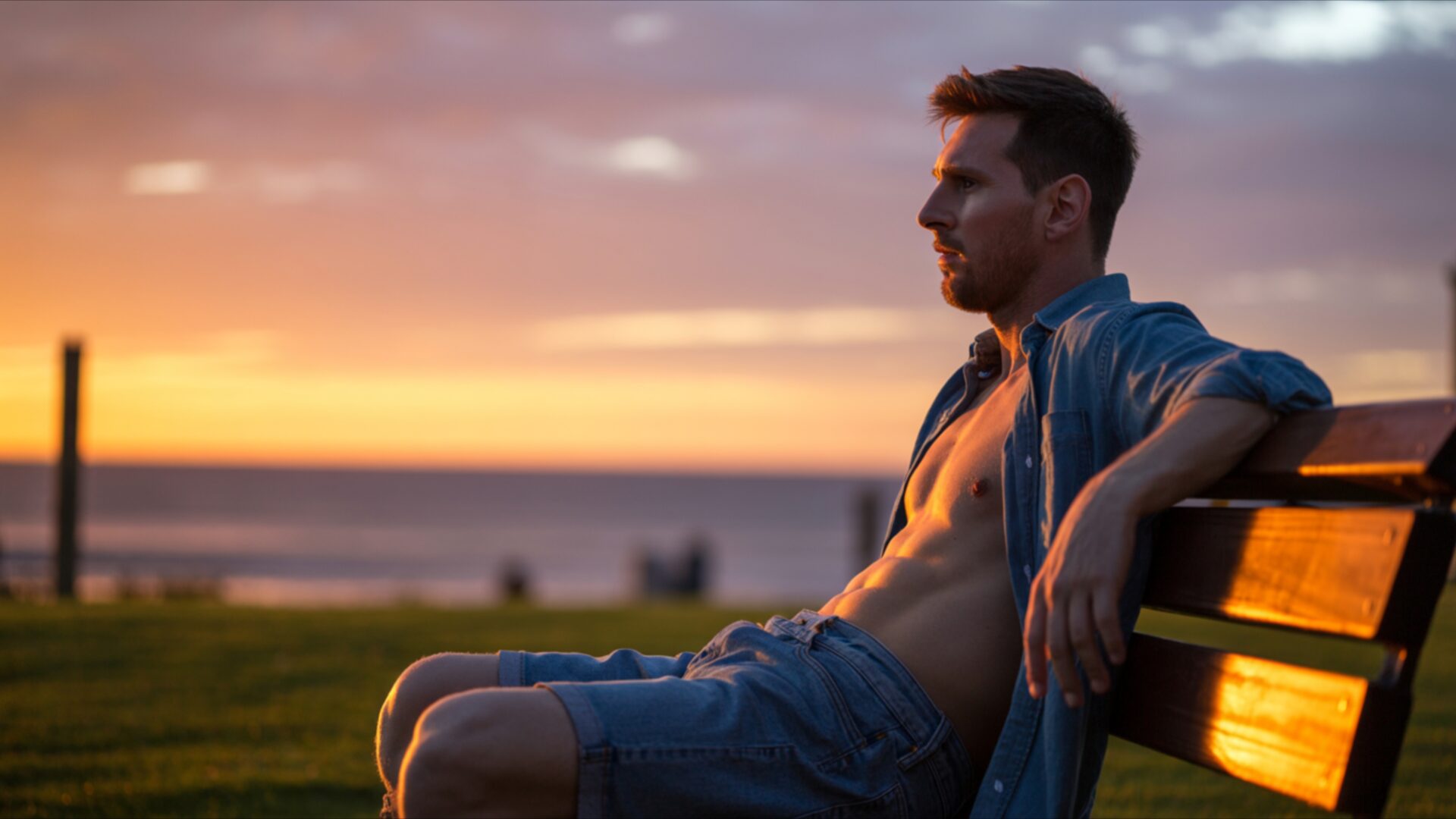
⭐ Lionel Messi Sitting on a Bench Watching the Sunset 4K UHD (3840x2160) Wallpaper


❤ Share this wallpaper:
WhatsApp Facebook Twitter / X Pinterest LinkedIn Copy Link for Instagram Telegram Reddit Email





💡 Below is relevant information on how to install wallpapers on different devices 👇






This 4K wallpaper is the best choice for testing your OLED professional display resolution. Compared to others, our high-performance tool provides a premium look for any high-end smartphone or desktop setup.






"Personalize this wallpaper or upload your own image to create the perfect mobile background 👇"
Customize Lionel Messi Sitting on a Bench Watching the Sunset for Mobile Wallpapers
iPhone • Samsung • Xiaomi • Google Pixel • Android • Huawei • (Others)
720×1600 • 1080×1920 • 1080×2340 • 1080×2400 • 1284×2778 • 1440×3088Please use Portrait Mode for a better experience (Optional)
Overview – Lionel Messi Sitting on a Bench Watching the Sunset
Lionel Messi Sitting on a Bench Watching the Sunset captures a serene moment within the AI Celebrities category, presenting a contemplative scene bathed in the warm hues of twilight. The image evokes a sense of quiet reflection, portraying the football legend in an uncharacteristic pose of stillness, far removed from the roaring stadiums and intense competition that define his public persona. The composition centers on Messi as he sits on a simple bench, his silhouette gently outlined against the vibrant colors of the setting sun.
The scene composition emphasizes the contrast between the global icon and the universal experience of watching a sunset. It is a moment of shared humanity, suggesting that even figures of immense fame and achievement find solace in simple pleasures. The evening glow casts long shadows, adding depth and dimension to the visual theme. The color palette is dominated by oranges, reds, and purples, creating a warm and inviting atmosphere. These colors blend seamlessly, reflecting off the surrounding environment and creating a sense of harmony. The high-resolution details capture the subtle textures of the bench, the surrounding landscape, and Messi’s clothing, enhancing the realism of the scene.
This 4k wallpaper offers a unique opportunity to personalize your desktop with stylish HD artwork that transcends the typical sports-related imagery associated with Lionel Messi. Instead, it presents a peaceful moment, inviting viewers to pause and appreciate the beauty of the natural world. It is a desktop background that encourages contemplation and provides a calming visual escape from the demands of daily life. The AI-generated image captures the essence of a peaceful moment, making it an ideal choice for those seeking a serene and inspiring visual theme for their computer screen background. The reflection of light on the surrounding surfaces adds a layer of complexity to the image, creating a dynamic and engaging visual experience.
The availability of this image as a smartphone wallpaper allows you to carry a piece of this tranquility with you wherever you go. It transforms your mobile background into a personal sanctuary, offering a moment of calm amidst the hustle and bustle of modern life. The high-resolution quality ensures that every detail is crisp and clear, even on smaller screens. Get it now and experience the beauty of this scene on your favorite devices. This stylish HD artwork is more than just a picture; it is an invitation to embrace tranquility and find inspiration in the everyday moments.
This Lionel Messi Sitting on a Bench Watching the Sunset image is available for quick download, offering a range of resolutions to suit various devices. Whether you’re looking for a stunning 4K version to showcase the intricate details on a large monitor, or a 2K or Full HD version for optimal performance on your laptop wallpaper or tablet background, you can find the perfect fit.
Wallpaper license: CC BY-NC-ND 4.0 · Credit: HDPeek.com
Remove Black Bars | Fit to Any Screen Size | CSS Fixer & Minifier | Compress Image Online | Image Converter Online | What Is My Screen Resolution? | Wallpaper Upscaler Online
Explore Categories
💡 How to Install Wallpaper on Different Devices
Windows PC:
Right-click on the wallpaper image. Select "Set as desktop background" or "Set as wallpaper". Adjust the fit (Fill, Fit, Stretch, Tile, Center) in Settings > Personalization > Background.Mac:
Right-click on the wallpaper image. Select "Set Desktop Picture". Alternatively, go to System Preferences > Desktop & Screen Saver and choose your image.iPhone / iPad (iOS):
Open the wallpaper image in Photos. Tap the Share button and select "Use as Wallpaper". Move and scale the image, then tap "Set" > Choose "Set Lock Screen", "Set Home Screen", or "Set Both".Android:
Open the wallpaper image in your Gallery app. Tap the Menu or Options button, then select "Set as wallpaper". Choose Home screen, Lock screen, or Both. Adjust the crop if needed and confirm.Linux (Ubuntu / others):
Right-click on the wallpaper image. Select "Set as Desktop Background" or "Set as Wallpaper". Adjust settings if your desktop environment allows multiple monitors.
Tips:
- For best quality, download the image in the resolution that matches your screen.
- Use 16:9 for widescreens, 1:1 for square displays.
- On mobile devices, choose "Set Both" for a consistent look on Home and Lock screens.
