💕 Hot Air Balloon Sunrise Couple Flying High Dream 4K UHD (3840x2160) Wallpaper
 Couple In Hammock Beach Palm Trees Shade Relax
 Couple Kissing Rain Puddle Reflection Street Urban
❤ Share this wallpaper:
WhatsApp Facebook Twitter / X Pinterest LinkedIn Copy Link for Instagram Telegram Reddit Email





💡 Below is relevant information on how to install wallpapers on different devices 👇






This 4K wallpaper is the best choice for testing your OLED professional display resolution. Compared to others, our high-performance tool provides a premium look for any high-end smartphone or desktop setup.






"Personalize this wallpaper or upload your own image to create the perfect mobile background 👇"
Customize Hot Air Balloon Sunrise Couple Flying High Dream for Mobile Wallpapers
iPhone • Samsung • Xiaomi • Google Pixel • Android • Huawei • (Others)
720×1600 • 1080×1920 • 1080×2340 • 1080×2400 • 1284×2778 • 1440×3088Please use Portrait Mode for a better experience (Optional)
Overview – Hot Air Balloon Sunrise Couple Flying High Dream
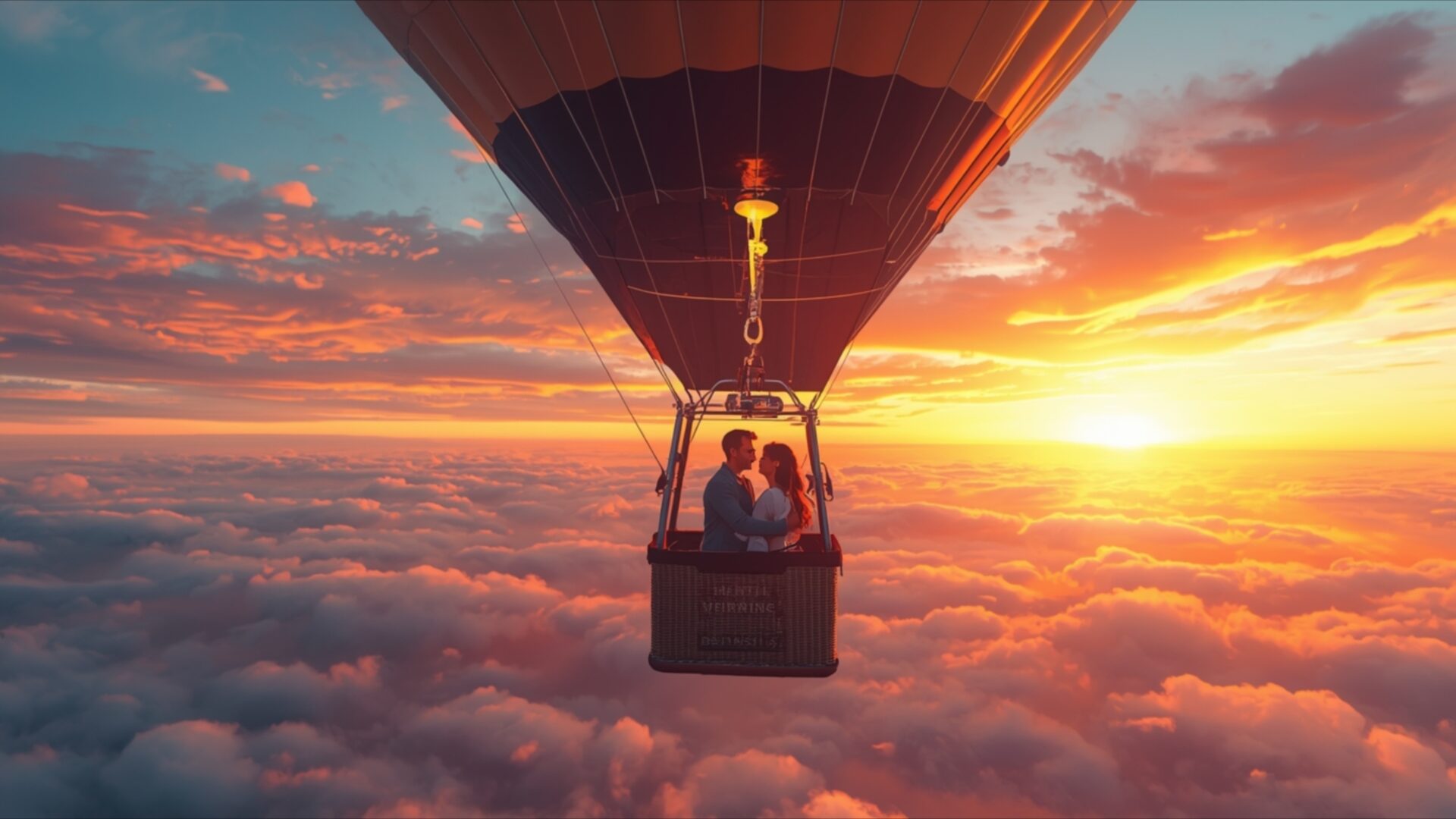
Hot Air Balloon Sunrise Couple Flying High Dream captures a truly serene moment, perfect for anyone seeking a touch of romance and wonder in their digital space. This Love & Couples visual theme presents a couple embracing within the basket of a hot air balloon, suspended high above a sea of soft, cotton-like clouds. The scene is illuminated by the warm, golden glow of a sunrise, casting vibrant hues of orange, pink, and yellow across the sky. The light is directional, emanating from the right side of the frame, creating a gentle gradient that fades into cooler blues and purples towards the left.
The composition places the hot air balloon centrally, drawing the viewer’s eye directly to the couple and their intimate connection. Their silhouettes are softly defined against the bright sky, suggesting a sense of peace and shared experience. The texture of the clouds appears smooth and ethereal, contrasting with the implied structure of the balloon and basket. This image evokes a feeling of hopeful beginnings and the quiet joy of shared adventure, making it an ideal choice for a desktop background. The overall mood is tranquil and aspirational, inviting contemplation of dreams and journeys.
The artistic style leans towards realism with a touch of dreamlike quality, enhanced by the dramatic lighting of the sunrise. It’s a scene that speaks of freedom and the vastness of possibility, all contained within the intimate space of the balloon basket. This particular image is presented in 3840×2160 resolution, offering exceptional clarity and detail. For those looking to enhance their digital environment, this wallpaper is available for download, providing a beautiful and inspiring addition to any screen. You can also find this scene in 4K, 2K, and Full HD versions to suit your display needs. Hot Air Balloon Sunrise Couple Flying High Dream is ready for you to enjoy.
Wallpaper license: CC BY-NC-ND 4.0 · Credit: HDPeek.com
Remove Black Bars | Fit to Any Screen Size | CSS Fixer & Minifier | Compress Image Online | Image Converter Online | What Is My Screen Resolution? | Wallpaper Upscaler Online
Explore Categories
💡 How to Install Wallpaper on Different Devices
Windows PC:
Right-click on the wallpaper image. Select "Set as desktop background" or "Set as wallpaper". Adjust the fit (Fill, Fit, Stretch, Tile, Center) in Settings > Personalization > Background.Mac:
Right-click on the wallpaper image. Select "Set Desktop Picture". Alternatively, go to System Preferences > Desktop & Screen Saver and choose your image.iPhone / iPad (iOS):
Open the wallpaper image in Photos. Tap the Share button and select "Use as Wallpaper". Move and scale the image, then tap "Set" > Choose "Set Lock Screen", "Set Home Screen", or "Set Both".Android:
Open the wallpaper image in your Gallery app. Tap the Menu or Options button, then select "Set as wallpaper". Choose Home screen, Lock screen, or Both. Adjust the crop if needed and confirm.Linux (Ubuntu / others):
Right-click on the wallpaper image. Select "Set as Desktop Background" or "Set as Wallpaper". Adjust settings if your desktop environment allows multiple monitors.
Tips:
- For best quality, download the image in the resolution that matches your screen.
- Use 16:9 for widescreens, 1:1 for square displays.
- On mobile devices, choose "Set Both" for a consistent look on Home and Lock screens.
