🦁 Friendly Goldendoodle Waving Paw 4K UHD (3840x2160) Wallpaper



❤ Share this wallpaper:
WhatsApp Facebook Twitter / X Pinterest LinkedIn Copy Link for Instagram Telegram Reddit Email





💡 Below is relevant information on how to install wallpapers on different devices 👇




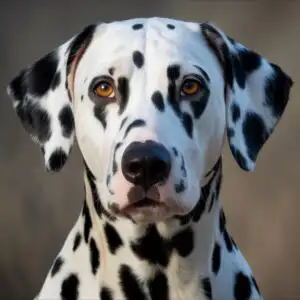

This 4K wallpaper is the best choice for testing your OLED professional display resolution. Compared to others, our high-performance tool provides a premium look for any high-end smartphone or desktop setup.






"Personalize this wallpaper or upload your own image to create the perfect mobile background 👇"
Customize Friendly Goldendoodle Waving Paw for Mobile Wallpapers
iPhone • Samsung • Xiaomi • Google Pixel • Android • Huawei • (Others)
720×1600 • 1080×1920 • 1080×2340 • 1080×2400 • 1284×2778 • 1440×3088Please use Portrait Mode for a better experience (Optional)
Overview – Friendly Goldendoodle Waving Paw
Friendly Goldendoodle Waving Paw introduces a delightful animal scene, perfect for anyone who appreciates the charm of canine companions. This particular visual theme captures a Goldendoodle in a moment of playful greeting, its fluffy, golden-brown fur catching the warm, diffused sunlight. The lighting suggests an outdoor setting, possibly during the golden hour, casting a soft glow that highlights the texture of the dog’s curly coat and its bright, attentive eyes. The background is softly blurred, creating a bokeh effect with gentle, out-of-focus circles of light in shades of yellow and green, ensuring the dog remains the undisputed focal point.
The composition is centered on the dog’s expressive face and its raised paw, which is extended as if in a friendly wave. This gesture imbues the image with a sense of personality and approachability, making it an inviting addition to any digital space. The dog’s mouth is slightly open, hinting at a happy pant or a soft bark, further enhancing its amiable demeanor. The overall mood is cheerful and heartwarming, radiating a sense of pure, unadulterated joy. The detail in the fur, from the individual curls to the lighter white markings on its muzzle and chest, is rendered with clarity, showcasing the quality of the photograph.
This scene composition is ideal for bringing a touch of warmth and personality to your screen. The natural light and the dog’s engaging pose create a dynamic yet serene visual. The subtle variations in the dog’s coat color, ranging from deep gold to lighter honey tones, add depth and visual interest. The soft focus of the environment ensures that the viewer’s attention is drawn directly to the subject, making for a clean and impactful presentation. This is a wonderful choice for a desktop background, offering a daily dose of canine cheer.
You can download this charming image as a 4k wallpaper, ensuring crisp detail and vibrant colors on your monitor. We also offer this visual theme in 2K and Full HD resolutions, making it accessible for a wide range of devices. Experience the joy of this friendly Goldendoodle waving hello, a perfect addition to your digital collection. This high-resolution image is available for instant download. Friendly Goldendoodle Waving Paw is ready to brighten your screen.
Wallpaper license: CC BY-NC-ND 4.0 · Credit: HDPeek.com
Remove Black Bars | Fit to Any Screen Size | CSS Fixer & Minifier | Compress Image Online | Image Converter Online | What Is My Screen Resolution? | Wallpaper Upscaler Online
Explore Categories
💡 How to Install Wallpaper on Different Devices
Windows PC:
Right-click on the wallpaper image. Select "Set as desktop background" or "Set as wallpaper". Adjust the fit (Fill, Fit, Stretch, Tile, Center) in Settings > Personalization > Background.Mac:
Right-click on the wallpaper image. Select "Set Desktop Picture". Alternatively, go to System Preferences > Desktop & Screen Saver and choose your image.iPhone / iPad (iOS):
Open the wallpaper image in Photos. Tap the Share button and select "Use as Wallpaper". Move and scale the image, then tap "Set" > Choose "Set Lock Screen", "Set Home Screen", or "Set Both".Android:
Open the wallpaper image in your Gallery app. Tap the Menu or Options button, then select "Set as wallpaper". Choose Home screen, Lock screen, or Both. Adjust the crop if needed and confirm.Linux (Ubuntu / others):
Right-click on the wallpaper image. Select "Set as Desktop Background" or "Set as Wallpaper". Adjust settings if your desktop environment allows multiple monitors.
Tips:
- For best quality, download the image in the resolution that matches your screen.
- Use 16:9 for widescreens, 1:1 for square displays.
- On mobile devices, choose "Set Both" for a consistent look on Home and Lock screens.
