💔 Fading Memories at Sunset 2K QHD (2560x1440) Wallpaper



❤ Share this wallpaper:
WhatsApp Facebook Twitter / X Pinterest LinkedIn Copy Link for Instagram Telegram Reddit Email





💡 Below is relevant information on how to install wallpapers on different devices 👇



This 4K wallpaper is the best choice for testing your OLED professional display resolution. Compared to others, our high-performance tool provides a premium look for any high-end smartphone or desktop setup.





"Personalize this wallpaper or upload your own image to create the perfect mobile background 👇"
Customize Fading Memories at Sunset for Mobile Wallpapers
iPhone • Samsung • Xiaomi • Google Pixel • Android • Huawei • (Others)
720×1600 • 1080×1920 • 1080×2340 • 1080×2400 • 1284×2778 • 1440×3088Please use Portrait Mode for a better experience (Optional)
Overview – Fading Memories at Sunset
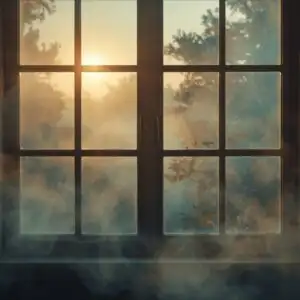
“Fading Memories at Sunset,” a poignant addition to our Heartbreak category, evokes a sense of longing through its gentle composition and muted color palette. This stylish HD artwork captures the quiet solitude of a sunset, rendered in high resolution at 2560×1440, making it an ideal desktop background for those seeking a reflective and calming visual experience. The HD wallpaper presents a scene bathed in soft light, where the fading day mirrors the fading of cherished memories.
Nostalgia permeates every pixel of this image, inviting viewers to contemplate moments past. It is designed to personalize your desktop with an emotional depth, offering a visual representation of introspection and acceptance. The overall effect is one of serene melancholy, a gentle reminder of the beauty found even in moments of sadness. The color scheme is dominated by warm oranges, soft pinks, and gentle purples, blending seamlessly to create a tranquil atmosphere.
Consider this HD Photo a visual poem, expressing the complex emotions associated with heartbreak and the passage of time. It is more than just a desktop background; it’s an artistic expression designed to resonate with those who appreciate subtle beauty and emotional depth. The composition guides the eye towards the horizon, where the sun dips below the skyline, casting long shadows and creating a sense of infinite space. If you are looking to add a touch of anime flair to your digital space, this image provides a unique and sophisticated alternative.
This wallpaper serves as a reminder that even as memories fade, their essence remains, shaping who we are. It is a testament to the enduring power of emotions and the beauty found in vulnerability. Download “Fading Memories at Sunset” today and let its gentle presence transform your digital environment into a haven of quiet contemplation.
Wallpaper license: CC BY-NC-ND 4.0 · Credit: HDPeek.com
Remove Black Bars | Fit to Any Screen Size | CSS Fixer & Minifier | Compress Image Online | Image Converter Online | What Is My Screen Resolution? | Wallpaper Upscaler Online
Explore Categories
💡 How to Install Wallpaper on Different Devices
Windows PC:
Right-click on the wallpaper image. Select "Set as desktop background" or "Set as wallpaper". Adjust the fit (Fill, Fit, Stretch, Tile, Center) in Settings > Personalization > Background.Mac:
Right-click on the wallpaper image. Select "Set Desktop Picture". Alternatively, go to System Preferences > Desktop & Screen Saver and choose your image.iPhone / iPad (iOS):
Open the wallpaper image in Photos. Tap the Share button and select "Use as Wallpaper". Move and scale the image, then tap "Set" > Choose "Set Lock Screen", "Set Home Screen", or "Set Both".Android:
Open the wallpaper image in your Gallery app. Tap the Menu or Options button, then select "Set as wallpaper". Choose Home screen, Lock screen, or Both. Adjust the crop if needed and confirm.Linux (Ubuntu / others):
Right-click on the wallpaper image. Select "Set as Desktop Background" or "Set as Wallpaper". Adjust settings if your desktop environment allows multiple monitors.
Tips:
- For best quality, download the image in the resolution that matches your screen.
- Use 16:9 for widescreens, 1:1 for square displays.
- On mobile devices, choose "Set Both" for a consistent look on Home and Lock screens.
