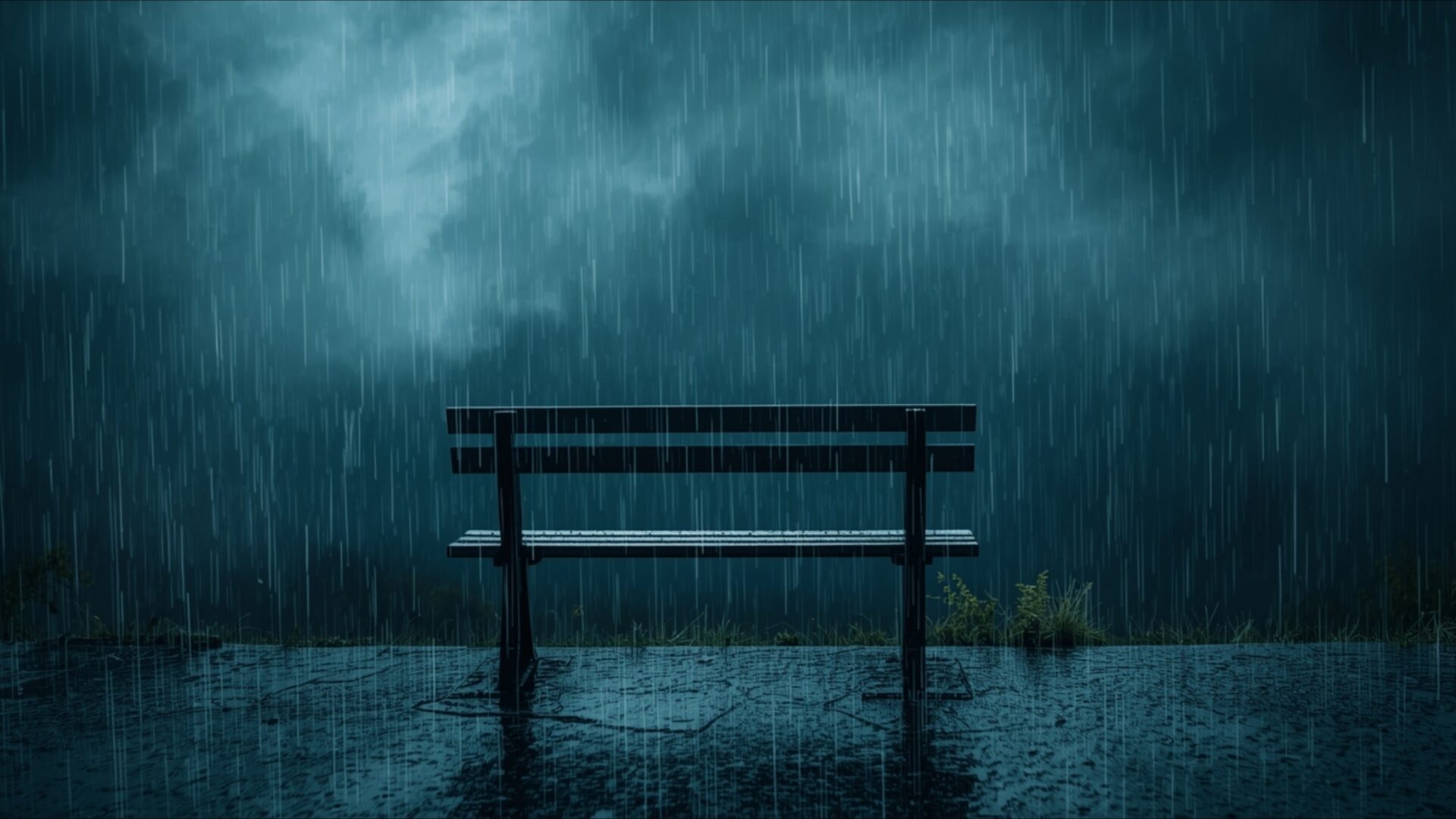
💔 Empty Bench Under Cold Rain 4K UHD (3840x2160) Wallpaper


❤ Share this wallpaper:
WhatsApp Facebook Twitter / X Pinterest LinkedIn Copy Link for Instagram Telegram Reddit Email





💡 Below is relevant information on how to install wallpapers on different devices 👇



This 4K wallpaper is the best choice for testing your OLED professional display resolution. Compared to others, our high-performance tool provides a premium look for any high-end smartphone or desktop setup.




"Personalize this wallpaper or upload your own image to create the perfect mobile background 👇"
Customize Empty Bench Under Cold Rain for Mobile Wallpapers
iPhone • Samsung • Xiaomi • Google Pixel • Android • Huawei • (Others)
720×1600 • 1080×1920 • 1080×2340 • 1080×2400 • 1284×2778 • 1440×3088Please use Portrait Mode for a better experience (Optional)
Overview – Empty Bench Under Cold Rain
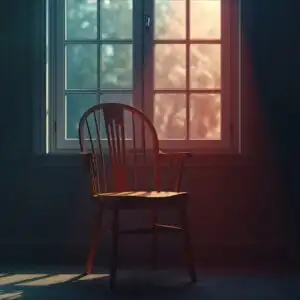
Empty Bench Under Cold Rain captures the somber essence of the Heartbreak category, presenting a scene steeped in quiet reflection and emotional depth. The visual theme centers around an empty park bench, glistening with rain, set against a backdrop of a dark sky that amplifies the feeling of solitude. It’s a study in contrasts, where the cold, wet surfaces meet the implied warmth of a space meant for companionship, now starkly vacant.
The composition draws the eye to the bench, positioned to evoke a sense of longing. Raindrops cling to the wood, each one reflecting the muted light in tiny, shimmering bursts. The surrounding environment is blurred just enough to keep the focus sharp on the bench itself, enhancing the feeling of isolation. The color palette is dominated by cool grays and blues, punctuated by the subtle sheen of water, creating a melancholic yet strangely beautiful image. The 3840×2160 resolution ensures that every detail, from the texture of the wood to the individual raindrops, is rendered with clarity.
This desktop background offers a moment of contemplation amidst the digital noise of daily life. It’s not just a picture; it’s an invitation to pause and reflect. The emotional vibe is palpable, making it a powerful choice for those who appreciate art that resonates with deeper feelings. The scene composition avoids any sense of artificiality, instead embracing a raw, unfiltered aesthetic. The high-resolution quality of the image ensures that it looks stunning on any display, bringing a touch of somber beauty to your computer screen background.
The lonely mood conveyed by the image is both poignant and compelling. It speaks to the universal experience of loss and the quiet moments of introspection that follow. The wet scene is depicted with remarkable realism, thanks to the super-resolution detail that captures the subtle nuances of light and shadow. Personalize your desktop with this stylish HD artwork, and let its quiet beauty serve as a reminder of the complexities of the human heart. It’s a digital canvas that transforms your laptop wallpaper into a window to a world of emotions.
Consider this a visual poem, rendered in pixels. It’s a quiet moment frozen in time, offering a sense of peace amidst the storm. You can get it now as a 4k wallpaper, perfect for those who appreciate the finer details. This Empty Bench Under Cold Rain is also available in 2K and Full HD versions, ensuring a perfect fit for a variety of screens and devices.
Wallpaper license: CC BY-NC-ND 4.0 · Credit: HDPeek.com
Remove Black Bars | Fit to Any Screen Size | CSS Fixer & Minifier | Compress Image Online | Image Converter Online | What Is My Screen Resolution? | Wallpaper Upscaler Online
Explore Categories
💡 How to Install Wallpaper on Different Devices
Windows PC:
Right-click on the wallpaper image. Select "Set as desktop background" or "Set as wallpaper". Adjust the fit (Fill, Fit, Stretch, Tile, Center) in Settings > Personalization > Background.Mac:
Right-click on the wallpaper image. Select "Set Desktop Picture". Alternatively, go to System Preferences > Desktop & Screen Saver and choose your image.iPhone / iPad (iOS):
Open the wallpaper image in Photos. Tap the Share button and select "Use as Wallpaper". Move and scale the image, then tap "Set" > Choose "Set Lock Screen", "Set Home Screen", or "Set Both".Android:
Open the wallpaper image in your Gallery app. Tap the Menu or Options button, then select "Set as wallpaper". Choose Home screen, Lock screen, or Both. Adjust the crop if needed and confirm.Linux (Ubuntu / others):
Right-click on the wallpaper image. Select "Set as Desktop Background" or "Set as Wallpaper". Adjust settings if your desktop environment allows multiple monitors.
Tips:
- For best quality, download the image in the resolution that matches your screen.
- Use 16:9 for widescreens, 1:1 for square displays.
- On mobile devices, choose "Set Both" for a consistent look on Home and Lock screens.
