💔 Abandoned Road at Sunset 4K UHD (3840x2160) Wallpaper

❤ Share this wallpaper:
WhatsApp Facebook Twitter / X Pinterest LinkedIn Copy Link for Instagram Telegram Reddit Email





💡 Below is relevant information on how to install wallpapers on different devices 👇

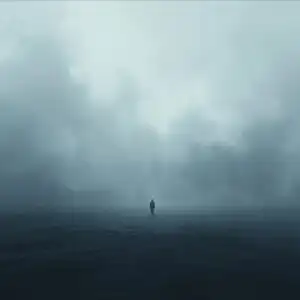


This 4K wallpaper is the best choice for testing your OLED professional display resolution. Compared to others, our high-performance tool provides a premium look for any high-end smartphone or desktop setup.




"Personalize this wallpaper or upload your own image to create the perfect mobile background 👇"
Customize Abandoned Road at Sunset for Mobile Wallpapers
iPhone • Samsung • Xiaomi • Google Pixel • Android • Huawei • (Others)
720×1600 • 1080×1920 • 1080×2340 • 1080×2400 • 1284×2778 • 1440×3088Please use Portrait Mode for a better experience (Optional)
Overview – Abandoned Road at Sunset
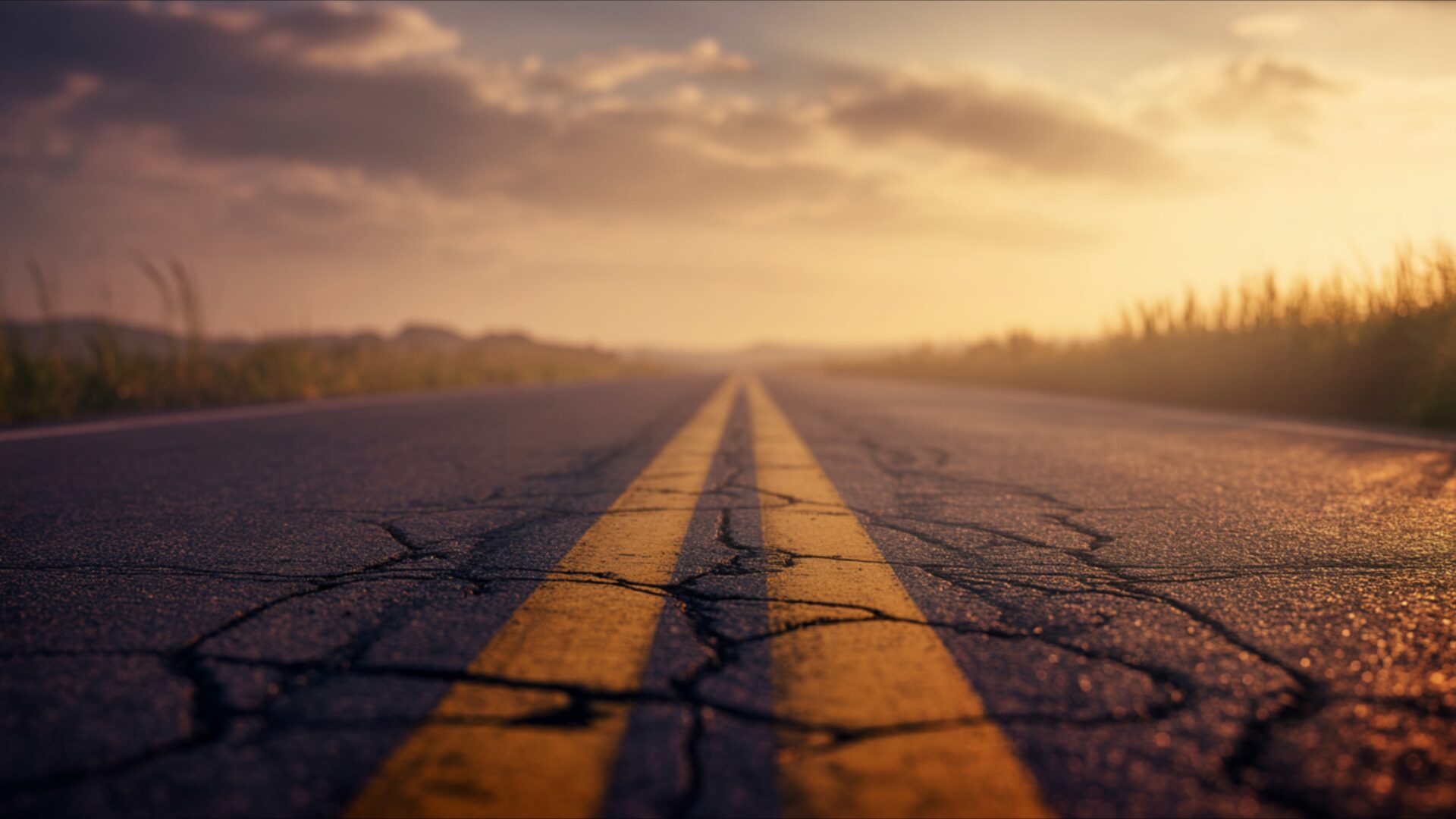
Abandoned Road at Sunset captures a profound sense of Heartbreak, presenting a visual theme that speaks volumes without uttering a sound. The image draws you in with its perspective, placing the viewer directly on a cracked asphalt road stretching towards a hazy horizon. The double yellow lines, worn and faded, are a central focus, their texture emphasized by the low-angled sunlight. This light, a warm, golden hue, bathes the entire scene, casting long shadows and highlighting the subtle details of the road’s surface. The sky above is a canvas of muted oranges, soft yellows, and wisps of grey clouds, suggesting the final moments of daylight.
The surrounding landscape is indistinct, a blur of muted greens and browns that recede into the atmospheric haze. This lack of sharp detail in the periphery enhances the feeling of isolation and vastness. The overall mood is one of quiet contemplation, a solitary journey unfolding as the day ends. The composition uses the vanishing point of the road to create a strong sense of depth, pulling the eye into the distance and evoking a feeling of endless possibility or perhaps a path leading away from something. The wet sheen on parts of the asphalt hints at recent rain, adding a layer of melancholy to the scene.
This particular visual theme is ideal as a PC wallpaper, offering a serene yet emotionally resonant scene for your desktop. The subtle interplay of light and shadow, combined with the muted color palette, creates a calming atmosphere. The image invites reflection, its emptiness mirroring a sense of longing or a moment of profound stillness. It’s a scene that doesn’t demand attention but rather offers a quiet space for thought. The textures of the cracked road and the soft glow of the sunset are rendered with impressive detail, making it a compelling choice for anyone appreciating atmospheric imagery.
The quality of this 4k wallpaper is exceptional, with the 3840×2160 resolution ensuring every detail is crisp and clear. You can download this wallpaper for free, experiencing its full visual impact on your screen. Whether you’re looking for a desktop background that evokes a specific emotion or simply appreciate the beauty of a fading sunset over an empty road, this image delivers. We also offer this scene in 2K and Full HD resolutions, ensuring compatibility with a wide range of devices. Consider this Abandoned Road at Sunset for your next download.
Wallpaper license: CC BY-NC-ND 4.0 · Credit: HDPeek.com
Remove Black Bars | Fit to Any Screen Size | CSS Fixer & Minifier | Compress Image Online | Image Converter Online | What Is My Screen Resolution? | Wallpaper Upscaler Online
Explore Categories
💡 How to Install Wallpaper on Different Devices
Windows PC:
Right-click on the wallpaper image. Select "Set as desktop background" or "Set as wallpaper". Adjust the fit (Fill, Fit, Stretch, Tile, Center) in Settings > Personalization > Background.Mac:
Right-click on the wallpaper image. Select "Set Desktop Picture". Alternatively, go to System Preferences > Desktop & Screen Saver and choose your image.iPhone / iPad (iOS):
Open the wallpaper image in Photos. Tap the Share button and select "Use as Wallpaper". Move and scale the image, then tap "Set" > Choose "Set Lock Screen", "Set Home Screen", or "Set Both".Android:
Open the wallpaper image in your Gallery app. Tap the Menu or Options button, then select "Set as wallpaper". Choose Home screen, Lock screen, or Both. Adjust the crop if needed and confirm.Linux (Ubuntu / others):
Right-click on the wallpaper image. Select "Set as Desktop Background" or "Set as Wallpaper". Adjust settings if your desktop environment allows multiple monitors.
Tips:
- For best quality, download the image in the resolution that matches your screen.
- Use 16:9 for widescreens, 1:1 for square displays.
- On mobile devices, choose "Set Both" for a consistent look on Home and Lock screens.
