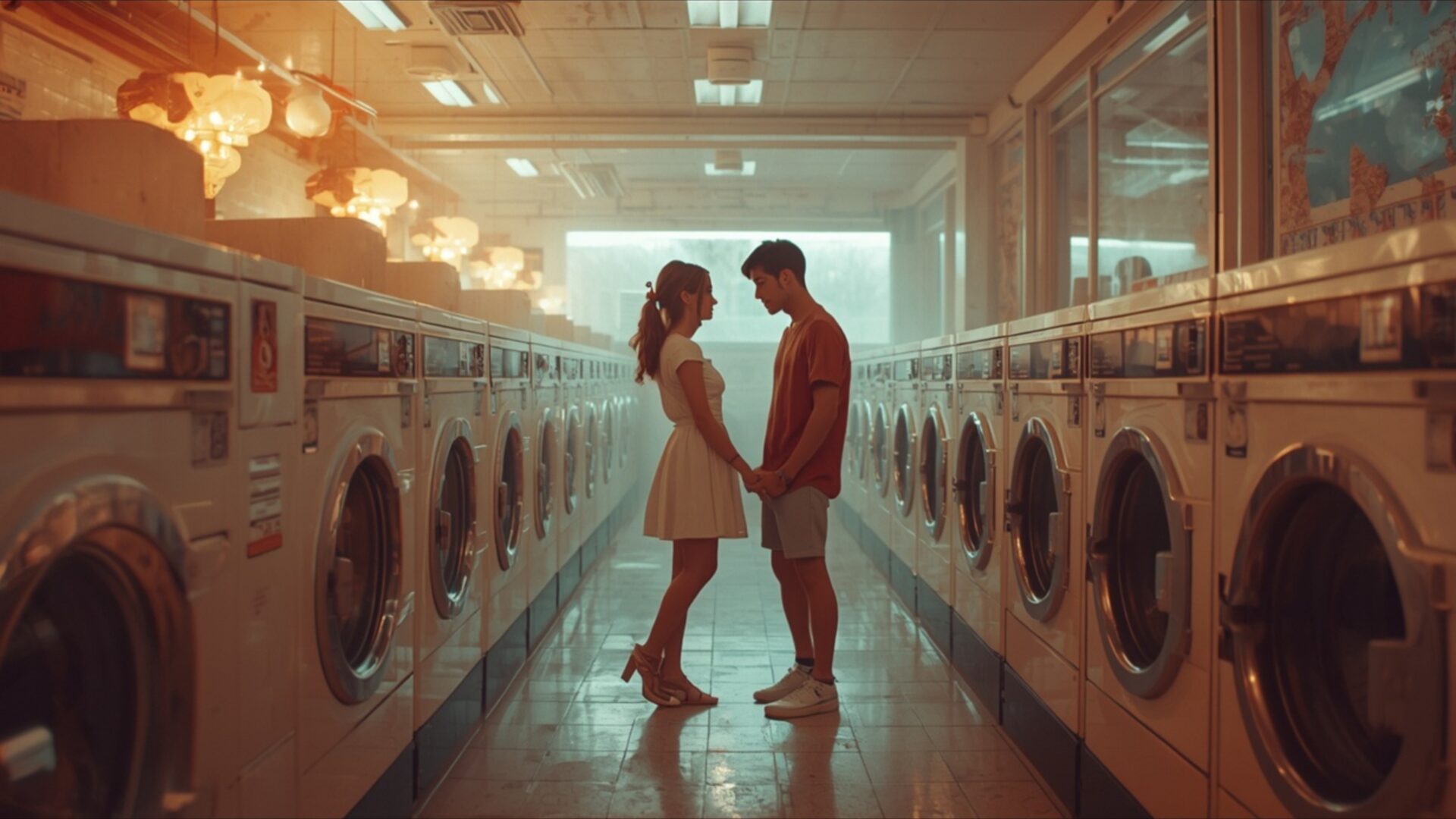
💕 Couple at Retro Laundromat 4K UHD (3840x2160) Wallpaper

❤ Share this wallpaper:
WhatsApp Facebook Twitter / X Pinterest LinkedIn Copy Link for Instagram Telegram Reddit Email





💡 Below is relevant information on how to install wallpapers on different devices 👇





This 4K wallpaper is the best choice for testing your OLED professional display resolution. Compared to others, our high-performance tool provides a premium look for any high-end smartphone or desktop setup.






"Personalize this wallpaper or upload your own image to create the perfect mobile background 👇"
Customize Couple at Retro Laundromat for Mobile Wallpapers
iPhone • Samsung • Xiaomi • Google Pixel • Android • Huawei • (Others)
720×1600 • 1080×1920 • 1080×2340 • 1080×2400 • 1284×2778 • 1440×3088Please use Portrait Mode for a better experience (Optional)
Overview – Couple at Retro Laundromat
Couple at Retro Laundromat captures a tender moment within a uniquely nostalgic setting, offering a beautiful visual theme for your digital space. This image, perfect for a PC wallpaper, presents a young couple holding hands, their silhouettes framed by the long, symmetrical rows of vintage washing machines. The lighting is soft and warm, emanating from overhead fixtures that cast a gentle glow, creating an intimate atmosphere. The color palette leans towards golden hues and muted tones, evoking a sense of timelessness and quiet affection.
The composition is striking, with the couple positioned centrally in the aisle of the laundromat. The repeating patterns of the machines draw the eye towards them, emphasizing their connection amidst the mundane. The reflections on the polished floor add a subtle depth to the scene, further enhancing the visual appeal. This is more than just a picture; it’s a narrative captured in a single frame, suggesting a shared experience and a private world within a public space. The overall mood is one of gentle romance and understated charm, making it a delightful addition to any desktop.
The detail in the image is quite clear, showcasing the textures of the machines and the soft fabric of their clothing. It’s a scene that feels both ordinary and extraordinary, highlighting the beauty that can be found in everyday moments. The way the light falls, highlighting the couple and softening the edges of the environment, contributes significantly to the overall feeling of warmth and connection. This particular visual theme is designed to bring a touch of personal story to your screen.
For those seeking to enhance their digital environment, this scene offers a unique aesthetic. The image is presented in 3840×2160 resolution, ensuring exceptional clarity. You can download wallpaper in various resolutions, including 4K, 2K, and Full HD, to perfectly suit your display needs. Couple at Retro Laundromat is ready for you to download and enjoy.
Wallpaper license: CC BY-NC-ND 4.0 · Credit: HDPeek.com
Remove Black Bars | Fit to Any Screen Size | CSS Fixer & Minifier | Compress Image Online | Image Converter Online | What Is My Screen Resolution? | Wallpaper Upscaler Online
Explore Categories
💡 How to Install Wallpaper on Different Devices
Windows PC:
Right-click on the wallpaper image. Select "Set as desktop background" or "Set as wallpaper". Adjust the fit (Fill, Fit, Stretch, Tile, Center) in Settings > Personalization > Background.Mac:
Right-click on the wallpaper image. Select "Set Desktop Picture". Alternatively, go to System Preferences > Desktop & Screen Saver and choose your image.iPhone / iPad (iOS):
Open the wallpaper image in Photos. Tap the Share button and select "Use as Wallpaper". Move and scale the image, then tap "Set" > Choose "Set Lock Screen", "Set Home Screen", or "Set Both".Android:
Open the wallpaper image in your Gallery app. Tap the Menu or Options button, then select "Set as wallpaper". Choose Home screen, Lock screen, or Both. Adjust the crop if needed and confirm.Linux (Ubuntu / others):
Right-click on the wallpaper image. Select "Set as Desktop Background" or "Set as Wallpaper". Adjust settings if your desktop environment allows multiple monitors.
Tips:
- For best quality, download the image in the resolution that matches your screen.
- Use 16:9 for widescreens, 1:1 for square displays.
- On mobile devices, choose "Set Both" for a consistent look on Home and Lock screens.
