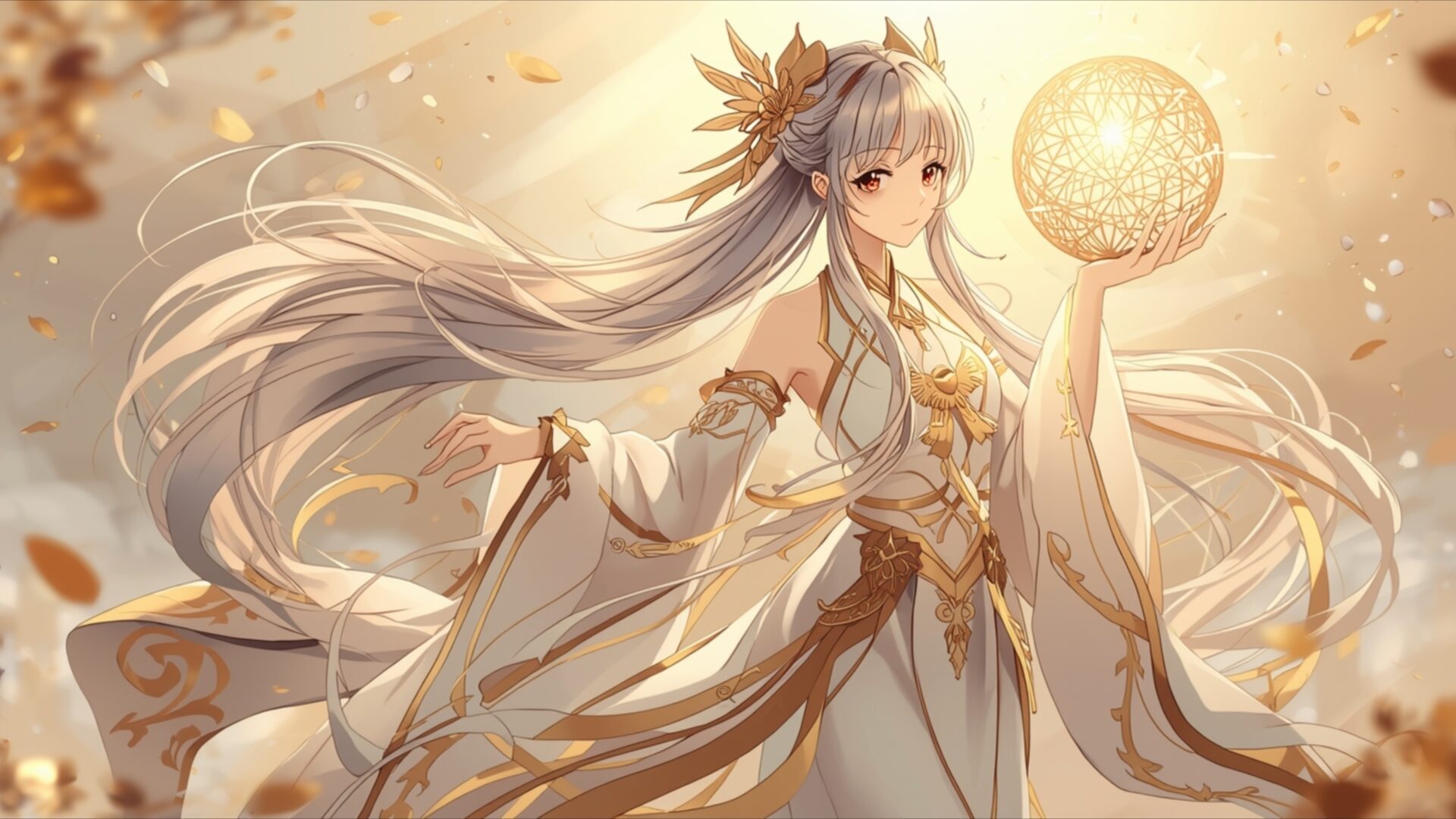
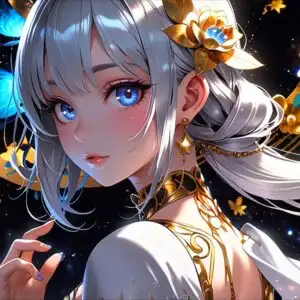
🔮 Golden Ethereal Anime Girl Holding Light Orb with Flowing Hair 4K UHD (3840x2160) Wallpaper

❤ Share this wallpaper:
WhatsApp Facebook Twitter / X Pinterest LinkedIn Copy Link for Instagram Telegram Reddit Email


💡 Below is relevant information on how to install wallpapers on different devices 👇

This 4K wallpaper is the best choice for testing your OLED professional display resolution. Compared to others, our high-performance tool provides a premium look for any high-end smartphone or desktop setup.


"Personalize this wallpaper or upload your own image to create the perfect mobile background 👇"
Customize Golden Ethereal Anime Girl Holding Light Orb with Flowing Hair for Mobile Wallpapers
iPhone • Samsung • Xiaomi • Google Pixel • Android • Huawei • (Others)
720×1600 • 1080×1920 • 1080×2340 • 1080×2400 • 1284×2778 • 1440×3088Please use Portrait Mode for a better experience (Optional)
Overview – Golden Ethereal Anime Girl Holding Light Orb with Flowing Hair
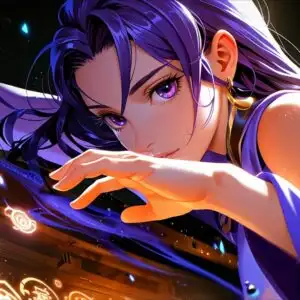
Golden Ethereal Anime Girl Holding Light Orb with Flowing Hair presents a captivating scene from the Anime & Games Fantasy category. This high-resolution image showcases a graceful anime character bathed in warm, golden light. The soft glow emanates from an orb held delicately in her hand, illuminating her features and the intricate details of her attire. Her long, flowing hair, rendered in shades of silver and white, cascades around her, caught in a gentle, unseen breeze. The overall mood is serene and magical, with a subtle artistic style that emphasizes elegance and ethereal beauty.
The composition places the character centrally, drawing the viewer’s eye to the light orb and her serene expression. The color palette is dominated by soft golds, creams, and whites, creating a harmonious and radiant visual theme. Hints of autumnal leaves, rendered in muted gold and brown tones, drift in the background, adding a touch of natural beauty to the fantasy setting. The lighting is directional, casting a gentle radiance that highlights the textures of her flowing robes and the delicate ornamentation in her hair. This visual theme is perfect for anyone seeking a touch of fantasy and tranquility for their screen.
The intricate design of her clothing, with its flowing sleeves and golden accents, speaks to a refined aesthetic layout. The character’s pose is poised and gentle, conveying a sense of calm power. The image captures a moment of quiet magic, where light and form blend seamlessly. This scene composition is designed to be visually pleasing and evoke a sense of wonder. It’s a beautiful representation of fantasy art, focusing on delicate details and a luminous atmosphere.
This stunning visual theme is available for download wallpaper, allowing you to bring this enchanting scene to your devices. The original image is presented in 3840×2160 resolution, offering exceptional clarity and detail. For broader compatibility, 4K, 2K, and Full HD versions are also accessible, ensuring a perfect fit for your monitor wallpaper or any other display. Enjoy this exquisite piece of art.
Wallpaper license: CC BY-NC-ND 4.0 · Credit: HDPeek.com
Remove Black Bars | Fit to Any Screen Size | CSS Fixer & Minifier | Compress Image Online | Image Converter Online | What Is My Screen Resolution? | Wallpaper Upscaler Online
Explore Categories
💡 How to Install Wallpaper on Different Devices
Windows PC:
Right-click on the wallpaper image. Select "Set as desktop background" or "Set as wallpaper". Adjust the fit (Fill, Fit, Stretch, Tile, Center) in Settings > Personalization > Background.Mac:
Right-click on the wallpaper image. Select "Set Desktop Picture". Alternatively, go to System Preferences > Desktop & Screen Saver and choose your image.iPhone / iPad (iOS):
Open the wallpaper image in Photos. Tap the Share button and select "Use as Wallpaper". Move and scale the image, then tap "Set" > Choose "Set Lock Screen", "Set Home Screen", or "Set Both".Android:
Open the wallpaper image in your Gallery app. Tap the Menu or Options button, then select "Set as wallpaper". Choose Home screen, Lock screen, or Both. Adjust the crop if needed and confirm.Linux (Ubuntu / others):
Right-click on the wallpaper image. Select "Set as Desktop Background" or "Set as Wallpaper". Adjust settings if your desktop environment allows multiple monitors.
Tips:
- For best quality, download the image in the resolution that matches your screen.
- Use 16:9 for widescreens, 1:1 for square displays.
- On mobile devices, choose "Set Both" for a consistent look on Home and Lock screens.
