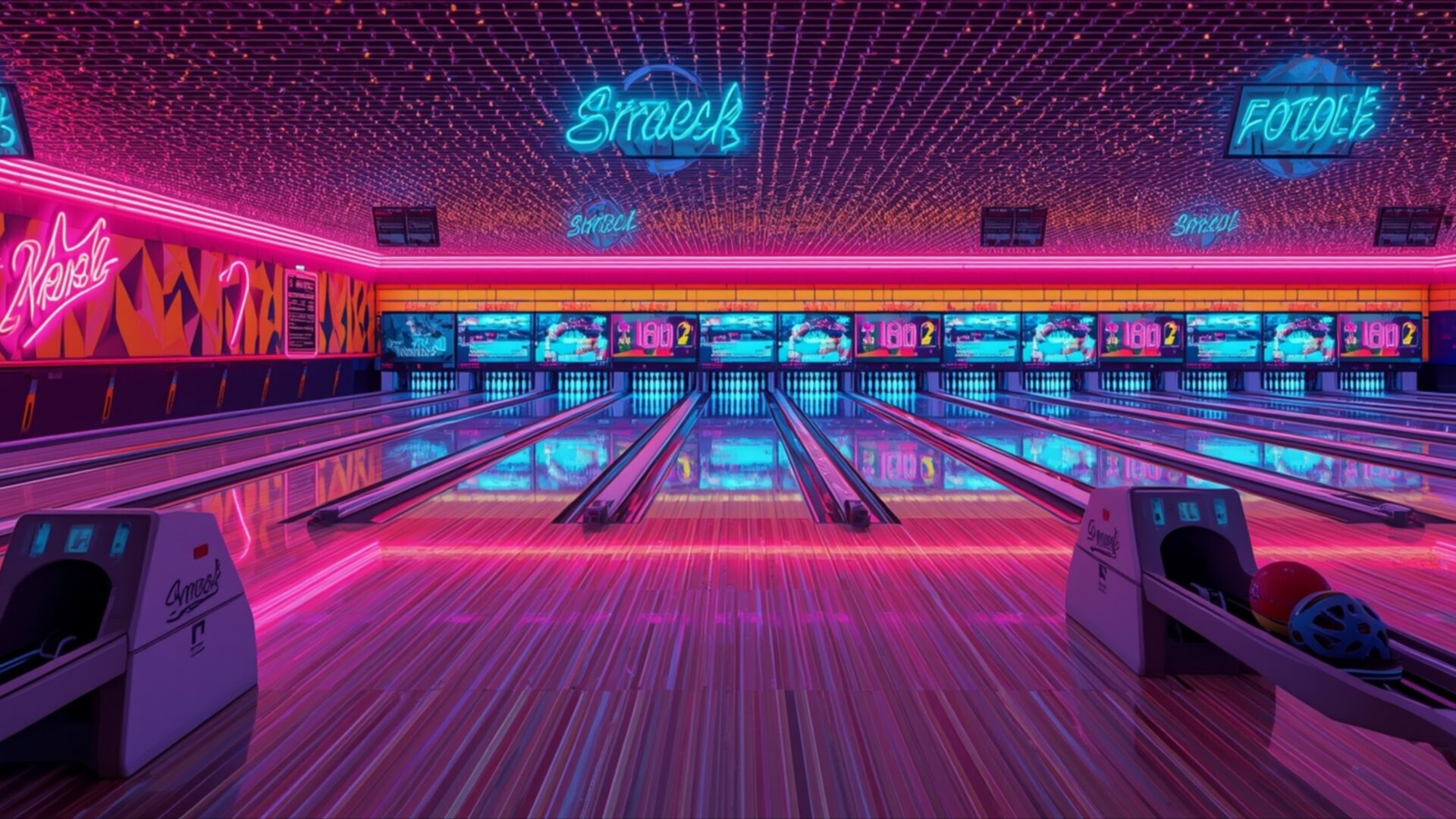
📼 Retro Bowling Alley Neon Pins Floor Pattern 4K UHD (3840x2160) Wallpaper
 80s Sportswear Aesthetic Bright Windbreaker Texture
 Sci-Fi Movie Alien Spaceship Model 60s Aesthetic
❤ Share this wallpaper:
WhatsApp Facebook Twitter / X Pinterest LinkedIn Copy Link for Instagram Telegram Reddit Email





💡 Below is relevant information on how to install wallpapers on different devices 👇


This 4K wallpaper is the best choice for testing your OLED professional display resolution. Compared to others, our high-performance tool provides a premium look for any high-end smartphone or desktop setup.



"Personalize this wallpaper or upload your own image to create the perfect mobile background 👇"
Customize Retro Bowling Alley Neon Pins Floor Pattern for Mobile Wallpapers
iPhone • Samsung • Xiaomi • Google Pixel • Android • Huawei • (Others)
720×1600 • 1080×1920 • 1080×2340 • 1080×2400 • 1284×2778 • 1440×3088Please use Portrait Mode for a better experience (Optional)
Overview – Retro Bowling Alley Neon Pins Floor Pattern
Retro Bowling Alley Neon Pins Floor Pattern invites you into a vibrant scene, a true visual theme that captures the essence of a bygone era. This image transports you directly into a classic bowling alley, bathed in the glow of neon lights. The dominant color palette is a striking combination of deep purples, electric blues, and hot pinks, creating an atmosphere that feels both energetic and nostalgic. The lighting is dramatic, with neon signs casting long, colorful reflections across the polished wooden lanes and the patterned floor.
The composition draws the eye down the length of the bowling lanes, emphasizing the perspective and the repeating geometric patterns of the floor. The neon signage, with its stylized fonts and glowing outlines, adds a distinct retro flair. You can almost hear the rumble of the bowling balls and the clatter of pins. The texture of the wood grain on the lanes is subtly visible, adding a layer of realism to the otherwise stylized environment. This scene composition is designed to evoke a sense of fun and retro charm.
The overall mood is one of playful excitement, reminiscent of 1980s aesthetics. The way the light bounces off the surfaces creates a dynamic visual experience, making the entire space feel alive. This particular visual theme is perfect for anyone who appreciates a bold aesthetic and a touch of retro cool. It’s a scene that’s both detailed and atmospheric, offering a unique perspective on a familiar setting. The image is a testament to the power of color and light in creating a memorable environment.
This high-resolution wallpaper, captured in 3840×2160, offers incredible detail. You can explore every neon glow and wood grain with clarity. For those seeking a slightly different viewing experience, 4K, 2K, and Full HD versions are also available for download, ensuring this striking retro bowling alley scene looks its best on your chosen device. This free wallpaper is ready for instant download.
Wallpaper license: CC BY-NC-ND 4.0 · Credit: HDPeek.com
Remove Black Bars | Fit to Any Screen Size | CSS Fixer & Minifier | Compress Image Online | Image Converter Online | What Is My Screen Resolution? | Wallpaper Upscaler Online
Explore Categories
💡 How to Install Wallpaper on Different Devices
Windows PC:
Right-click on the wallpaper image. Select "Set as desktop background" or "Set as wallpaper". Adjust the fit (Fill, Fit, Stretch, Tile, Center) in Settings > Personalization > Background.Mac:
Right-click on the wallpaper image. Select "Set Desktop Picture". Alternatively, go to System Preferences > Desktop & Screen Saver and choose your image.iPhone / iPad (iOS):
Open the wallpaper image in Photos. Tap the Share button and select "Use as Wallpaper". Move and scale the image, then tap "Set" > Choose "Set Lock Screen", "Set Home Screen", or "Set Both".Android:
Open the wallpaper image in your Gallery app. Tap the Menu or Options button, then select "Set as wallpaper". Choose Home screen, Lock screen, or Both. Adjust the crop if needed and confirm.Linux (Ubuntu / others):
Right-click on the wallpaper image. Select "Set as Desktop Background" or "Set as Wallpaper". Adjust settings if your desktop environment allows multiple monitors.
Tips:
- For best quality, download the image in the resolution that matches your screen.
- Use 16:9 for widescreens, 1:1 for square displays.
- On mobile devices, choose "Set Both" for a consistent look on Home and Lock screens.
