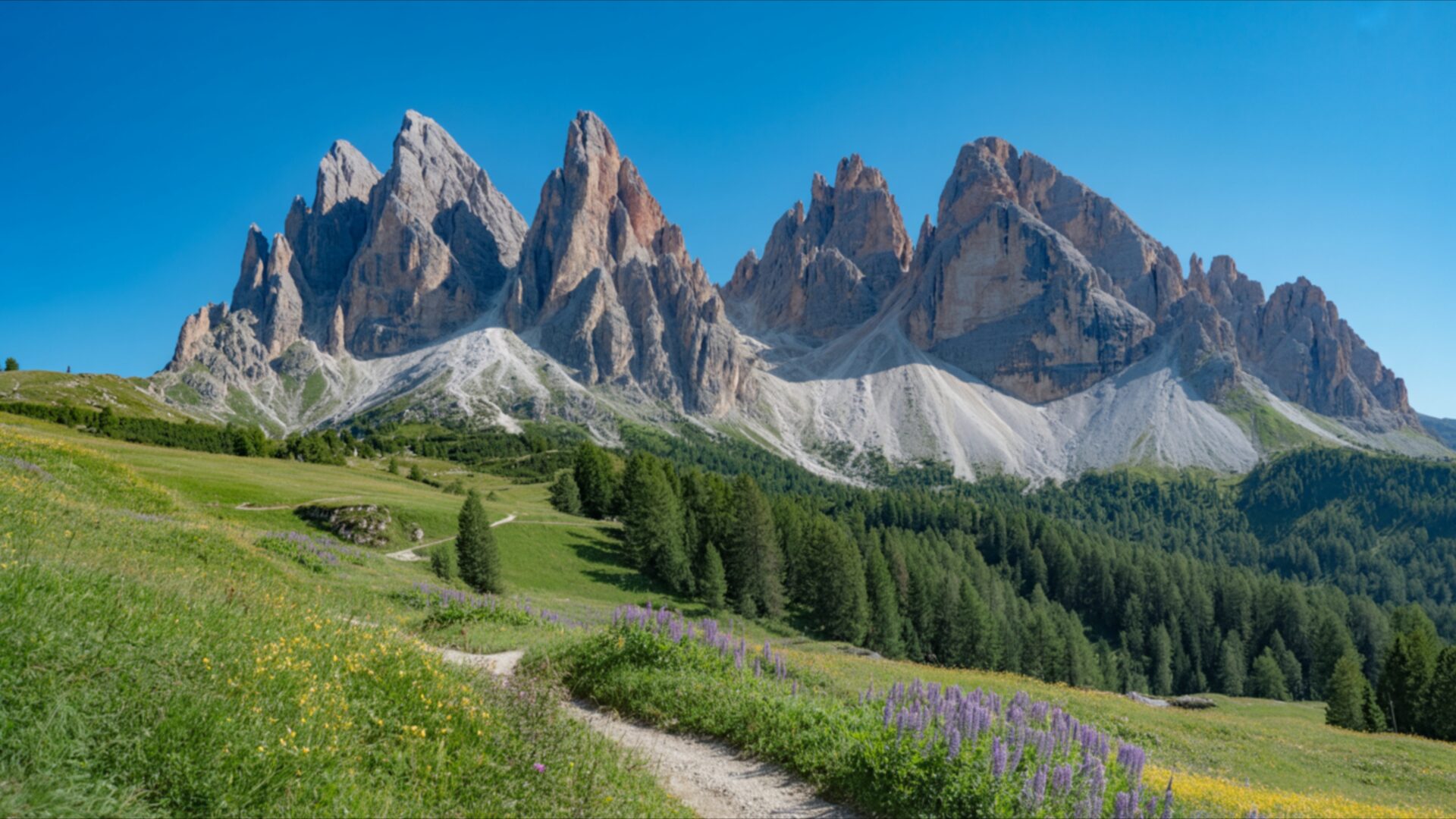
🌿 Dolomites Alpine Meadow with Jagged Mountain Peaks 4K UHD (3840x2160) Wallpaper
 Dolomites Mountain Peaks and Alpine Meadow Path
 Dolomites Mountain Trail Over Turquoise Alpine Lake
❤ Share this wallpaper:
WhatsApp Facebook Twitter / X Pinterest LinkedIn Copy Link for Instagram Telegram Reddit Email




💡 Below is relevant information on how to install wallpapers on different devices 👇



This 4K wallpaper is the best choice for testing your OLED professional display resolution. Compared to others, our high-performance tool provides a premium look for any high-end smartphone or desktop setup.

"Personalize this wallpaper or upload your own image to create the perfect mobile background 👇"
Customize Dolomites Alpine Meadow with Jagged Mountain Peaks for Mobile Wallpapers
iPhone • Samsung • Xiaomi • Google Pixel • Android • Huawei • (Others)
720×1600 • 1080×1920 • 1080×2340 • 1080×2400 • 1284×2778 • 1440×3088Please use Portrait Mode for a better experience (Optional)
Overview – Dolomites Alpine Meadow with Jagged Mountain Peaks
Dolomites Alpine Meadow with Jagged Mountain Peaks presents a stunning Nature scene, capturing the raw beauty of the Italian Alps. The image is rendered in 4k wallpaper quality, offering exceptional detail for your viewing pleasure. A winding dirt path, bathed in the warm glow of sunlight, leads the eye through a vibrant alpine meadow. This path, a subtle yet inviting element, suggests a journey into the heart of this breathtaking landscape. The foreground is alive with the rich greens of rolling hills, dotted with wildflowers in shades of yellow and soft purple, adding delicate touches of color to the verdant expanse.
The light in the scene is bright and clear, indicative of a sunny day, casting gentle shadows that define the contours of the terrain. The sky above is a deep, unblemished blue, providing a striking contrast to the rugged mountain formations that dominate the horizon. These peaks, with their sharp, jagged edges, rise dramatically, their rocky faces illuminated by the sun, revealing textures and geological formations. The upper portions of the mountains show hints of snow or lighter rock, creating a layered effect against the sky.
To the right, a dense forest of dark green pine trees forms a natural boundary, transitioning from the open meadow to the imposing mountain range. The composition is balanced, with the natural elements flowing harmoniously. This visual theme is perfect for anyone seeking a connection with the outdoors, bringing a sense of tranquility and grandeur to any desktop background. The overall mood is one of serene majesty, a testament to the enduring power and beauty of the natural world.
The detailed rendering of the Dolomites, from the soft grasses of the meadow to the stark rock faces of the peaks, makes this a truly immersive experience. This scene composition is ideal for enhancing your computer screen background. You can download wallpaper of this incredible vista. The original image is presented in 3840×2160 resolution, with 4K, 2K, and Full HD versions also available for your convenience.
Wallpaper license: CC BY-NC-ND 4.0 · Credit: HDPeek.com
Remove Black Bars | Fit to Any Screen Size | CSS Fixer & Minifier | Compress Image Online | Image Converter Online | What Is My Screen Resolution? | Wallpaper Upscaler Online
Explore Categories
💡 How to Install Wallpaper on Different Devices
Windows PC:
Right-click on the wallpaper image. Select "Set as desktop background" or "Set as wallpaper". Adjust the fit (Fill, Fit, Stretch, Tile, Center) in Settings > Personalization > Background.Mac:
Right-click on the wallpaper image. Select "Set Desktop Picture". Alternatively, go to System Preferences > Desktop & Screen Saver and choose your image.iPhone / iPad (iOS):
Open the wallpaper image in Photos. Tap the Share button and select "Use as Wallpaper". Move and scale the image, then tap "Set" > Choose "Set Lock Screen", "Set Home Screen", or "Set Both".Android:
Open the wallpaper image in your Gallery app. Tap the Menu or Options button, then select "Set as wallpaper". Choose Home screen, Lock screen, or Both. Adjust the crop if needed and confirm.Linux (Ubuntu / others):
Right-click on the wallpaper image. Select "Set as Desktop Background" or "Set as Wallpaper". Adjust settings if your desktop environment allows multiple monitors.
Tips:
- For best quality, download the image in the resolution that matches your screen.
- Use 16:9 for widescreens, 1:1 for square displays.
- On mobile devices, choose "Set Both" for a consistent look on Home and Lock screens.
