🐉 Moonlight Blade Sorceress 4K UHD (3840x2160) Wallpaper

❤ Share this wallpaper:
WhatsApp Facebook Twitter / X Pinterest LinkedIn Copy Link for Instagram Telegram Reddit Email





💡 Below is relevant information on how to install wallpapers on different devices 👇



This 4K wallpaper is the best choice for testing your OLED professional display resolution. Compared to others, our high-performance tool provides a premium look for any high-end smartphone or desktop setup.





"Personalize this wallpaper or upload your own image to create the perfect mobile background 👇"
Customize Moonlight Blade Sorceress for Mobile Wallpapers
iPhone • Samsung • Xiaomi • Google Pixel • Android • Huawei • (Others)
720×1600 • 1080×1920 • 1080×2340 • 1080×2400 • 1284×2778 • 1440×3088Please use Portrait Mode for a better experience (Optional)
Overview – Moonlight Blade Sorceress
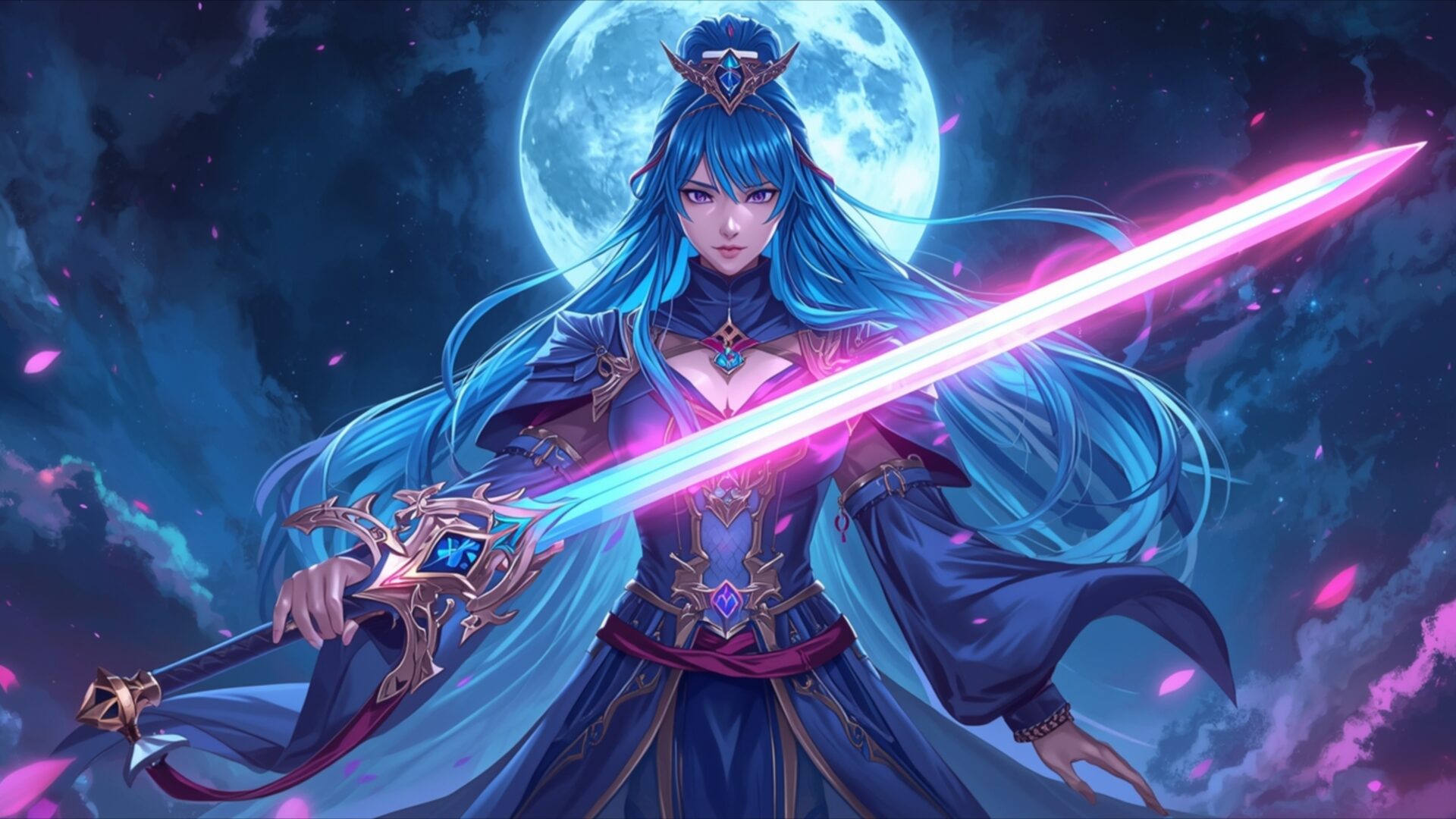
Moonlight Blade Sorceress introduces a captivating fantasy scene, featuring a powerful sorceress bathed in ethereal moonlight. The image draws you into a world of magic and mystery, with the central figure commanding attention. Her long, flowing blue hair cascades around her, framing a determined expression. The lighting is soft yet dramatic, emanating from a large, luminous moon positioned behind her, casting a gentle glow that highlights the intricate details of her attire. The color palette is dominated by deep blues and purples, accented by the vibrant, almost neon, pink and cyan hues of her glowing sword. This contrast creates a striking visual focal point, emphasizing the magical energy she wields. The fabric of her robes appears rich and textured, with ornate gold embellishments that catch the light. Scattered petals, rendered in shades of pink and purple, drift around her, adding a delicate touch to the otherwise formidable presence. This visual theme is perfect for anyone seeking a desktop background that evokes a sense of power and enchantment.
The composition places the sorceress front and center, her gaze directed forward, creating a direct connection with the viewer. The sword, held aloft, is a significant element, its blade radiating light that illuminates her face and the surrounding area. The artistic style leans towards a detailed, illustrative approach, common in fantasy art, with a focus on character design and atmospheric lighting. The clouds in the background are soft and wispy, contributing to the dreamlike quality of the scene. The overall mood is one of serene power, a quiet strength that doesn’t need to be loud to be felt. This aesthetic layout offers a unique visual experience, transforming your screen into a portal to a magical realm. The intricate details, from the armor on her shoulders to the delicate crown atop her head, showcase the high level of craftsmanship in this artwork.
This 4k wallpaper, Moonlight Blade Sorceress, is an excellent choice for enhancing your digital space. The image captures a moment of poised readiness, a warrior prepared for whatever challenges lie ahead. The interplay of light and shadow, combined with the vibrant magical effects, makes it a truly engaging piece. You can download this stunning visual theme to bring a touch of fantasy to your computer screen. The high-resolution nature of the artwork ensures that every detail is crisp and clear, whether you are using it as a PC wallpaper or a laptop wallpaper. We offer this image in 3840×2160 resolution, with 4K, 2K, and Full HD versions also available for your convenience.
Wallpaper license: CC BY-NC-ND 4.0 · Credit: HDPeek.com
Remove Black Bars | Fit to Any Screen Size | CSS Fixer & Minifier | Compress Image Online | Image Converter Online | What Is My Screen Resolution? | Wallpaper Upscaler Online
Explore Categories
💡 How to Install Wallpaper on Different Devices
Windows PC:
Right-click on the wallpaper image. Select "Set as desktop background" or "Set as wallpaper". Adjust the fit (Fill, Fit, Stretch, Tile, Center) in Settings > Personalization > Background.Mac:
Right-click on the wallpaper image. Select "Set Desktop Picture". Alternatively, go to System Preferences > Desktop & Screen Saver and choose your image.iPhone / iPad (iOS):
Open the wallpaper image in Photos. Tap the Share button and select "Use as Wallpaper". Move and scale the image, then tap "Set" > Choose "Set Lock Screen", "Set Home Screen", or "Set Both".Android:
Open the wallpaper image in your Gallery app. Tap the Menu or Options button, then select "Set as wallpaper". Choose Home screen, Lock screen, or Both. Adjust the crop if needed and confirm.Linux (Ubuntu / others):
Right-click on the wallpaper image. Select "Set as Desktop Background" or "Set as Wallpaper". Adjust settings if your desktop environment allows multiple monitors.
Tips:
- For best quality, download the image in the resolution that matches your screen.
- Use 16:9 for widescreens, 1:1 for square displays.
- On mobile devices, choose "Set Both" for a consistent look on Home and Lock screens.
