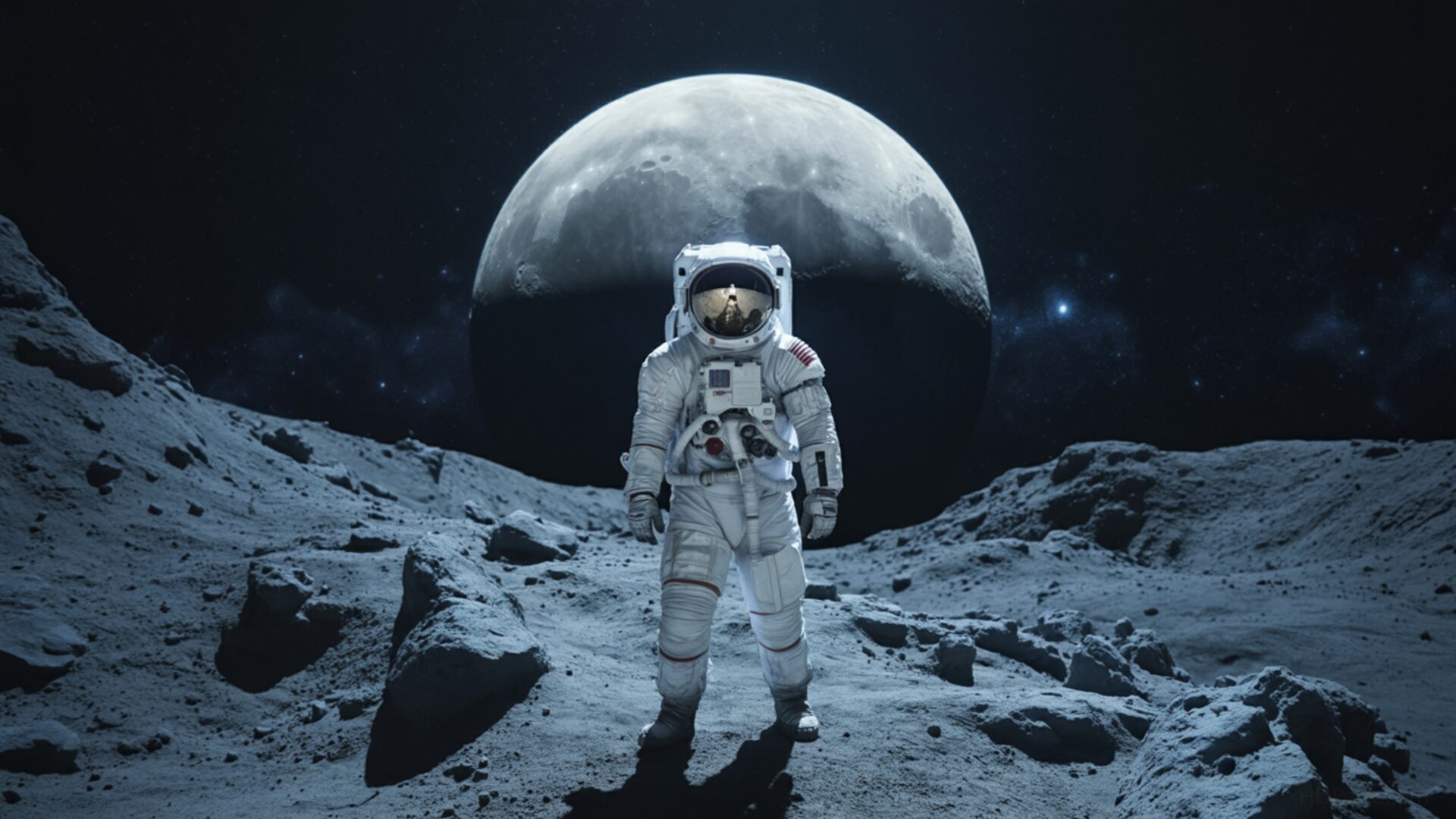
🚀 Astronaut Standing on Rocky Surface Under Large Moon 4K UHD (3840x2160) Wallpaper

❤ Share this wallpaper:
WhatsApp Facebook Twitter / X Pinterest LinkedIn Copy Link for Instagram Telegram Reddit Email





💡 Below is relevant information on how to install wallpapers on different devices 👇




This 4K wallpaper is the best choice for testing your OLED professional display resolution. Compared to others, our high-performance tool provides a premium look for any high-end smartphone or desktop setup.




"Personalize this wallpaper or upload your own image to create the perfect mobile background 👇"
Customize Astronaut Standing on Rocky Surface Under Large Moon for Mobile Wallpapers
iPhone • Samsung • Xiaomi • Google Pixel • Android • Huawei • (Others)
720×1600 • 1080×1920 • 1080×2340 • 1080×2400 • 1284×2778 • 1440×3088Please use Portrait Mode for a better experience (Optional)
Overview – Astronaut Standing on Rocky Surface Under Large Moon
Astronaut Standing on Rocky Surface Under Large Moon captures the essence of the Space & Science category, presenting a compelling visual narrative of cosmic exploration. The scene unfolds with an astronaut as the central figure, positioned on a rugged, rocky surface that suggests an alien landscape. The lighting casts long, dramatic shadows, accentuating the textures of the ground and the astronaut’s suit. A colossal moon dominates the sky, its surface details rendered with clarity, creating a sense of awe and the vastness of space.
The composition of this digital background draws the eye towards the astronaut, inviting viewers to share in their sense of discovery. The color palette leans towards cool tones, with blues and grays prevailing, punctuated by the stark white of the astronaut’s suit and the moon’s reflective surface. There’s a distinct sci-fi tone to the image, evoking feelings of wonder and the unknown. The high-resolution detail, especially noticeable in the 3840×2160 resolution, ensures that every element, from the smallest rock to the distant stars, is rendered with precision. It is a stylish HD artwork.
This desktop background is more than just a pretty picture; it’s an invitation to personalize your desktop with a touch of cosmic grandeur. It is a striking image that can transform your computer screen background into a portal to another world. Consider the visual impact of this scene as your monitor wallpaper, a constant reminder of the boundless possibilities of space exploration. The astronaut scene is carefully crafted to provide a balanced and visually appealing experience, whether you’re using it as a PC wallpaper or a background for your laptop wallpaper.
The rocky ground provides a strong sense of depth, leading the eye towards the horizon and the imposing presence of the huge moon. The exploration look in the astronaut’s posture suggests a moment of contemplation, a pause to take in the breathtaking view. This is a wallpaper for pc that captures the imagination and sparks a sense of adventure. The space vibe is palpable, making it an ideal choice for anyone fascinated by the cosmos. You can get it now as a smartphone wallpaper or tablet background.
This high-resolution image is available as a 4k wallpaper, ensuring the highest level of detail and clarity on compatible screens. For those with different display requirements, the Astronaut Standing on Rocky Surface Under Large Moon is also available in 2K and Full HD versions, providing options to suit a variety of devices and screen sizes. The different resolutions ensure that everyone can enjoy this stunning image as their own Astronaut Standing on Rocky Surface Under Large Moon.
Wallpaper license: CC BY-NC-ND 4.0 · Credit: HDPeek.com
Remove Black Bars | Fit to Any Screen Size | CSS Fixer & Minifier | Compress Image Online | Image Converter Online | What Is My Screen Resolution? | Wallpaper Upscaler Online
Explore Categories
💡 How to Install Wallpaper on Different Devices
Windows PC:
Right-click on the wallpaper image. Select "Set as desktop background" or "Set as wallpaper". Adjust the fit (Fill, Fit, Stretch, Tile, Center) in Settings > Personalization > Background.Mac:
Right-click on the wallpaper image. Select "Set Desktop Picture". Alternatively, go to System Preferences > Desktop & Screen Saver and choose your image.iPhone / iPad (iOS):
Open the wallpaper image in Photos. Tap the Share button and select "Use as Wallpaper". Move and scale the image, then tap "Set" > Choose "Set Lock Screen", "Set Home Screen", or "Set Both".Android:
Open the wallpaper image in your Gallery app. Tap the Menu or Options button, then select "Set as wallpaper". Choose Home screen, Lock screen, or Both. Adjust the crop if needed and confirm.Linux (Ubuntu / others):
Right-click on the wallpaper image. Select "Set as Desktop Background" or "Set as Wallpaper". Adjust settings if your desktop environment allows multiple monitors.
Tips:
- For best quality, download the image in the resolution that matches your screen.
- Use 16:9 for widescreens, 1:1 for square displays.
- On mobile devices, choose "Set Both" for a consistent look on Home and Lock screens.
