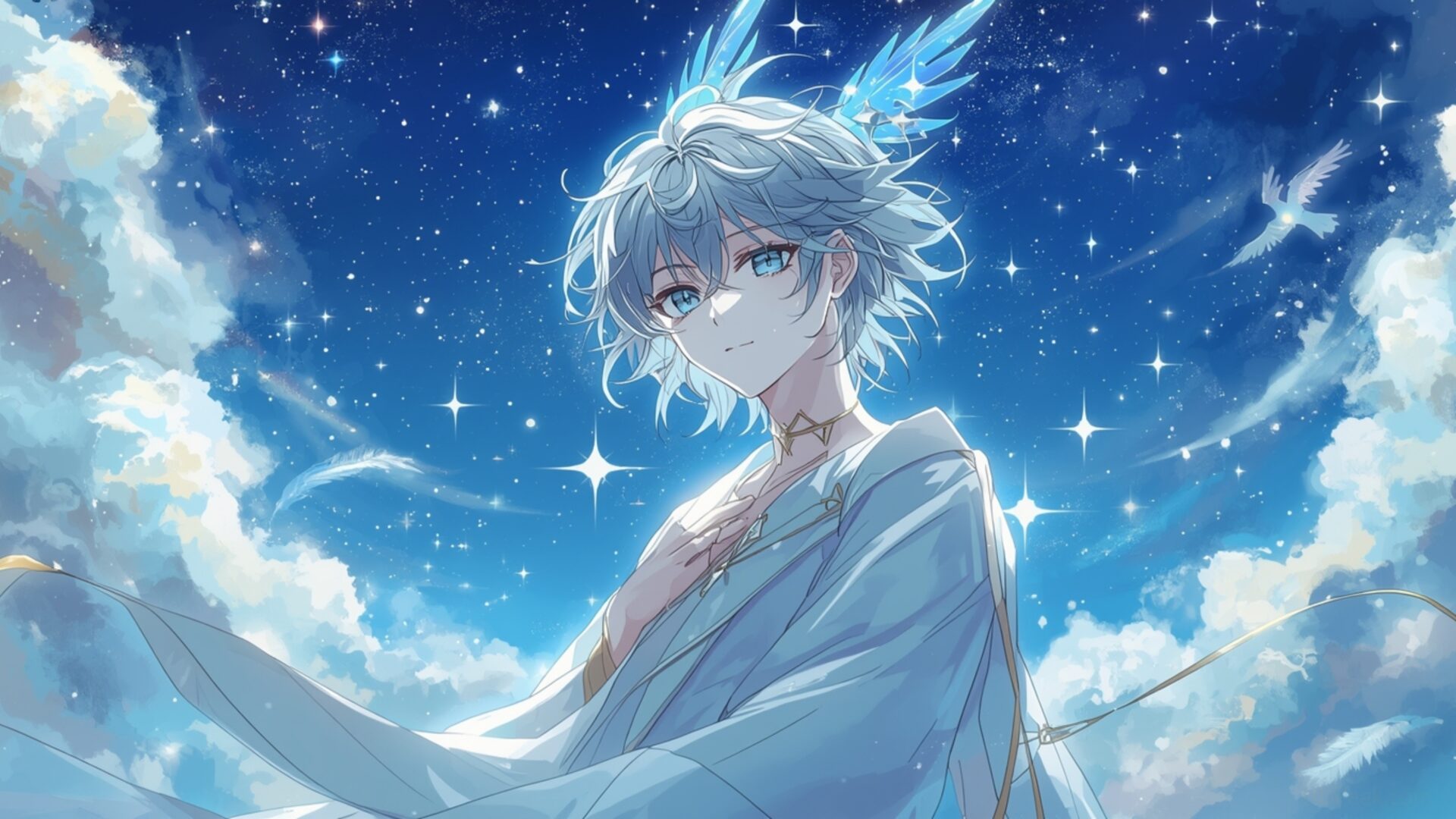
🌸 Celestial Anime Boy Art 4K UHD (3840x2160) Wallpaper


❤ Share this wallpaper:
WhatsApp Facebook Twitter / X Pinterest LinkedIn Copy Link for Instagram Telegram Reddit Email




💡 Below is relevant information on how to install wallpapers on different devices 👇





This 4K wallpaper is the best choice for testing your OLED professional display resolution. Compared to others, our high-performance tool provides a premium look for any high-end smartphone or desktop setup.





"Personalize this wallpaper or upload your own image to create the perfect mobile background 👇"
Customize Celestial Anime Boy Art for Mobile Wallpapers
iPhone • Samsung • Xiaomi • Google Pixel • Android • Huawei • (Others)
720×1600 • 1080×1920 • 1080×2340 • 1080×2400 • 1284×2778 • 1440×3088Please use Portrait Mode for a better experience (Optional)
Overview – Celestial Anime Boy Art
Celestial Anime Boy Art in the Aesthetic category presents a captivating visual experience, drawing the viewer into a world of dreamy skies and ethereal character design. The composition immediately establishes a serene mood, with the anime boy figure seemingly integrated into the vastness of a blue sky dotted with celestial elements. The artist has skillfully employed lighting to enhance the dreamy quality, casting a soft glow that accentuates the character’s features and the surrounding starry view.
The color palette is dominated by calming blues and gentle highlights, contributing to the overall sense of tranquility. The character art itself is rendered with meticulous detail, showcasing the artist’s proficiency in capturing subtle expressions and nuanced gestures. It’s easy to personalize your desktop with such a stylish HD artwork. The celestial aesthetic is further emphasized by the inclusion of stars and other cosmic motifs, creating a harmonious blend of fantasy and reality. The high-resolution detail ensures that every element, from the individual strands of hair to the distant stars, is rendered with exceptional clarity.
This 4k wallpaper is more than just a digital background; it’s an invitation to escape into a world of imagination and wonder. The thoughtful composition guides the eye, drawing attention to key elements and creating a sense of depth. The textures, though digitally rendered, possess a tactile quality that adds to the immersive experience. The image background is perfect as a PC wallpaper, transforming your computer screen background into a portal to another realm. The ethereal quality of the artwork is further enhanced by the subtle use of gradients and soft edges, creating a seamless transition between the character and the surrounding environment.
Consider this desktop background as a way to infuse your digital space with a touch of artistic flair. It’s a stunning example of how digital art can evoke powerful emotions and transport us to different worlds. This high-resolution image, available as a laptop wallpaper, captures the essence of the anime boy and his celestial surroundings with remarkable precision. The 3840×2160 resolution ensures that every detail is crisp and clear, even on large monitors. It is a great phone background or mobile background.
You can download wallpaper and get it now, free of charge. This Celestial Anime Boy Art is available in various resolutions, including the stunning 4K version, as well as 2K and Full HD options, ensuring compatibility with a wide range of devices.
Download free 4K wallpaper.
Wallpaper license: CC BY-NC-ND 4.0 · Credit: HDPeek.com
Remove Black Bars | Fit to Any Screen Size | CSS Fixer & Minifier | Compress Image Online | Image Converter Online | What Is My Screen Resolution? | Wallpaper Upscaler Online
Explore Categories
💡 How to Install Wallpaper on Different Devices
Windows PC:
Right-click on the wallpaper image. Select "Set as desktop background" or "Set as wallpaper". Adjust the fit (Fill, Fit, Stretch, Tile, Center) in Settings > Personalization > Background.Mac:
Right-click on the wallpaper image. Select "Set Desktop Picture". Alternatively, go to System Preferences > Desktop & Screen Saver and choose your image.iPhone / iPad (iOS):
Open the wallpaper image in Photos. Tap the Share button and select "Use as Wallpaper". Move and scale the image, then tap "Set" > Choose "Set Lock Screen", "Set Home Screen", or "Set Both".Android:
Open the wallpaper image in your Gallery app. Tap the Menu or Options button, then select "Set as wallpaper". Choose Home screen, Lock screen, or Both. Adjust the crop if needed and confirm.Linux (Ubuntu / others):
Right-click on the wallpaper image. Select "Set as Desktop Background" or "Set as Wallpaper". Adjust settings if your desktop environment allows multiple monitors.
Tips:
- For best quality, download the image in the resolution that matches your screen.
- Use 16:9 for widescreens, 1:1 for square displays.
- On mobile devices, choose "Set Both" for a consistent look on Home and Lock screens.
