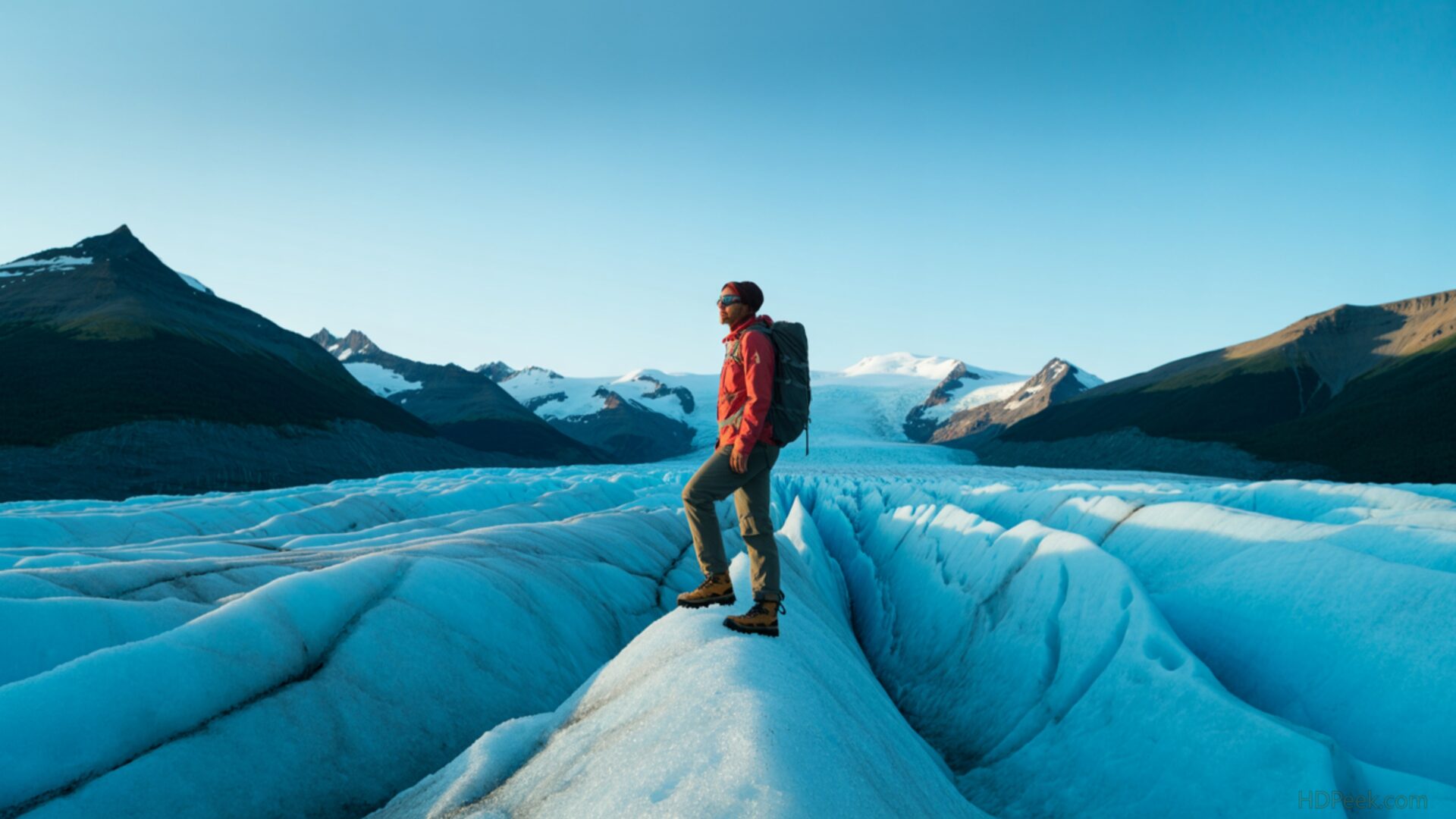
📸️ Hiker Standing on Blue Glacier Edge 4K UHD (3840x2160) Wallpaper


❤ Share this wallpaper:
WhatsApp Facebook Twitter / X Pinterest LinkedIn Copy Link for Instagram Telegram Reddit Email





💡 Below is relevant information on how to install wallpapers on different devices 👇





This 4K wallpaper is the best choice for testing your OLED professional display resolution. Compared to others, our high-performance tool provides a premium look for any high-end smartphone or desktop setup.






"Personalize this wallpaper or upload your own image to create the perfect mobile background 👇"
Customize Hiker Standing on Blue Glacier Edge for Mobile Wallpapers
iPhone • Samsung • Xiaomi • Google Pixel • Android • Huawei • (Others)
720×1600 • 1080×1920 • 1080×2340 • 1080×2400 • 1284×2778 • 1440×3088Please use Portrait Mode for a better experience (Optional)
Overview – Hiker Standing on Blue Glacier Edge
“Hiker Standing on Blue Glacier Edge” captures the spirit of the People & Lifestyle category, presenting a scene of solitary exploration against a backdrop of immense natural beauty. This image showcases a lone hiker, a small figure positioned on the precipice of a vast, blue glacier. The composition emphasizes the scale of the environment, dwarfing the individual and highlighting the raw power of nature. The cool tones dominate, with the deep blues of the glacial ice contrasting against the muted colors of the hiker’s attire.
Light plays a crucial role, casting long shadows and accentuating the textures of the ice. The surface of the glacier is not uniform; it is a landscape of ridges, cracks, and subtle variations in color, all rendered in high resolution. This desktop wallpaper invites the viewer to contemplate the themes of adventure and solitude. It offers a moment of escape, a glimpse into a world far removed from the everyday. You can download wallpaper and personalize your desktop with this stunning vista.
The stylish HD artwork captures the essence of a lifestyle connected to nature and exploration. The high resolution detail allows you to appreciate every nuance of the glacial landscape, from the crisp edges of the ice formations to the subtle textures of the snow. This wallpaper pc is ideal for anyone seeking a desktop background that inspires a sense of wonder and adventure. Consider this laptop wallpaper as a reminder of the beauty and power of the natural world. It is a desktop wallpaper that brings a sense of calm and awe to your digital space.
This “Hiker Standing on Blue Glacier Edge” is available in a stunning 4K version, ensuring the highest level of detail and clarity for your display. For those seeking options for different screen sizes, it is also available in 2K and Full HD versions, providing a range of choices to suit various devices and resolutions.
Wallpaper license: CC BY-NC-ND 4.0 · Credit: HDPeek.com
Remove Black Bars | Fit to Any Screen Size | CSS Fixer & Minifier | Compress Image Online | Image Converter Online | What Is My Screen Resolution? | Wallpaper Upscaler Online
Explore Categories
💡 How to Install Wallpaper on Different Devices
Windows PC:
Right-click on the wallpaper image. Select "Set as desktop background" or "Set as wallpaper". Adjust the fit (Fill, Fit, Stretch, Tile, Center) in Settings > Personalization > Background.Mac:
Right-click on the wallpaper image. Select "Set Desktop Picture". Alternatively, go to System Preferences > Desktop & Screen Saver and choose your image.iPhone / iPad (iOS):
Open the wallpaper image in Photos. Tap the Share button and select "Use as Wallpaper". Move and scale the image, then tap "Set" > Choose "Set Lock Screen", "Set Home Screen", or "Set Both".Android:
Open the wallpaper image in your Gallery app. Tap the Menu or Options button, then select "Set as wallpaper". Choose Home screen, Lock screen, or Both. Adjust the crop if needed and confirm.Linux (Ubuntu / others):
Right-click on the wallpaper image. Select "Set as Desktop Background" or "Set as Wallpaper". Adjust settings if your desktop environment allows multiple monitors.
Tips:
- For best quality, download the image in the resolution that matches your screen.
- Use 16:9 for widescreens, 1:1 for square displays.
- On mobile devices, choose "Set Both" for a consistent look on Home and Lock screens.
