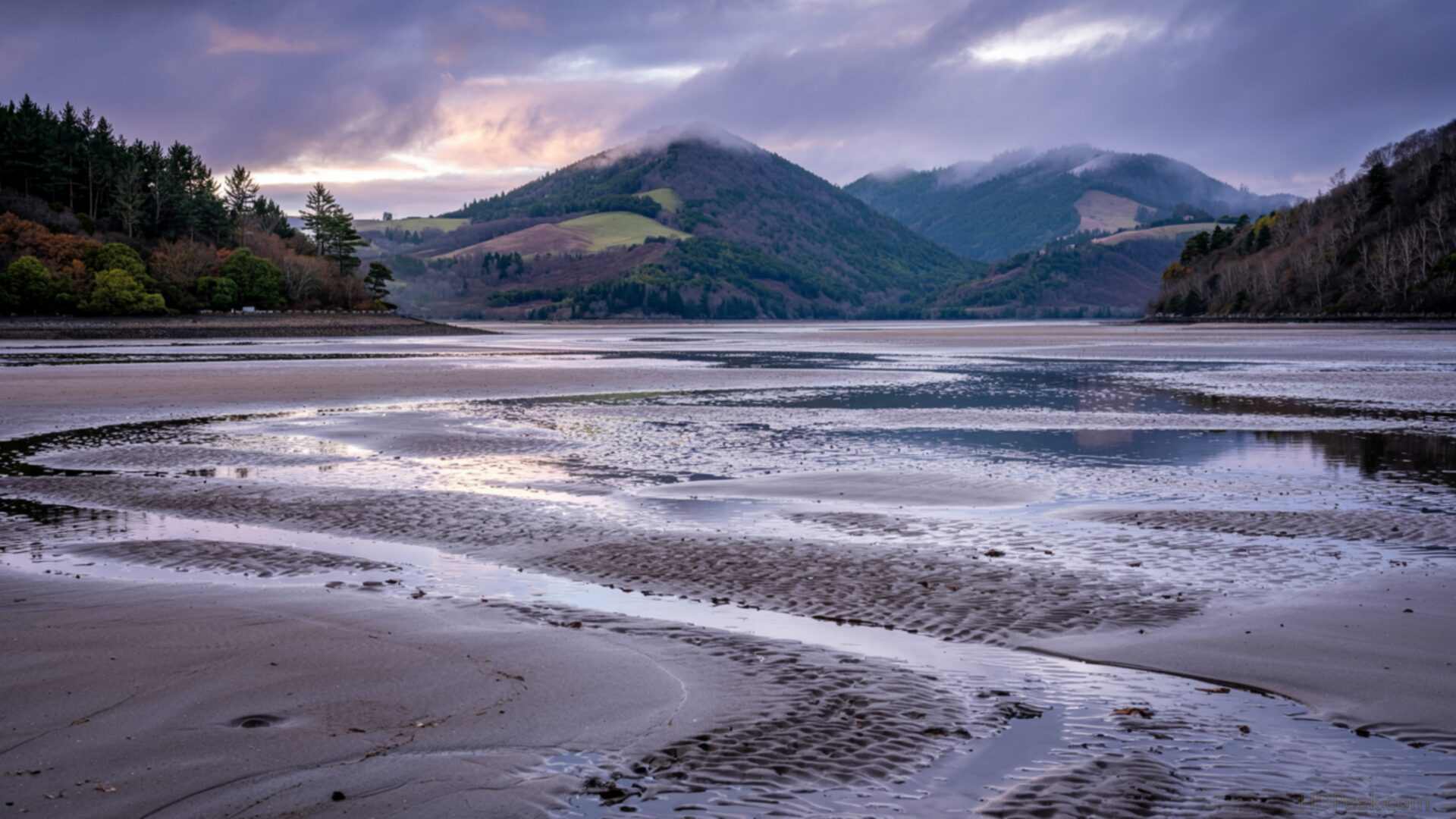
🌿 Tidal Flats Low Tide Sand Patterns Abstract Texture 4K UHD (3840x2160) Wallpaper
 Volcano Crater Lake Emerald Green Aerial View
 Cherry Blossom Petals Falling Pink Spring Scene Soft Focus
❤ Share this wallpaper:
WhatsApp Facebook Twitter / X Pinterest LinkedIn Copy Link for Instagram Telegram Reddit Email





💡 Below is relevant information on how to install wallpapers on different devices 👇




This 4K wallpaper is the best choice for testing your OLED professional display resolution. Compared to others, our high-performance tool provides a premium look for any high-end smartphone or desktop setup.



"Personalize this wallpaper or upload your own image to create the perfect mobile background 👇"
Customize Tidal Flats Low Tide Sand Patterns Abstract Texture for Mobile Wallpapers
iPhone • Samsung • Xiaomi • Google Pixel • Android • Huawei • (Others)
720×1600 • 1080×1920 • 1080×2340 • 1080×2400 • 1284×2778 • 1440×3088Please use Portrait Mode for a better experience (Optional)
Overview – Tidal Flats Low Tide Sand Patterns Abstract Texture
“Tidal Flats Low Tide Sand Patterns Abstract Texture” captures the serene beauty of the Nature category, showcasing the intricate designs left behind by the receding tide. This desktop wallpaper offers a unique perspective on a familiar landscape, transforming the beach into an abstract canvas of natural art. The image focuses on the delicate interplay of light and shadow across the rippled sand, emphasizing the subtle textures and organic forms created by the water’s ebb and flow.
It presents a calming visual experience, ideal to personalize your desktop with a touch of understated elegance. The composition draws the eye along the winding patterns, inviting contemplation and a sense of connection with the natural world. One can almost feel the cool, damp sand beneath their feet and hear the distant sound of the waves. This stylish HD artwork transforms a simple scene into a captivating display of organic design.
The high resolution detail allows for a close examination of the granular texture of the sand and the subtle variations in tone and color. Download wallpaper and bring the tranquility of the coast to your digital workspace. This wallpaper pc is perfect for those seeking a subtle yet sophisticated desktop background. The patterns evoke a sense of calm and order, making it an excellent choice for those who appreciate minimalist aesthetics. What makes this laptop wallpaper so appealing is its ability to blend seamlessly into any digital environment, adding a touch of natural beauty without overwhelming the senses.
Consider this best wallpaper to refresh your screen with a scene of quiet beauty. The “Tidal Flats Low Tide Sand Patterns Abstract Texture” hd wallpaper is available in a stunning 4K version, ensuring every detail is crisp and clear. For those seeking options for different displays, this free wallpaper is also offered in 2K and Full HD resolutions, providing a range of choices to perfectly fit your screen’s dimensions.
Wallpaper license: CC BY-NC-ND 4.0 · Credit: HDPeek.com
Remove Black Bars | Fit to Any Screen Size | CSS Fixer & Minifier | Compress Image Online | Image Converter Online | What Is My Screen Resolution? | Wallpaper Upscaler Online
Explore Categories
💡 How to Install Wallpaper on Different Devices
Windows PC:
Right-click on the wallpaper image. Select "Set as desktop background" or "Set as wallpaper". Adjust the fit (Fill, Fit, Stretch, Tile, Center) in Settings > Personalization > Background.Mac:
Right-click on the wallpaper image. Select "Set Desktop Picture". Alternatively, go to System Preferences > Desktop & Screen Saver and choose your image.iPhone / iPad (iOS):
Open the wallpaper image in Photos. Tap the Share button and select "Use as Wallpaper". Move and scale the image, then tap "Set" > Choose "Set Lock Screen", "Set Home Screen", or "Set Both".Android:
Open the wallpaper image in your Gallery app. Tap the Menu or Options button, then select "Set as wallpaper". Choose Home screen, Lock screen, or Both. Adjust the crop if needed and confirm.Linux (Ubuntu / others):
Right-click on the wallpaper image. Select "Set as Desktop Background" or "Set as Wallpaper". Adjust settings if your desktop environment allows multiple monitors.
Tips:
- For best quality, download the image in the resolution that matches your screen.
- Use 16:9 for widescreens, 1:1 for square displays.
- On mobile devices, choose "Set Both" for a consistent look on Home and Lock screens.
