⚔️ Quiet Evenings And City Lights 4K UHD (3840x2160) Wallpaper

❤ Share this wallpaper:
WhatsApp Facebook Twitter / X Pinterest LinkedIn Copy Link for Instagram Telegram Reddit Email





💡 Below is relevant information on how to install wallpapers on different devices 👇




This 4K wallpaper is the best choice for testing your OLED professional display resolution. Compared to others, our high-performance tool provides a premium look for any high-end smartphone or desktop setup.






"Personalize this wallpaper or upload your own image to create the perfect mobile background 👇"
Customize Quiet Evenings And City Lights for Mobile Wallpapers
iPhone • Samsung • Xiaomi • Google Pixel • Android • Huawei • (Others)
720×1600 • 1080×1920 • 1080×2340 • 1080×2400 • 1284×2778 • 1440×3088Please use Portrait Mode for a better experience (Optional)
Overview – Quiet Evenings And City Lights
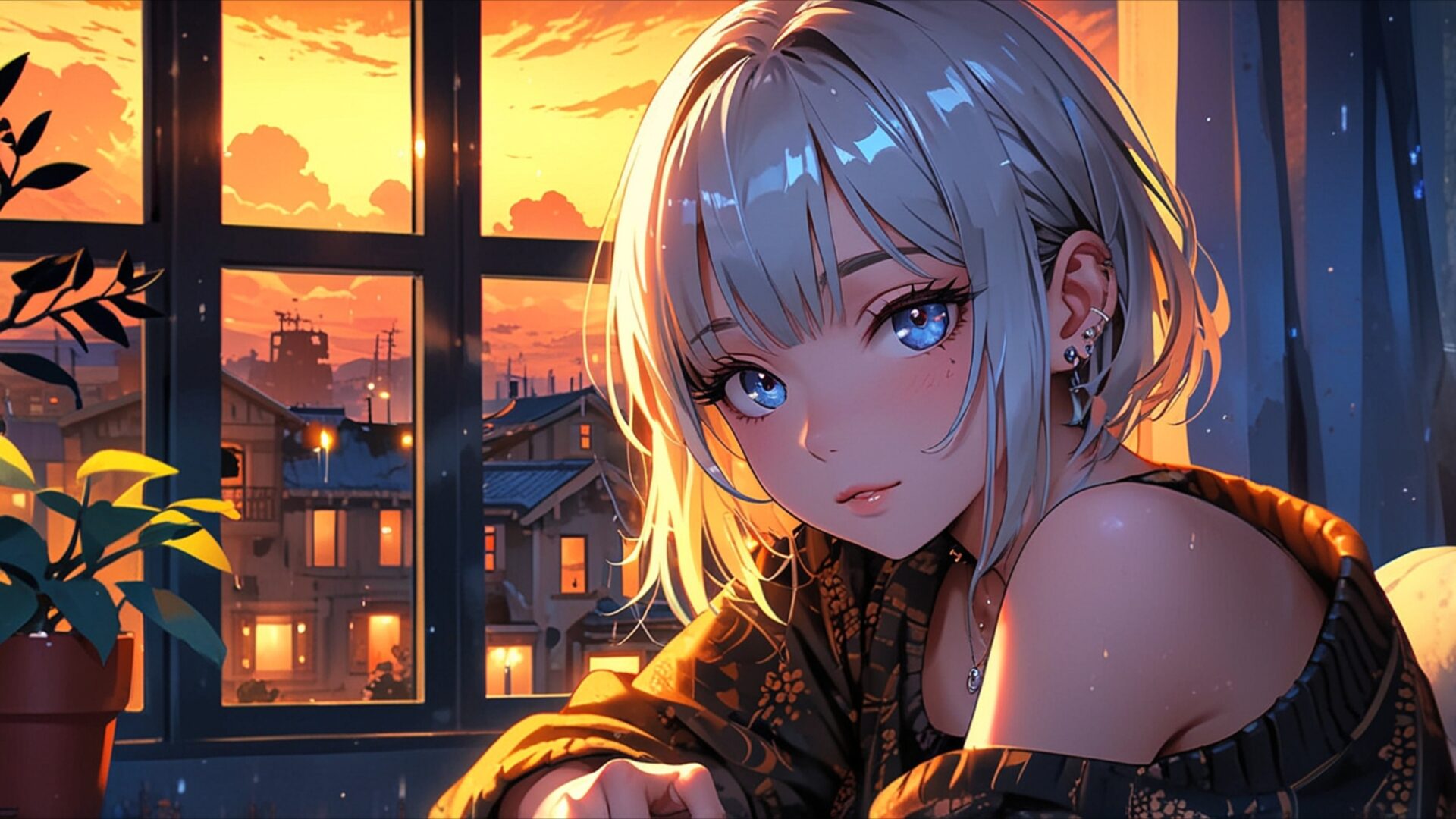
Quiet Evenings And City Lights captures a serene anime scene, perfect for anyone seeking a peaceful visual theme. This artwork draws you into a moment of quiet contemplation as the day transitions into night. The central focus is a young woman with striking blue eyes, her gaze soft and introspective. Her silver hair catches the warm glow of the setting sun, creating subtle highlights that add depth to her features. The lighting is a key element here, with the golden hues of the sunset casting a gentle, diffused light across the room and onto her face. This warm illumination creates an inviting and cozy atmosphere, contrasting with the cooler, darker tones of the evening outside.
The composition places the viewer slightly behind and to the side of the woman, offering an intimate perspective. Through the window behind her, a cityscape is visible, dotted with small, warm lights that suggest a tranquil urban environment. The window frame itself, with its visible panes and slight imperfections, adds a touch of realism to the otherwise stylized anime aesthetic. Outside, the sky is a vibrant blend of oranges, yellows, and hints of purple, indicative of a beautiful sunset. The presence of a potted plant in the foreground, with its dark green leaves, provides a grounding element and further enhances the feeling of being in a comfortable, indoor space. This image evokes a sense of calm and reflection, ideal for a desktop background.
The artistic style is characteristic of modern anime, with clean lines and expressive character design. The textures, though rendered digitally, suggest the softness of fabric and the subtle sheen of skin. The overall mood is one of peaceful solitude, a quiet moment of observation before the city fully embraces the night. It’s a scene that invites you to pause and appreciate the beauty of everyday moments. This particular image is presented in 3840×2160 resolution, offering exceptional clarity. You can download wallpaper in this resolution, or opt for 4K, 2K, or Full HD versions to suit your needs.
Wallpaper license: CC BY-NC-ND 4.0 · Credit: HDPeek.com
Remove Black Bars | Fit to Any Screen Size | CSS Fixer & Minifier | Compress Image Online | Image Converter Online | What Is My Screen Resolution? | Wallpaper Upscaler Online
Explore Categories
💡 How to Install Wallpaper on Different Devices
Windows PC:
Right-click on the wallpaper image. Select "Set as desktop background" or "Set as wallpaper". Adjust the fit (Fill, Fit, Stretch, Tile, Center) in Settings > Personalization > Background.Mac:
Right-click on the wallpaper image. Select "Set Desktop Picture". Alternatively, go to System Preferences > Desktop & Screen Saver and choose your image.iPhone / iPad (iOS):
Open the wallpaper image in Photos. Tap the Share button and select "Use as Wallpaper". Move and scale the image, then tap "Set" > Choose "Set Lock Screen", "Set Home Screen", or "Set Both".Android:
Open the wallpaper image in your Gallery app. Tap the Menu or Options button, then select "Set as wallpaper". Choose Home screen, Lock screen, or Both. Adjust the crop if needed and confirm.Linux (Ubuntu / others):
Right-click on the wallpaper image. Select "Set as Desktop Background" or "Set as Wallpaper". Adjust settings if your desktop environment allows multiple monitors.
Tips:
- For best quality, download the image in the resolution that matches your screen.
- Use 16:9 for widescreens, 1:1 for square displays.
- On mobile devices, choose "Set Both" for a consistent look on Home and Lock screens.
