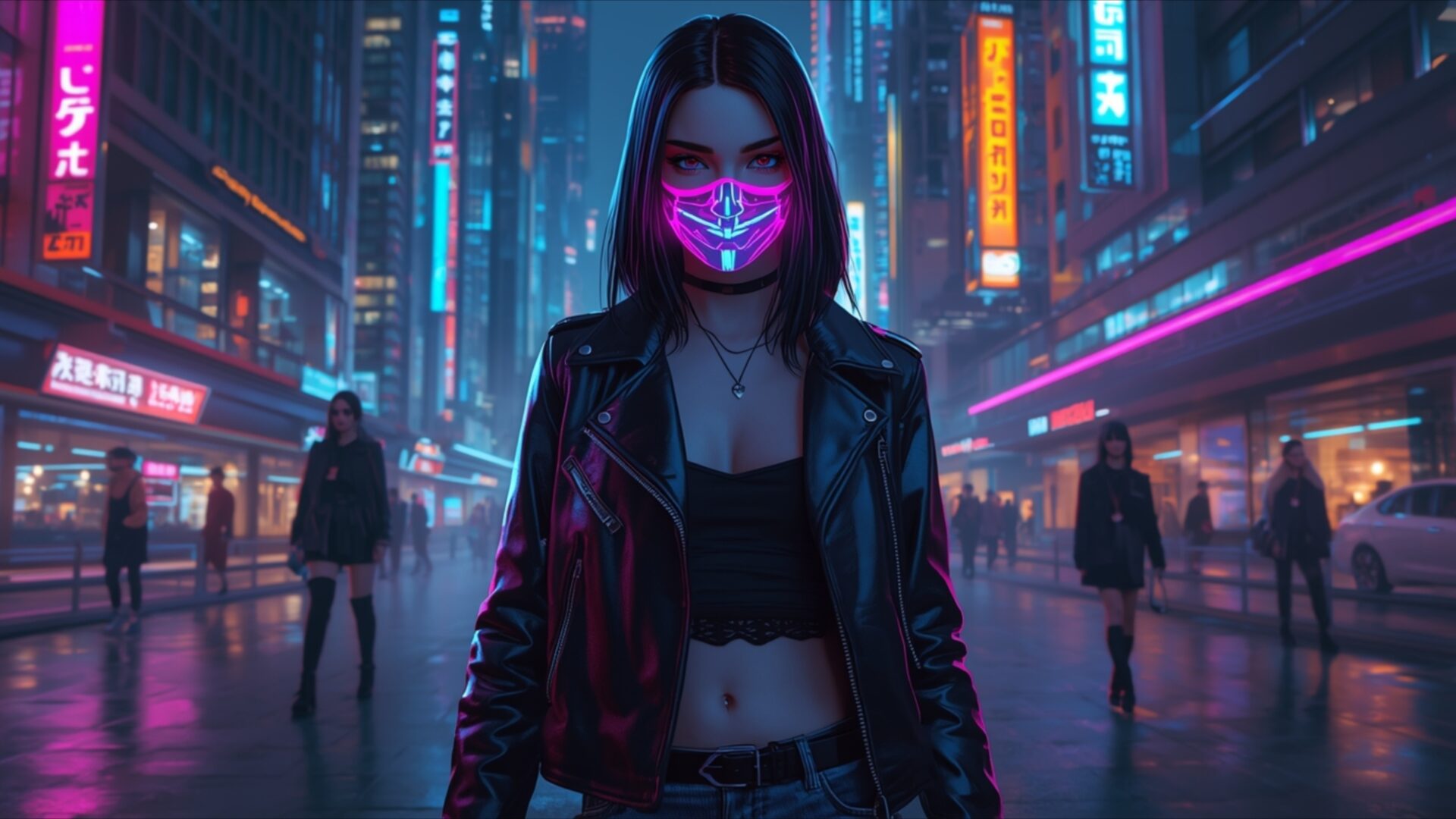
📸️ Neon Mask Girl Cyberpunk City 4K UHD (3840x2160) Wallpaper


❤ Share this wallpaper:
WhatsApp Facebook Twitter / X Pinterest LinkedIn Copy Link for Instagram Telegram Reddit Email





💡 Below is relevant information on how to install wallpapers on different devices 👇





This 4K wallpaper is the best choice for testing your OLED professional display resolution. Compared to others, our high-performance tool provides a premium look for any high-end smartphone or desktop setup.






"Personalize this wallpaper or upload your own image to create the perfect mobile background 👇"
Customize Neon Mask Girl Cyberpunk City for Mobile Wallpapers
iPhone • Samsung • Xiaomi • Google Pixel • Android • Huawei • (Others)
720×1600 • 1080×1920 • 1080×2340 • 1080×2400 • 1284×2778 • 1440×3088Please use Portrait Mode for a better experience (Optional)
Overview – Neon Mask Girl Cyberpunk City
Neon Mask Girl Cyberpunk City presents a striking visual theme within the People & Lifestyle category. This 4k wallpaper captures a solitary figure standing amidst a vibrant, rain-slicked cyberpunk cityscape. The primary light source emanates from the neon signs that dominate the urban environment, casting a cool, electric glow. Dominant colors include deep blues, vibrant purples, and sharp pinks, creating a nocturnal atmosphere that feels both futuristic and slightly melancholic. The subject, a young woman, wears a distinctive mask illuminated with intricate neon patterns, drawing immediate attention to her face. Her attire, a black leather jacket and dark clothing, complements the gritty, urban aesthetic. The composition places her centrally, with the blurred city lights and reflections on the wet street forming a dynamic backdrop.
The lighting is dramatic, with strong contrasts between the illuminated mask and the darker tones of her clothing and the surrounding architecture. This interplay of light and shadow enhances the sense of depth and realism in the scene. The artistic style leans towards a digital painting, with a focus on atmospheric effects and the vibrant saturation of neon hues. The reflections on the wet pavement add a layer of visual interest, mirroring the city’s glow and contributing to the overall immersive quality of the image. The depth of field is shallow, keeping the focus on the central figure while allowing the city to recede into a soft blur, further emphasizing her presence.
This desktop background is ideal for anyone drawn to futuristic aesthetics and the cyberpunk genre. The detail captured in the 3840×2160 resolution allows for a clear appreciation of the textures, from the sheen of the leather jacket to the subtle reflections on the wet ground. The overall mood is one of quiet intensity, a moment of stillness within a bustling, technologically advanced world. The visual theme is compelling, offering a glimpse into a stylized urban future. You can download this wallpaper for your PC to bring this unique scene to your monitor. We offer this high-resolution image in 4K, 2K, and Full HD versions for your convenience.
Wallpaper license: CC BY-NC-ND 4.0 · Credit: HDPeek.com
Remove Black Bars | Fit to Any Screen Size | CSS Fixer & Minifier | Compress Image Online | Image Converter Online | What Is My Screen Resolution? | Wallpaper Upscaler Online
Explore Categories
💡 How to Install Wallpaper on Different Devices
Windows PC:
Right-click on the wallpaper image. Select "Set as desktop background" or "Set as wallpaper". Adjust the fit (Fill, Fit, Stretch, Tile, Center) in Settings > Personalization > Background.Mac:
Right-click on the wallpaper image. Select "Set Desktop Picture". Alternatively, go to System Preferences > Desktop & Screen Saver and choose your image.iPhone / iPad (iOS):
Open the wallpaper image in Photos. Tap the Share button and select "Use as Wallpaper". Move and scale the image, then tap "Set" > Choose "Set Lock Screen", "Set Home Screen", or "Set Both".Android:
Open the wallpaper image in your Gallery app. Tap the Menu or Options button, then select "Set as wallpaper". Choose Home screen, Lock screen, or Both. Adjust the crop if needed and confirm.Linux (Ubuntu / others):
Right-click on the wallpaper image. Select "Set as Desktop Background" or "Set as Wallpaper". Adjust settings if your desktop environment allows multiple monitors.
Tips:
- For best quality, download the image in the resolution that matches your screen.
- Use 16:9 for widescreens, 1:1 for square displays.
- On mobile devices, choose "Set Both" for a consistent look on Home and Lock screens.
