🎉️ Autumn Rain Window View Cozy Indoor Scene 4K UHD (3840x2160) Wallpaper


❤ Share this wallpaper:
WhatsApp Facebook Twitter / X Pinterest LinkedIn Copy Link for Instagram Telegram Reddit Email





💡 Below is relevant information on how to install wallpapers on different devices 👇






This 4K wallpaper is the best choice for testing your OLED professional display resolution. Compared to others, our high-performance tool provides a premium look for any high-end smartphone or desktop setup.






"Personalize this wallpaper or upload your own image to create the perfect mobile background 👇"
Customize Autumn Rain Window View Cozy Indoor Scene for Mobile Wallpapers
iPhone • Samsung • Xiaomi • Google Pixel • Android • Huawei • (Others)
720×1600 • 1080×1920 • 1080×2340 • 1080×2400 • 1284×2778 • 1440×3088Please use Portrait Mode for a better experience (Optional)
Overview – Autumn Rain Window View Cozy Indoor Scene
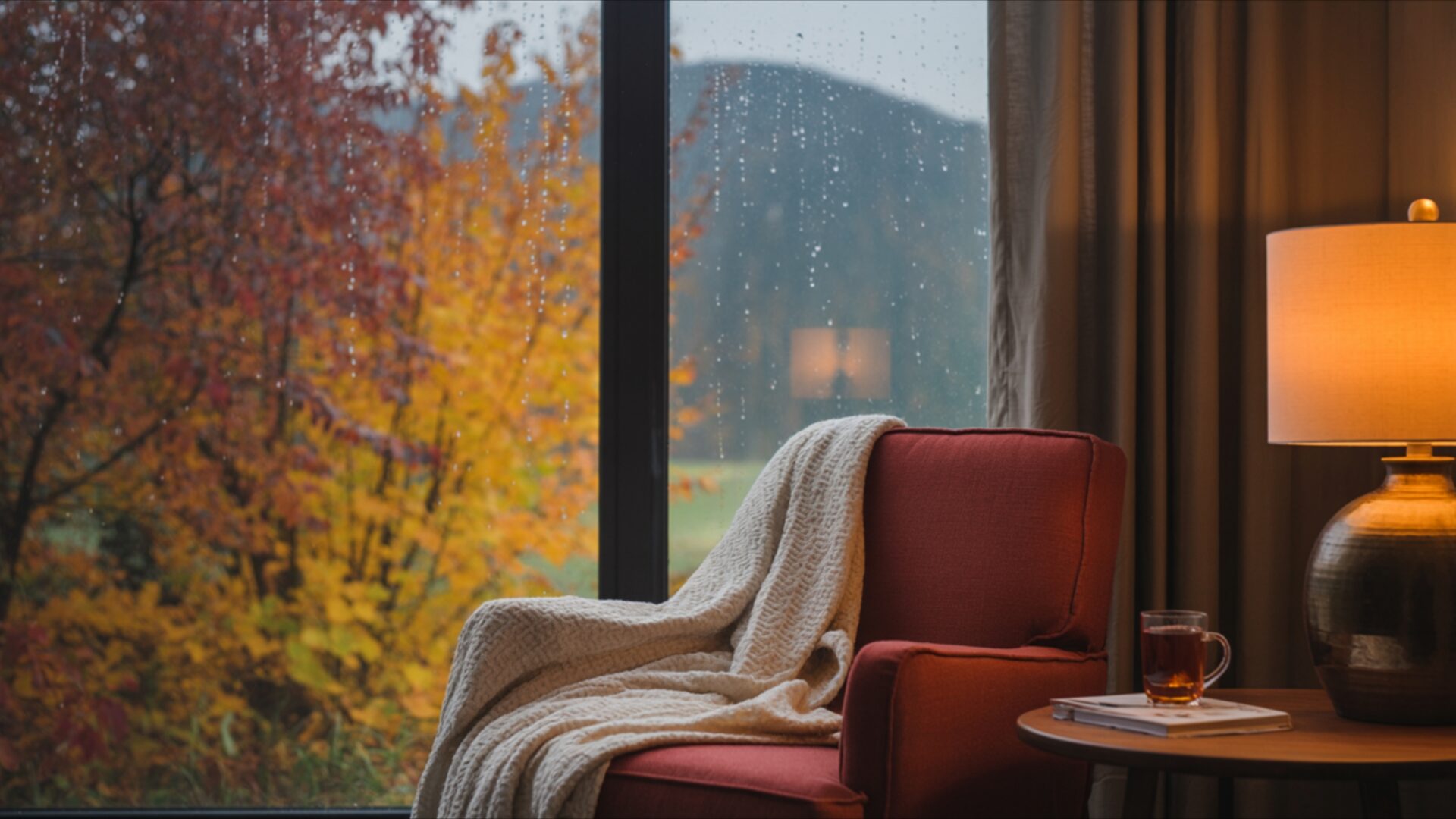
Autumn Rain Window View Cozy Indoor Scene invites you into a tranquil Seasonal & Events visual theme. This image captures a moment of quiet contemplation, looking out from a warm interior onto a rain-swept autumn landscape. The dominant colors are the rich, deep reds and warm yellows of fall foliage, softened by the diffused light of a rainy day. Outside, the trees are a vibrant tapestry, their leaves a mix of fiery hues and golden tones, appearing slightly blurred by the falling rain. The sky is overcast, contributing to the gentle, muted light that permeates the scene.
Inside, the focus shifts to comfort and warmth. A plush, deep red armchair is draped with a soft, cream-colored throw, suggesting a place of relaxation. To the right, a small side table holds a steaming cup of tea, its amber liquid reflecting the warm glow of a nearby lamp. The lamp itself, with its dark, textured base and amber shade, casts a comforting pool of light, creating a stark contrast with the cooler, diffused light from the window. The overall mood is one of peaceful solitude and hygge, a feeling of being sheltered and content while the weather unfolds outside. The composition draws the viewer’s eye from the inviting interior to the dynamic, yet serene, exterior.
The texture of the armchair’s fabric and the softness of the throw are palpable, enhancing the sense of tactile comfort. The rain streaks on the windowpane add a subtle layer of detail, reinforcing the atmospheric conditions and the immersive quality of the scene. This visual theme is perfect for anyone seeking a calming and inviting addition to their digital space. It’s a scene that speaks of quiet moments and the simple pleasures of observing nature’s beauty from a place of warmth and security. The image evokes a sense of peace, making it an ideal choice for a desktop background.
This high-resolution visual theme is presented in 3840×2160, offering exceptional clarity. For those who prefer different display options, 4K, 2K, and Full HD versions are also available for download. Autumn Rain Window View Cozy Indoor Scene offers a beautiful escape.
Wallpaper license: CC BY-NC-ND 4.0 · Credit: HDPeek.com
Remove Black Bars | Fit to Any Screen Size | CSS Fixer & Minifier | Compress Image Online | Image Converter Online | What Is My Screen Resolution? | Wallpaper Upscaler Online
Explore Categories
💡 How to Install Wallpaper on Different Devices
Windows PC:
Right-click on the wallpaper image. Select "Set as desktop background" or "Set as wallpaper". Adjust the fit (Fill, Fit, Stretch, Tile, Center) in Settings > Personalization > Background.Mac:
Right-click on the wallpaper image. Select "Set Desktop Picture". Alternatively, go to System Preferences > Desktop & Screen Saver and choose your image.iPhone / iPad (iOS):
Open the wallpaper image in Photos. Tap the Share button and select "Use as Wallpaper". Move and scale the image, then tap "Set" > Choose "Set Lock Screen", "Set Home Screen", or "Set Both".Android:
Open the wallpaper image in your Gallery app. Tap the Menu or Options button, then select "Set as wallpaper". Choose Home screen, Lock screen, or Both. Adjust the crop if needed and confirm.Linux (Ubuntu / others):
Right-click on the wallpaper image. Select "Set as Desktop Background" or "Set as Wallpaper". Adjust settings if your desktop environment allows multiple monitors.
Tips:
- For best quality, download the image in the resolution that matches your screen.
- Use 16:9 for widescreens, 1:1 for square displays.
- On mobile devices, choose "Set Both" for a consistent look on Home and Lock screens.
