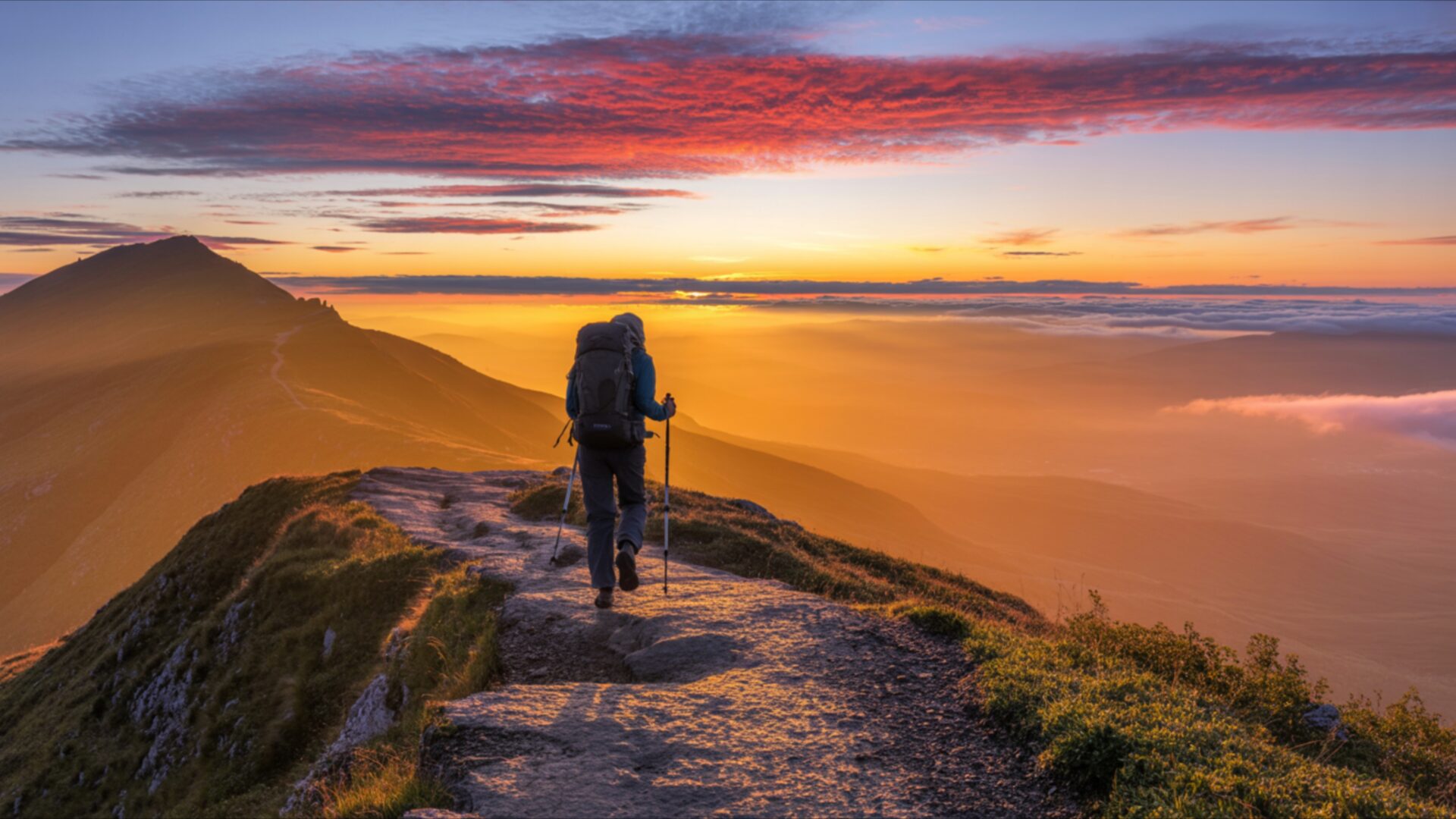
📸️ Solo Hiker Walking Along Mountain Ridge at Sunrise 4K UHD (3840x2160) Wallpaper


❤ Share this wallpaper:
WhatsApp Facebook Twitter / X Pinterest LinkedIn Copy Link for Instagram Telegram Reddit Email





💡 Below is relevant information on how to install wallpapers on different devices 👇






This 4K wallpaper is the best choice for testing your OLED professional display resolution. Compared to others, our high-performance tool provides a premium look for any high-end smartphone or desktop setup.






"Personalize this wallpaper or upload your own image to create the perfect mobile background 👇"
Customize Solo Hiker Walking Along Mountain Ridge at Sunrise for Mobile Wallpapers
iPhone • Samsung • Xiaomi • Google Pixel • Android • Huawei • (Others)
720×1600 • 1080×1920 • 1080×2340 • 1080×2400 • 1284×2778 • 1440×3088Please use Portrait Mode for a better experience (Optional)
Overview – Solo Hiker Walking Along Mountain Ridge at Sunrise
Solo Hiker Walking Along Mountain Ridge at Sunrise captures a profound moment of solitary exploration, fitting perfectly within the People & Lifestyle category. This 4k wallpaper presents a lone figure traversing a narrow mountain path as dawn breaks. The light originates from the right, casting long shadows and illuminating the rugged terrain with a warm, golden hue. A vibrant sky, painted with streaks of orange, pink, and purple, dominates the upper portion of the scene, creating a dramatic contrast with the silhouetted mountains in the distance. The texture of the rocky path and the sparse, green vegetation clinging to the ridge are rendered with exceptional detail, inviting viewers to feel the crisp mountain air.
The composition draws the eye along the winding trail towards the distant horizon, emphasizing the vastness of the landscape and the hiker’s journey. The figure, seen from behind, is equipped with a backpack and trekking poles, suggesting a challenging but rewarding trek. The overall mood is one of quiet contemplation and the pursuit of personal achievement. This visual theme offers a sense of freedom and the raw beauty of nature, making it an ideal desktop background for anyone who appreciates the serenity of the outdoors and the spirit of adventure. The image evokes a feeling of peace and the start of a new day, full of possibilities.
The warm, diffused light of the sunrise bathes the entire scene, creating a soft glow that highlights the contours of the mountains and the path. Subtle atmospheric haze in the distance adds depth and a sense of scale to the panorama. The color palette is rich and varied, transitioning from the deep blues and purples of the pre-dawn sky to the intense oranges and yellows of the rising sun. This scene composition is a powerful reminder of the simple yet profound experiences that can be found in nature. It’s a visual narrative of resilience and the pursuit of solitude in breathtaking environments.
This high-resolution image, presented in its original 3840×2160 resolution, offers unparalleled clarity and detail. You can download this stunning wallpaper for your PC wallpaper, and rest assured that 4K, 2K, and Full HD versions are also available for your viewing pleasure. Solo Hiker Walking Along Mountain Ridge at Sunrise is ready for your instant download.
Wallpaper license: CC BY-NC-ND 4.0 · Credit: HDPeek.com
Remove Black Bars | Fit to Any Screen Size | CSS Fixer & Minifier | Compress Image Online | Image Converter Online | What Is My Screen Resolution? | Wallpaper Upscaler Online
Explore Categories
💡 How to Install Wallpaper on Different Devices
Windows PC:
Right-click on the wallpaper image. Select "Set as desktop background" or "Set as wallpaper". Adjust the fit (Fill, Fit, Stretch, Tile, Center) in Settings > Personalization > Background.Mac:
Right-click on the wallpaper image. Select "Set Desktop Picture". Alternatively, go to System Preferences > Desktop & Screen Saver and choose your image.iPhone / iPad (iOS):
Open the wallpaper image in Photos. Tap the Share button and select "Use as Wallpaper". Move and scale the image, then tap "Set" > Choose "Set Lock Screen", "Set Home Screen", or "Set Both".Android:
Open the wallpaper image in your Gallery app. Tap the Menu or Options button, then select "Set as wallpaper". Choose Home screen, Lock screen, or Both. Adjust the crop if needed and confirm.Linux (Ubuntu / others):
Right-click on the wallpaper image. Select "Set as Desktop Background" or "Set as Wallpaper". Adjust settings if your desktop environment allows multiple monitors.
Tips:
- For best quality, download the image in the resolution that matches your screen.
- Use 16:9 for widescreens, 1:1 for square displays.
- On mobile devices, choose "Set Both" for a consistent look on Home and Lock screens.
