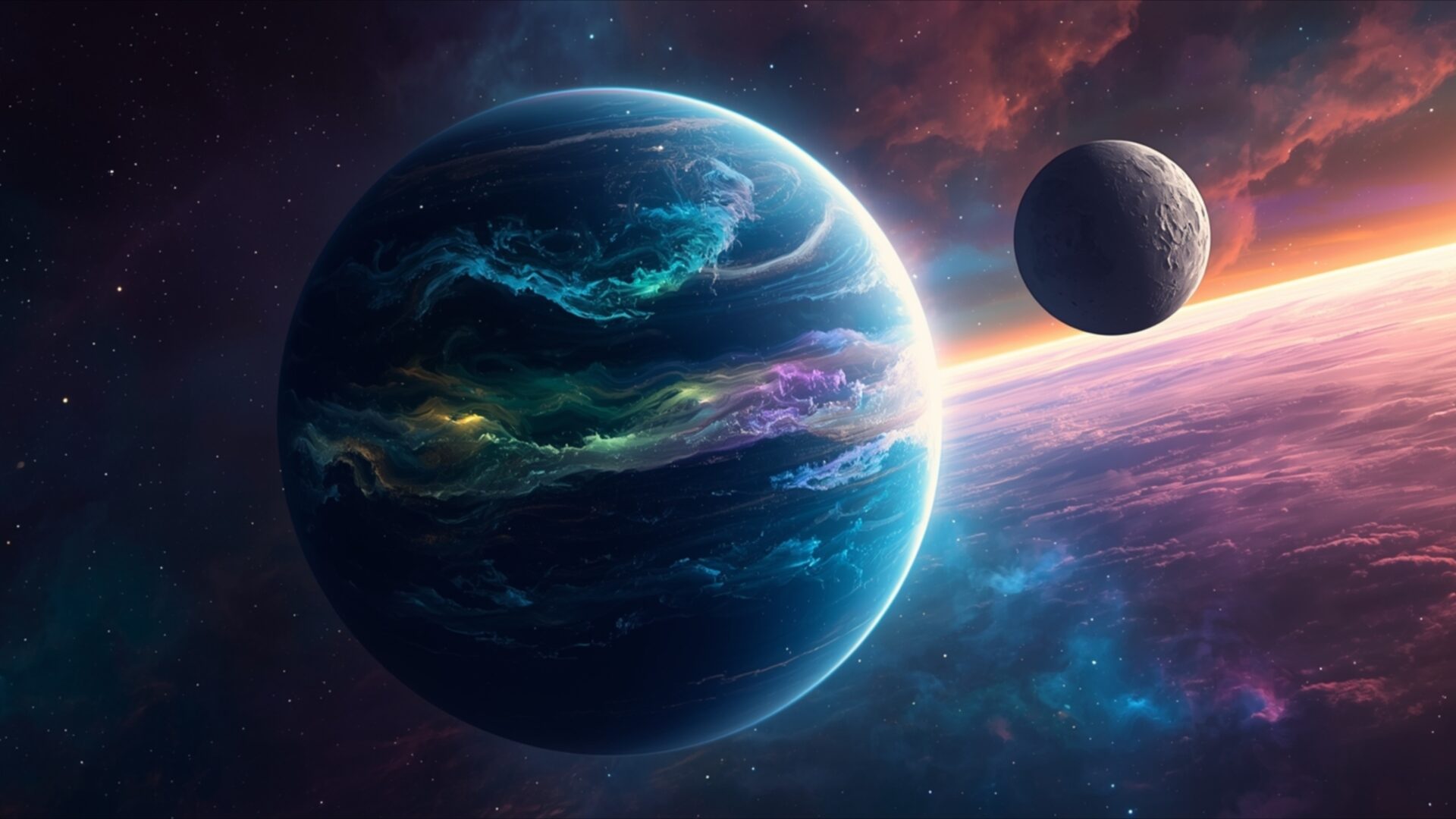
🚀 Planet With Glowing Atmosphere Next to Smaller Moon 4K UHD (3840x2160) Wallpaper
❤ Share this wallpaper:
WhatsApp Facebook Twitter / X Pinterest LinkedIn Copy Link for Instagram Telegram Reddit Email



💡 Below is relevant information on how to install wallpapers on different devices 👇



This 4K wallpaper is the best choice for testing your OLED professional display resolution. Compared to others, our high-performance tool provides a premium look for any high-end smartphone or desktop setup.


"Personalize this wallpaper or upload your own image to create the perfect mobile background 👇"
Customize Planet With Glowing Atmosphere Next to Smaller Moon for Mobile Wallpapers
iPhone • Samsung • Xiaomi • Google Pixel • Android • Huawei • (Others)
720×1600 • 1080×1920 • 1080×2340 • 1080×2400 • 1284×2778 • 1440×3088Please use Portrait Mode for a better experience (Optional)
Overview – Planet With Glowing Atmosphere Next to Smaller Moon
Planet With Glowing Atmosphere Next to Smaller Moon offers a stunning glimpse into a distant celestial pairing, perfect for anyone appreciating a captivating space and science visual theme. The primary planet dominates the foreground, its surface a deep, rich blue marbled with vibrant streaks of turquoise and emerald. These luminous veins seem to pulse with an inner light, suggesting a dynamic and active atmosphere. The lighting in the image originates from the right, casting a soft glow that highlights the planet’s curvature and the textured surface of the smaller, grey moon positioned in the upper right quadrant. This moon appears cratered and ancient, a stark contrast to the energetic glow of its larger companion.
The background is a spectacle of cosmic color. Swirls of deep purple, soft pink, and fiery orange blend together, creating a nebula-like effect that stretches across the expanse. This vibrant backdrop provides a dramatic contrast to the cooler tones of the planet and moon, enhancing the overall sense of depth and wonder. The artistic style leans towards a realistic yet fantastical interpretation of space, with a focus on atmospheric effects and celestial bodies. The composition draws the viewer’s eye from the detailed planet to the more subdued moon, then out into the colorful, expansive universe. This image is ideal for anyone seeking a visually rich desktop background.
The interplay of light and shadow across the planet’s surface adds a tangible quality, making the celestial body feel almost within reach. Subtle hints of distant stars dot the darker areas of the scene, further emphasizing the vastness of space. The overall mood is one of serene exploration and cosmic beauty, inviting contemplation of the universe’s mysteries. This particular visual theme is designed to transform your computer screen into a window to another world, offering a unique aesthetic for your digital space. The image is a testament to the beauty that can be found in the cosmos.
For those looking to enhance their digital environment, this Planet With Glowing Atmosphere Next to Smaller Moon is available as a 4k wallpaper, providing exceptional detail and clarity. You can download wallpaper for your PC, ensuring a crisp and vibrant display. We also offer this stunning scene in 2K and Full HD resolutions, making it accessible for a wide range of devices and preferences.
Wallpaper license: CC BY-NC-ND 4.0 · Credit: HDPeek.com
Remove Black Bars | Fit to Any Screen Size | CSS Fixer & Minifier | Compress Image Online | Image Converter Online | What Is My Screen Resolution? | Wallpaper Upscaler Online
Explore Categories
💡 How to Install Wallpaper on Different Devices
Windows PC:
Right-click on the wallpaper image. Select "Set as desktop background" or "Set as wallpaper". Adjust the fit (Fill, Fit, Stretch, Tile, Center) in Settings > Personalization > Background.Mac:
Right-click on the wallpaper image. Select "Set Desktop Picture". Alternatively, go to System Preferences > Desktop & Screen Saver and choose your image.iPhone / iPad (iOS):
Open the wallpaper image in Photos. Tap the Share button and select "Use as Wallpaper". Move and scale the image, then tap "Set" > Choose "Set Lock Screen", "Set Home Screen", or "Set Both".Android:
Open the wallpaper image in your Gallery app. Tap the Menu or Options button, then select "Set as wallpaper". Choose Home screen, Lock screen, or Both. Adjust the crop if needed and confirm.Linux (Ubuntu / others):
Right-click on the wallpaper image. Select "Set as Desktop Background" or "Set as Wallpaper". Adjust settings if your desktop environment allows multiple monitors.
Tips:
- For best quality, download the image in the resolution that matches your screen.
- Use 16:9 for widescreens, 1:1 for square displays.
- On mobile devices, choose "Set Both" for a consistent look on Home and Lock screens.
