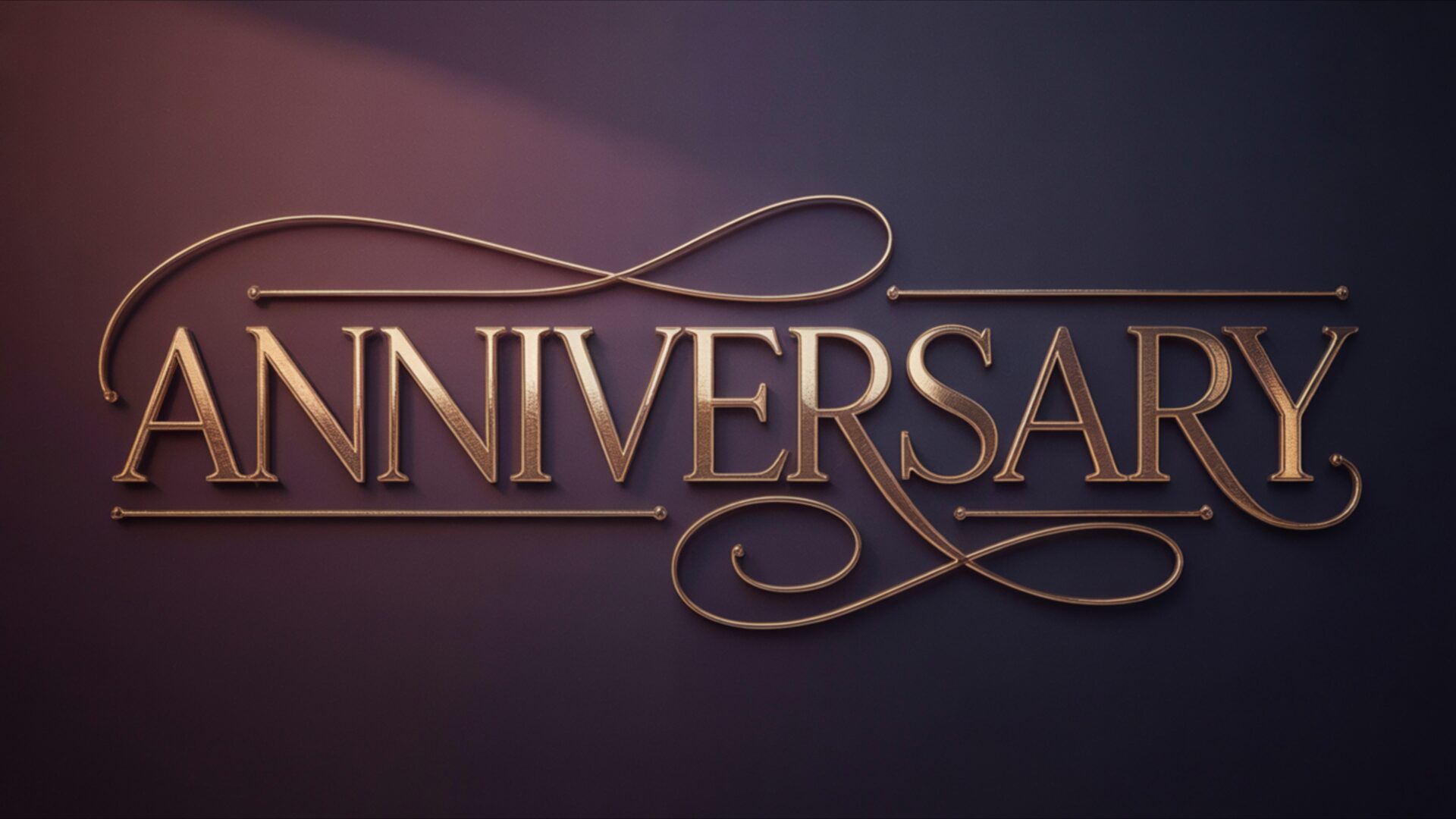
🎉️ Simple Anniversary Gold Typography 4K UHD (3840x2160) Wallpaper


❤ Share this wallpaper:
WhatsApp Facebook Twitter / X Pinterest LinkedIn Copy Link for Instagram Telegram Reddit Email





💡 Below is relevant information on how to install wallpapers on different devices 👇






This 4K wallpaper is the best choice for testing your OLED professional display resolution. Compared to others, our high-performance tool provides a premium look for any high-end smartphone or desktop setup.




"Personalize this wallpaper or upload your own image to create the perfect mobile background 👇"
Customize Simple Anniversary Gold Typography for Mobile Wallpapers
iPhone • Samsung • Xiaomi • Google Pixel • Android • Huawei • (Others)
720×1600 • 1080×1920 • 1080×2340 • 1080×2400 • 1284×2778 • 1440×3088Please use Portrait Mode for a better experience (Optional)
Overview – Simple Anniversary Gold Typography
Simple Anniversary Gold Typography presents an elegant visual theme for Seasonal & Events, featuring the word Anniversary rendered in a sophisticated metallic gold. The lettering itself possesses a subtle, three-dimensional quality, with each character carefully crafted to catch the light. A soft, warm illumination emanates from the upper left, casting gentle shadows that add depth and a touch of realism to the design. This light source highlights the polished surface of the gold, revealing fine details and a smooth, reflective texture. The overall mood is one of understated celebration and refined sentiment, making it a fitting choice for commemorating special occasions.
The color palette is rich and inviting, dominated by deep, muted purples and blues that form the backdrop. These darker tones create a striking contrast with the luminous gold typography, ensuring the central message commands attention without being overly flashy. Subtle gradients within the background add a sense of atmospheric depth, preventing the surface from appearing flat. The artistic style leans towards a clean, modern aesthetic, prioritizing clarity and impact through the use of strong typography and controlled lighting. The decorative flourishes that elegantly frame the word Anniversary contribute to its graceful presentation, enhancing the overall sense of occasion. This image is designed to evoke a feeling of warmth and significance.
This particular scene composition is ideal for personalizing your digital space, offering a touch of class. The careful interplay of light and shadow, combined with the luxurious gold finish, creates a visually appealing focal point. It’s a design that speaks of thoughtful gestures and cherished memories, perfect for marking milestones. The simplicity of the design ensures it complements rather than overwhelms your display. You can download this wallpaper in its original 3840×2160 resolution, with additional 4K, 2K, and Full HD versions also available for your convenience.
Wallpaper license: CC BY-NC-ND 4.0 · Credit: HDPeek.com
Remove Black Bars | Fit to Any Screen Size | CSS Fixer & Minifier | Compress Image Online | Image Converter Online | What Is My Screen Resolution? | Wallpaper Upscaler Online
Explore Categories
💡 How to Install Wallpaper on Different Devices
Windows PC:
Right-click on the wallpaper image. Select "Set as desktop background" or "Set as wallpaper". Adjust the fit (Fill, Fit, Stretch, Tile, Center) in Settings > Personalization > Background.Mac:
Right-click on the wallpaper image. Select "Set Desktop Picture". Alternatively, go to System Preferences > Desktop & Screen Saver and choose your image.iPhone / iPad (iOS):
Open the wallpaper image in Photos. Tap the Share button and select "Use as Wallpaper". Move and scale the image, then tap "Set" > Choose "Set Lock Screen", "Set Home Screen", or "Set Both".Android:
Open the wallpaper image in your Gallery app. Tap the Menu or Options button, then select "Set as wallpaper". Choose Home screen, Lock screen, or Both. Adjust the crop if needed and confirm.Linux (Ubuntu / others):
Right-click on the wallpaper image. Select "Set as Desktop Background" or "Set as Wallpaper". Adjust settings if your desktop environment allows multiple monitors.
Tips:
- For best quality, download the image in the resolution that matches your screen.
- Use 16:9 for widescreens, 1:1 for square displays.
- On mobile devices, choose "Set Both" for a consistent look on Home and Lock screens.
