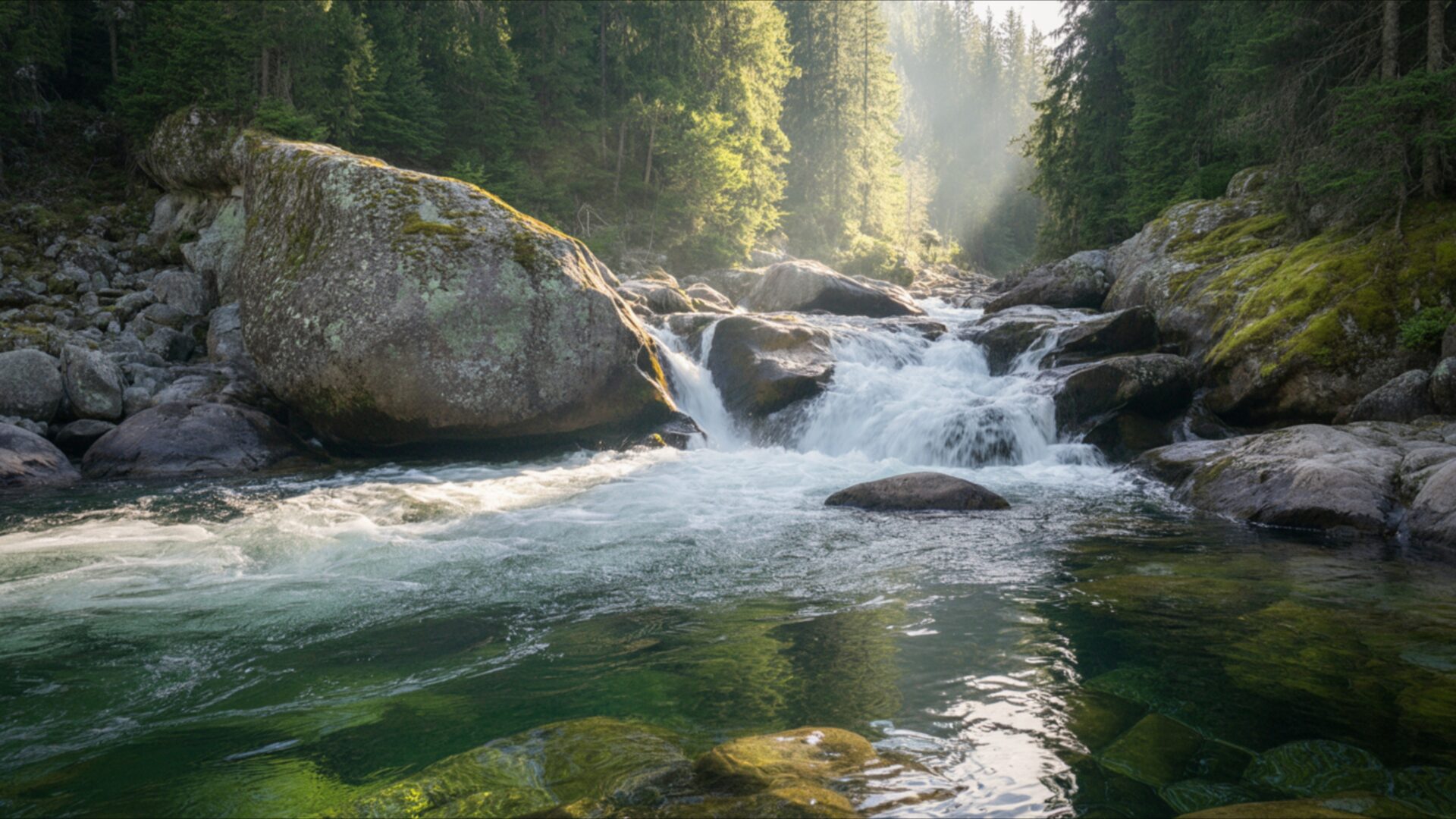
🌿 Mountain River With Strong Flow 4K UHD (3840x2160) Wallpaper


❤ Share this wallpaper:
WhatsApp Facebook Twitter / X Pinterest LinkedIn Copy Link for Instagram Telegram Reddit Email




💡 Below is relevant information on how to install wallpapers on different devices 👇




This 4K wallpaper is the best choice for testing your OLED professional display resolution. Compared to others, our high-performance tool provides a premium look for any high-end smartphone or desktop setup.

"Personalize this wallpaper or upload your own image to create the perfect mobile background 👇"
Customize Mountain River With Strong Flow for Mobile Wallpapers
iPhone • Samsung • Xiaomi • Google Pixel • Android • Huawei • (Others)
720×1600 • 1080×1920 • 1080×2340 • 1080×2400 • 1284×2778 • 1440×3088Please use Portrait Mode for a better experience (Optional)
Overview – Mountain River With Strong Flow
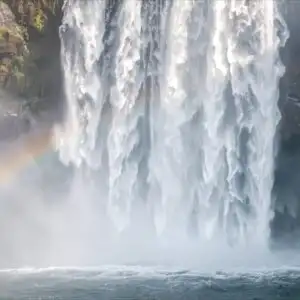
Mountain River With Strong Flow captures the essence of the Nature category with its dynamic composition and vibrant color palette. This image presents a powerful river carving its path through a mountainous landscape, a scene composition that evokes both tranquility and raw energy. The crispness of the 4k wallpaper resolution enhances every detail, from the individual pebbles lining the riverbed to the distant peaks shrouded in a soft, calm air.
The interplay of light and shadow across the water’s surface creates a mesmerizing effect, highlighting the river flow’s strength and direction. Notice how the green tones of the surrounding vegetation contrast beautifully with the cool blues and grays of the rocks and water, resulting in a visually balanced and harmonious aesthetic layout. The high-resolution detail allows you to appreciate the subtle textures of the landscape, from the smooth, polished stones to the rough bark of the trees clinging to the riverbanks. It is a desktop background that brings the outdoors inside, offering a moment of respite from the everyday.
Consider the way the photographer has framed the shot, drawing your eye along the winding course of the river and into the heart of the mountain nature. The strong scene is not just a depiction of a place, but also an invitation to experience the peaceful vibe of the wilderness. This stylish HD artwork is perfect for personalizing your desktop, adding a touch of natural beauty to your digital workspace. It’s a visual theme that promotes focus and serenity, making it an ideal choice for those seeking a calming influence in their daily lives.
If you are looking to download wallpaper that transforms your computer screen background into a window to the world, this is an excellent choice. The clarity and depth of field achieved in the 3840×2160 resolution are truly remarkable, making it a standout piece for any monitor wallpaper. This mobile background option offers a similar level of detail on smaller screens, ensuring that the beauty of the mountain river is never compromised, regardless of the device.
Available as a free wallpaper, this stunning image is an instant download to refresh your visual experience. Get it now and enjoy the immersive quality of this Mountain River With Strong Flow visual, available in a range of resolutions, including the pristine quality of 4K, as well as 2K and Full HD versions to suit various screen sizes and display capabilities.
Wallpaper license: CC BY-NC-ND 4.0 · Credit: HDPeek.com
Remove Black Bars | Fit to Any Screen Size | CSS Fixer & Minifier | Compress Image Online | Image Converter Online | What Is My Screen Resolution? | Wallpaper Upscaler Online
Explore Categories
💡 How to Install Wallpaper on Different Devices
Windows PC:
Right-click on the wallpaper image. Select "Set as desktop background" or "Set as wallpaper". Adjust the fit (Fill, Fit, Stretch, Tile, Center) in Settings > Personalization > Background.Mac:
Right-click on the wallpaper image. Select "Set Desktop Picture". Alternatively, go to System Preferences > Desktop & Screen Saver and choose your image.iPhone / iPad (iOS):
Open the wallpaper image in Photos. Tap the Share button and select "Use as Wallpaper". Move and scale the image, then tap "Set" > Choose "Set Lock Screen", "Set Home Screen", or "Set Both".Android:
Open the wallpaper image in your Gallery app. Tap the Menu or Options button, then select "Set as wallpaper". Choose Home screen, Lock screen, or Both. Adjust the crop if needed and confirm.Linux (Ubuntu / others):
Right-click on the wallpaper image. Select "Set as Desktop Background" or "Set as Wallpaper". Adjust settings if your desktop environment allows multiple monitors.
Tips:
- For best quality, download the image in the resolution that matches your screen.
- Use 16:9 for widescreens, 1:1 for square displays.
- On mobile devices, choose "Set Both" for a consistent look on Home and Lock screens.
